Views: 449Author: Site EditorPublish Time: 2026-09-15Origin: Site
WXGA and WUXGA sound like marketing labels, but they describe two specific resolution classes that sit either side of the industrial mainstream. Choosing between them, or choosing neither, comes down to three questions: what the operator must read, what the host can drive, and how long the panel will stay available.
This article compares the classes, explains the bandwidth and scaling consequences, and sets out when a lower resolution is genuinely the better engineering answer.
WXGA, WUXGA and Full HD compared
WXGA is most commonly 1280x800 in a 16:10 shape, and sometimes 1280x720 in 16:9. WUXGA is 1920x1200, also 16:10 — the wider sibling of Full HD's 1920x1080. The practical difference between WUXGA and Full HD is vertical room: 1200 lines instead of 1080, which matters for interface content that grows downward, such as tables, logs and multi-row alarm lists.
All three sit above the low-end industrial mainstream of 1024x600 and 800x480, and below the imaging-grade densities. That middle band is where most graphical operator interfaces live.
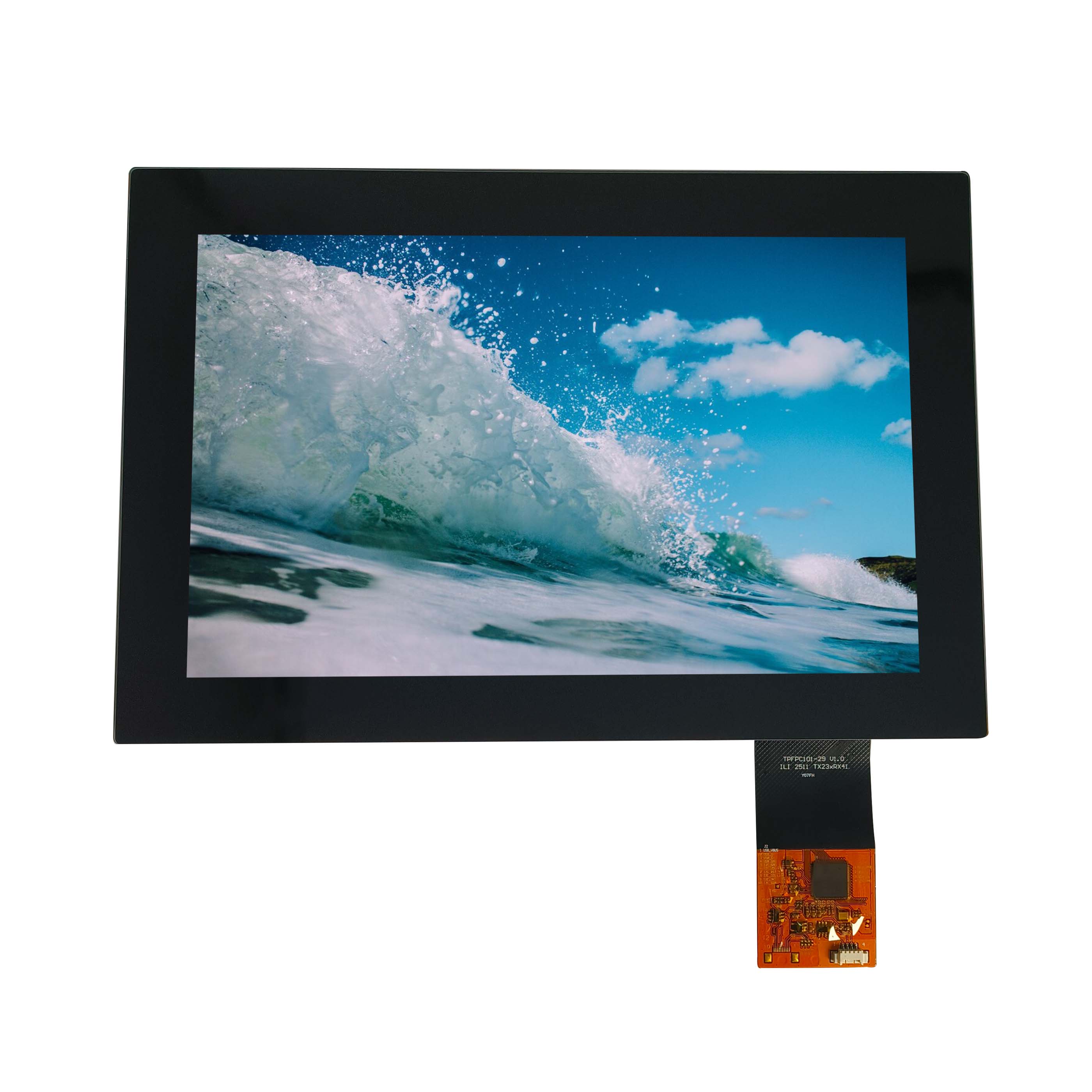
A 10.1-inch 1280x800 module — the WXGA class in its most common industrial size.
What each resolution buys for the content
Resolution only helps if the content can use it. Line graphics, gauges, trend curves and status displays look better immediately: curves become smoother and thin strokes stop disappearing. Text improves up to the point where the font is already comfortably legible, after which extra pixels buy nothing for the reader.
The class where the gain is most obvious is dense but structured information: a screen that must show several parameters, a navigation frame and a status bar at once. WXGA usually provides enough; WUXGA helps when the layout includes long tables or a preview pane alongside controls.
Where resolution does not help is detailed images. If the operator must judge a camera image or inspect a rendered part, neither class is right — that is a 4K conversation.
Interface and bandwidth consequences
Bandwidth scales with pixels and refresh rate, and the jump from WXGA to WUXGA is significant. In practice:
1280x800 over a single LVDS link is routine on current industrial panels and embedded platforms.
1920x1200 over a single LVDS link is possible but leaves less margin; many designs use dual links, embedded DisplayPort, or a higher-capability interface.
MIPI DSI handles WXGA comfortably and WUXGA depending on lane count and the processor's display pipeline.
Pin count, connector size and cable length all move with the choice. The interface comparison in LVDS versus MIPI DSI covers the trade-offs; the point here is that the resolution decision is also a board decision.
Scaling, pixel-perfect mapping and legacy content
There is also a measurement question hidden inside the scaling discussion. A panel's stated contrast, uniformity and brightness are measured under defined conditions; when content is scaled, the perceived sharpness changes but the optical measurements do not. If two panels are being compared for an imaging-adjacent task, compare them at native resolution with content that has fine detail, not with a scaled interface screenshot.
There is also a measurement question hidden inside the scaling discussion. A panel's stated contrast, uniformity and brightness are measured under defined conditions; when content is scaled, the perceived sharpness changes but the optical measurements do not. If two panels are being compared for an imaging-adjacent task, compare them at native resolution with content that has fine detail, not with a scaled interface screenshot.
Very few programmes start clean. Either an existing interface was designed for 1024x600, or a video source delivers a different size than the panel displays.
Scaling upward by a non-integer factor forces interpolation, and thin lines and small text are the first casualties. Where the graphics stack supports integer scaling or a native rendering path, use it and design the interface for the panel's real resolution. Where it does not, accept a layout with deliberate margins rather than a stretched image.
For video, check the direction of scaling. Downscaling a higher-resolution source to WXGA is generally acceptable; upscaling a lower-resolution source to WUXGA exposes the source's limits on a large panel.
Cost position and long-term supply by class
Lead time behaves differently across the classes as well. Mainstream WXGA panels are usually available from stock or with short lead times because several suppliers build them continuously. WUXGA panels are more often built to order, which means the lead time you see at the start of a programme may be optimistic once the panel becomes popular. Where a product has a hard launch date, either carry buffer stock of the less common class or design the interface so the same layout works at both resolutions.
WXGA panels sit in the industrial mainstream: broad availability, moderate cost, and many suppliers. WUXGA panels are a smaller market. Availability concentrates in specific sizes, lead times are longer, and the number of alternative sources is smaller.
That does not make WUXGA a bad choice, but it changes the risk profile. If your product has a long service life, the availability question should be answered before the interface is designed around the extra vertical resolution.
Pairing resolution with panel size
Pixel density is what the eye sees, and it falls as the panel grows. WXGA on a 10.1-inch panel is comfortable at arm's length. The same resolution on a 15-inch panel looks coarse at the same distance, which is why the larger classes tend to appear with WUXGA or Full HD instead.
A working rule: decide the viewing distance first, then choose the resolution that keeps interface text legible at that distance without shrinking it below comfortable reading size. CDTech's 10.1-inch display range shows how several resolutions are offered inside one physical size.
When a lower resolution is the better answer
Interface density is the other half of the decision. Count the elements that must be visible simultaneously — parameters, navigation, alarms, status — and then estimate the pixel area each element needs at the intended font size. If the total exceeds the class you were considering, the answer is a larger panel or a simpler interface, not a smaller font. Operators tolerate a scrolling list; they do not tolerate text they have to lean in to read.
Interface density is the other half of the decision. Count the elements that must be visible simultaneously — parameters, navigation, alarms, status — and then estimate the pixel area each element needs at the intended font size. If the total exceeds the class you were considering, the answer is a larger panel or a simpler interface, not a smaller font. Operators tolerate a scrolling list; they do not tolerate text they have to lean in to read.
Lower resolution wins in four situations. When the host cannot carry the bandwidth without a board redesign. When the interface is text-led and already legible. When the product lifetime is short and the panel is a means to an end. And when power or thermal budget is tight, since higher-resolution panels usually draw more in the display pipeline and sometimes in the backlight.
Choosing 1024x600 deliberately, with a layout designed for it, produces a better product than choosing WUXGA and scaling a layout that never fitted.
Deciding the resolution class for a new programme
Sequence the decision: viewing distance, then the content that must be visible at once, then the host's display capability, then availability. Freeze the interface layout against the panel you have chosen, not against a scaled version of it.
Class
Pixels
Typical industrial use
Main constraint
1024x600
0.6 MP
Text-led HMI, cost-driven designs
Little room for graphics
WXGA 1280x800
1.0 MP
Graphical HMI, instruments, kiosks
Vertical room for dense layouts
WUXGA 1920x1200
2.3 MP
Dense interfaces, control-room panels
Bandwidth, availability, lead time
Full HD 1920x1080
2.1 MP
Wide-format consoles and media views
Fewer vertical lines than WUXGA
If you are choosing between WXGA and WUXGA for a specific size and platform, tell us the size, resolution and host interface and we will confirm what is available and what the interface requires.
Frequently asked questions
Is WXGA always 1280x800?
Mostly, but not only — 1280x720 is also sold as WXGA. Always specify the pixel dimensions and aspect ratio, not just the label.
Can WUXGA run on a single LVDS pair?
Sometimes, but with less margin. Check the pixel clock against the link configuration, and expect many designs at this resolution to use dual links or a different interface.
Does a higher resolution always look sharper?
Only if the content is rendered at that resolution and the viewing distance lets the eye resolve it. Scaled content on a high-density panel can look worse than native content on a lower-density one.
The last check before committing is the interface's headroom at the chosen resolution. A host that drives the panel comfortably at one format may be close to its limit at the next, and the difference shows up as a reduced refresh rate rather than as a failure. Confirming it before the board is laid out is cheaper than discovering it afterwards.
Where the interface is fixed by an existing board, the resolution choice narrows to what that board can drive comfortably, and confirming that early avoids a board change later in the programme.