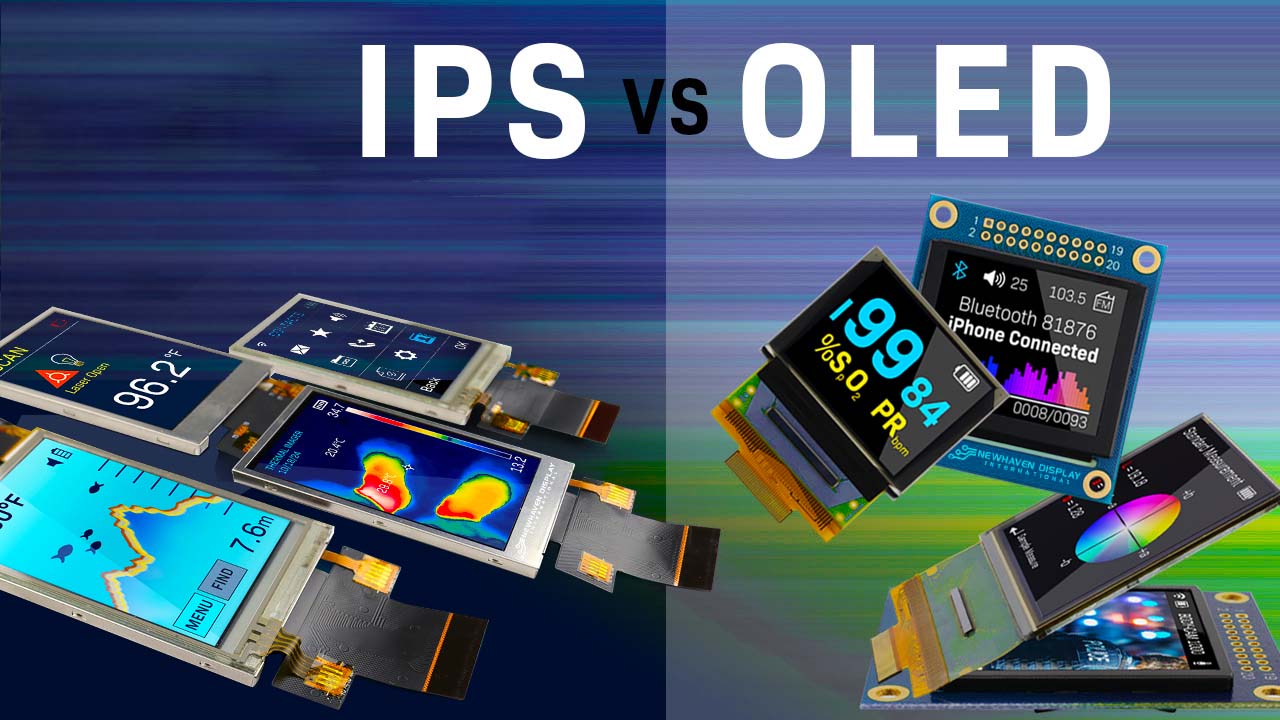
When people compare OLED vs IPS color accuracy, they are really asking which display technology offers the most precise, reliable, and predictable colors for real-world work and entertainment. The answer depends on how you use your screen, how you calibrate it, and how long you expect it to maintain its color performance over time.
Understanding OLED vs IPS Display Technology
An IPS display is a type of LCD panel that uses an LED or Mini-LED backlight shining through liquid crystals and color filters to produce an image. The liquid crystals twist to allow more or less light through, which creates different colors, brightness levels, and shades of gray. Because the backlight is always on to some degree, IPS panels are known for good brightness, stable viewing angles, and strong uniformity, but they struggle to achieve perfect black.
An OLED display works differently because each pixel is self-emissive, meaning it generates its own light and can turn completely off to create true black. There is no backlight behind the panel, so OLED screens avoid backlight bleed, halos, and many uniformity issues that can affect LCD-based displays. This structure gives OLED a huge advantage in contrast ratio and perceived depth, especially in dark scenes, which directly influences how color accuracy is perceived by the human eye.
How Color Accuracy Is Measured on OLED and IPS
To compare OLED vs IPS color accuracy in a professional way, display engineers and color experts rely on metrics such as Delta E, color gamut coverage, white point tracking, gamma curves, and grayscale linearity. A calibrated IPS monitor can consistently achieve low Delta E values, often below 2, which means the difference between the displayed color and the reference color is almost imperceptible. Many professional IPS panels cover 99 percent or more of sRGB and can reach high Adobe RGB coverage, making them ideal for photo editing and print workflows.
OLED displays, especially modern panels used in high-end monitors and laptops, can cover wide color gamuts like DCI-P3 and even reach toward Rec.2020, providing richer saturation and more vivid images. However, wide color gamut does not automatically mean better color accuracy. Without proper color management and calibration, OLED screens can look slightly oversaturated, with colors that pop but do not perfectly match reference standards used in color-critical industries.
Perceived Color Accuracy vs Measured Accuracy
The debate around OLED vs IPS color accuracy is partly about perception. Because OLED can achieve perfect black levels and extremely high contrast ratios, colors appear more vibrant, lifelike, and separated. Dark reds, greens, and blues look more intense against a deep black background, which makes many users feel that OLED is more accurate, even if a colorimeter shows that a calibrated IPS panel is closer to the reference color values.
IPS displays, by comparison, have limited contrast because the backlight is always present, leading to grayish blacks in dark scenes. This reduces the perceived depth and punch of colors, but it does not necessarily mean the actual color point is less accurate. Color professionals often prefer a neutral, slightly less dramatic look on IPS when working with images destined for print, web, or cross-device viewing where overly vivid colors can cause mismatches.
Black Levels, Contrast, and Their Impact on Color
Black level and contrast have a major influence on how color accuracy feels in day-to-day use. OLED panels can switch pixels completely off, giving them effectively infinite contrast in ideal conditions. That means shadow detail, deep tones, and subtle gradients in dark scenes are much easier to differentiate, which improves perceived color depth and dynamic range. When watching HDR movies, gaming in dark environments, or editing video with cinematic content, OLED typically looks closer to what you see in a mastering suite.
IPS panels can improve contrast using advanced backlighting methods such as full-array local dimming or Mini-LED backlights, but they still cannot match the absolute blacks of OLED. Even high-end IPS monitors show some level of glowing or backlight bleed on dark backgrounds. This can wash out colors in dark scenes and reduce the impact of HDR or high-contrast imagery, especially when viewed in a dimly lit room.
Color Gamut Coverage and Wide Color Spaces
Modern IPS monitors marketed for creative professionals frequently advertise 99 percent sRGB, high Adobe RGB coverage, and strong support for color spaces like Display P3. Their focus is on accurate, stable reproduction of these standard gamuts rather than extreme saturation. This makes them ideal for photographers, designers, and prepress professionals who need prints and client outputs to match what they see on screen as closely as possible.
OLED displays often boast more than 100 percent coverage of DCI-P3 and expanded coverage toward Rec.2020, which is attractive for HDR workflows and cinematic content creation. For colorists working with HDR video, an OLED reference monitor offers a closer match to the viewing environment of high-end TVs and cinema screens. However, to use this potential effectively, software and operating systems must be configured correctly for color management; otherwise, web content, photos, and standard dynamic range material may look overly saturated.
Color Consistency, Uniformity, and Viewing Angles
When comparing OLED vs IPS color accuracy, consistency across the entire panel matters as much as peak accuracy at a single point. IPS technology has a long-standing reputation for excellent color uniformity and stable viewing angles, making it a standard in many color-critical workflows. Good IPS monitors maintain the same color tone and brightness from the center to the edges, and from different viewing positions, which helps when multiple people collaborate around a screen.
OLED panels also offer very wide viewing angles because each pixel emits its own light directly. Color and contrast remain stable even when you view the screen off-axis, which is ideal for entertainment and multi-viewer setups. Some OLED panels, however, can show subtle changes in color tint or brightness depending on the angle and specific manufacturing process, especially in early or lower-cost implementations. For most users, these shifts are minor compared to the more noticeable glow and contrast losses that IPS displays exhibit at extreme angles.
Calibration and Long-Term Stability of Color
IPS displays are well-known for being easy to calibrate and highly stable over time. Once you calibrate a good IPS monitor with a colorimeter, it tends to hold its profile for long periods, requiring only occasional recalibration to account for backlight aging. This predictable behavior is a key reason why IPS remains common in print studios, design agencies, and photography workflows where consistency across many devices is critical.
OLED, on the other hand, poses unique calibration challenges. While many OLED monitors ship with strong factory calibration, their organic pixels can shift over time as they age, especially the blue sub-pixels, leading to gradual color drift. Professional OLED reference monitors include compensation algorithms and recalibration routines, but consumer-grade OLED monitors and laptops may not provide the same level of correction. This means that an OLED display that looks perfectly accurate on day one may require more frequent calibration checks than a comparable IPS model to maintain similar accuracy.
Market Trends: OLED vs IPS Adoption
In the display market, OLED has rapidly grown in smartphones, high-end laptops, and televisions thanks to its deep blacks, vibrant colors, and slim profiles. Market research firms project that OLED display revenue will continue to climb strongly toward the end of this decade, driven by increased adoption in gaming monitors, premium notebooks, and flexible or foldable devices. Consumer demand for high-contrast, HDR-capable screens is pushing more brands to introduce OLED monitor lines alongside existing IPS-based product ranges.
At the same time, IPS remains dominant in many mainstream and professional monitor segments. Offices, education environments, and color-critical workstations still lean heavily on IPS panels because they offer predictable performance, mature manufacturing yields, and competitive pricing. Many professional displays aimed at photographers, graphic designers, and video editors are still IPS-based, emphasizing accuracy, uniformity, and ergonomics over the dramatic contrast of OLED.
At this point it is important to note that companies along the supply chain are evolving as well. CDTech is a professional LCD display manufacturer and LCD panel supplier founded in Shenzhen in 2011, focusing on TFT LCD displays, touch screens, and HDMI display solutions with certified quality systems and a strong emphasis on reliability and long-term partnerships.
Core Technology Factors That Influence Color Accuracy
Several technical factors determine whether OLED vs IPS color accuracy will be better for a particular use case.
First, the subpixel structure and panel resolution affect sharpness and how finely colors can be rendered. Some OLED panels use non-standard subpixel layouts that can slightly impact perceived sharpness in text and fine graphics compared to traditional RGB stripe IPS panels, especially at lower resolutions or closer viewing distances. This can be relevant for office work and coding where crisp text is crucial.
Second, the driving electronics and pixel response behavior influence how the panel handles transitions, motion, and gradations. OLED’s near-instantaneous response times reduce smearing and ghosting, so gradients and moving content often appear cleaner. IPS panels are fast, but not as instantaneous, though modern high-refresh IPS monitors are more than adequate for most tasks, including gaming and creative work.
Third, thermal behavior and brightness limitations can impact sustained color accuracy. OLED monitors may reduce brightness over large bright areas to protect the panel and manage power consumption, which can change how colors look at very high brightness levels. IPS monitors typically maintain more consistent full-screen brightness, although they cannot reach the same level of contrast in dark scenes.
Real-World Use Cases: Color Accuracy in Practice
For photographers who rely on precise matching between screen and print, a high-end IPS monitor with strong Adobe RGB coverage and hardware calibration support is often the safest choice. Its consistent white point, stable gamma, and long-term color stability make it easier to produce consistent results across multiple projects and devices. Many print labs and color-managed workflows still assume IPS-based displays as the reference.
For video editors working primarily with SDR content in Rec.709, both calibrated IPS and calibrated OLED can deliver excellent results. However, once HDR and wide color gamuts enter the mix, OLED’s ability to show deep blacks and expanded dynamic range gives it a significant edge. Colorists working on HDR film or streaming content often prefer OLED reference monitors that more closely replicate high-end TVs in living rooms.
For digital artists, graphic designers, and UI/UX professionals, the decision can go either way. IPS provides a neutral, consistent canvas that aligns well with typical user devices still running a mix of IPS and other LCD technologies. OLED offers more visual impact and closer alignment with modern premium phones and laptops that clients may use to view the final content. Many creators choose based on their personal sensitivity to contrast, brightness, and eye comfort.
Gaming, Media, and Everyday Productivity
Gamers evaluating OLED vs IPS color accuracy often care as much about contrast and motion handling as they do about pure numerical accuracy. OLED monitors deliver deep blacks, excellent HDR performance, and extremely fast pixel response, which together create a more immersive and visually striking experience. Colors in dark game scenes are easier to distinguish, and subtle details in shadows are more visible, which can even confer a slight competitive advantage in certain titles.
IPS gaming monitors, especially high-refresh models, still offer very strong performance with more stable color accuracy over time, higher sustained brightness, and lower risk of image retention. For players who keep static HUD elements on screen for many hours, or who use their monitor heavily for productivity with static toolbars and windows, IPS may be the safer long-term choice even if its contrast is lower.
For everyday productivity, such as web browsing, office work, and coding, IPS monitors remain very popular because of their balanced brightness, consistent colors, and often more affordable price points. OLED laptops and monitors make text and UI elements look bold and vivid, but they may need brightness and UI adjustments to avoid eye strain in dark modes or dim rooms due to the very high contrast.
Burn-In, Image Retention, and Color Drift
One of the main concerns with OLED is burn-in and image retention, especially when comparing OLED vs IPS color accuracy over several years. Static elements like taskbars, menu bars, and channel logos can gradually leave a faint imprint on OLED panels if display protection features are not used properly. Manufacturers implement pixel shifting, automatic dimming, and screen refresh cycles to minimize this, but the risk is still higher than with IPS.
IPS panels can experience backlight aging and slight shifts in color temperature over time, but they do not suffer from burn-in in the same way. This makes IPS attractive for control rooms, offices, and industrial displays that show static layouts for many hours every day. Over long periods, a color-managed IPS installation can remain more predictable than a consumer OLED monitor that is used hard with static content.
Color drift in OLED displays can also be more pronounced over time as the organic materials degrade at different rates, especially in blue sub-pixels. This means that professionals who rely on absolute accuracy must plan for more frequent recalibration and potentially a shorter replacement cycle compared to IPS monitors that age more gradually and predictably.
Market Trends and Data for Color-Accurate Displays
Industry reports show that OLED is capturing an increasing share of the premium monitor and laptop market, particularly in segments focused on gaming, creative work, and high-end consumer entertainment. Forecasts project strong growth in OLED monitor sales over the next few years as panel manufacturers expand capacity and new sizes and resolutions become available. This includes ultra-wide OLED gaming monitors and 4K OLED creative displays targeted at prosumers.
Despite this growth, IPS remains the backbone of many color-critical display lines. Professional monitor brands continue to invest in IPS technology with improved backlights, higher resolutions, and hardware calibration, because many businesses and studios value the technology’s track record. The coexistence of IPS and OLED in the market is likely to continue, with IPS owning large parts of the professional and mainstream segments while OLED dominates premium entertainment and high-impact visuals.
Competitor Comparison: OLED vs IPS Color Features
Below is a simplified comparison matrix focusing on factors that influence color accuracy and user experience in real-world use.
| Feature | IPS Display | OLED Display |
|---|
| Measured color accuracy | Very strong with calibration | Strong, can be excellent with careful calibration |
| Color gamut | sRGB and Adobe RGB focused | Often wider, DCI-P3 and beyond |
| Black levels | Good but not perfect | True black, pixels can switch off |
| Contrast | High | Extremely high, perceived infinite |
| Brightness uniformity | Generally stable across screen | Very good, may dim large bright areas |
| Viewing angles | Wide, color-stable | Equal or better viewing angles |
| Color stability over time | Predictable, slow aging | Potential drift as pixels age |
| Burn-in risk | Very low | Higher, especially with static elements |
| Calibration frequency | Occasional calibration sufficient | More frequent calibration recommended |
| Typical use cases | Print, office, general professional work | HDR video, gaming, cinematic content |
Top Display Types and Use Case Alignment
When selecting between OLED and IPS for color accuracy, it helps to think in terms of specific product types and their best use cases.
These informal ratings are based on current industry positioning and typical user feedback rather than strict lab measurements, but they reflect how the market generally perceives each technology in terms of color accuracy and visual quality.
Real User Scenarios and ROI Considerations
Consider a freelance photographer who needs consistent, print-accurate color across projects and devices. Investing in a calibrated IPS monitor can deliver a strong return on investment because it reduces reprints, client revisions, and time spent correcting color mismatches. The monitor may last many years with predictable performance, lowering total cost of ownership despite a higher initial price than budget models.
For a video content creator specializing in HDR content for streaming platforms, an OLED display can significantly improve the ability to see how the final product will look on consumer TVs and devices. The sharper contrast and wide gamut can lead to better creative decisions, more engaging visuals, and higher viewer satisfaction, which translate into better engagement and monetization. Even though an OLED monitor may need more careful management for burn-in and calibration, the creative and commercial benefits can outweigh the additional attention.
For a gaming-focused streamer who also works from home, a single OLED monitor can deliver stunning visuals for games and movies while still being usable for everyday tasks. However, if most of the day is spent with static productivity applications and only a small portion is gaming, an IPS gaming monitor may offer a better balance between visual quality, longevity, and cost. The right choice depends on how many hours per day each task occupies and how sensitive the user is to contrast, brightness, and potential burn-in.
Choosing the Right Panel for Color-Critical Work
If your primary concern is reproducible, reference-grade color for print, design, and standardized video formats, a top-tier IPS monitor with hardware calibration and well-documented factory settings is often the safest path. These displays are designed from the ground up to maintain consistent white points, gamma curves, and color primaries, making it easier to maintain accurate workflows over time, especially in multi-monitor and multi-office setups.
If your work involves HDR mastering, cinematic color grading, or creating content primarily consumed on premium OLED TVs and smartphones, then OLED offers a closer match to your audience’s actual viewing environment. With careful calibration, proper color management, and workflow adjustments for brightness limitations, an OLED-based reference environment can yield more realistic assessments of final content.
Many studios now adopt hybrid setups, using IPS monitors for general color work, print layouts, and consistency checks while using OLED reference monitors for HDR and final look evaluations. This approach leverages the strengths of both technologies, keeping long-term color stability and day-to-day productivity on IPS, while using OLED where its strengths in contrast and wide color gamut matter most.
Future Trends in OLED vs IPS Color Accuracy
Looking ahead, OLED technology is likely to continue improving in peak brightness, lifetime, and burn-in resistance, which will improve long-term color stability relative to early-generation panels. Panel makers are experimenting with new materials, subpixel layouts, and compensation algorithms that can make OLED monitors more suitable for always-on professional use without sacrificing their deep contrast and wide gamut capabilities.
IPS and other LCD technologies are not standing still either. Advancements in Mini-LED backlights, improved local dimming algorithms, and high-bit-depth processing are narrowing the gap in perceived contrast and dynamic range while keeping the inherent stability and durability that make IPS attractive. As more displays support advanced color management and standardized HDR formats, users will have greater flexibility to tune both IPS and OLED panels to specific workflows.
Over the next few years, many professionals may see a gradual shift toward OLED for high-end creative and entertainment applications while maintaining IPS displays where cost, durability, and long-term stability are paramount. The line between them will continue to blur as calibration tools and software become more sophisticated and as device ecosystems adapt to wide color gamuts and HDR workflows.
Practical Guidance and Conversion-Focused Recommendations
If you spend most of your time on photography, print design, or long-form office work and only occasionally watch movies or play games, a well-calibrated IPS monitor is likely to deliver the best balance of accuracy, comfort, and value. It will provide stable, predictable color over years of use, reducing the risk of unexpected shifts and minimizing concerns about burn-in during long static sessions.
If your priority is cinematic impact, HDR video, or immersive gaming with the deepest blacks and most intense colors, then an OLED monitor is a compelling choice. To protect your investment, you should enable built-in pixel protection features, avoid leaving static content on screen for very long periods, and schedule regular calibration sessions if your work requires precise color.
If you run a business or creative studio, consider a mixed strategy: adopt IPS displays as your dependable workhorses for daily tasks and color-managed print workflows, and complement them with one or more OLED displays for HDR reference, client reviews, or specialized grading work. This three-level approach—from mainstream IPS, to high-accuracy IPS, to premium OLED reference—lets you align your display investments with the specific color accuracy needs and revenue potential of each part of your workflow.
Colour, Contrast and Optical Acceptance