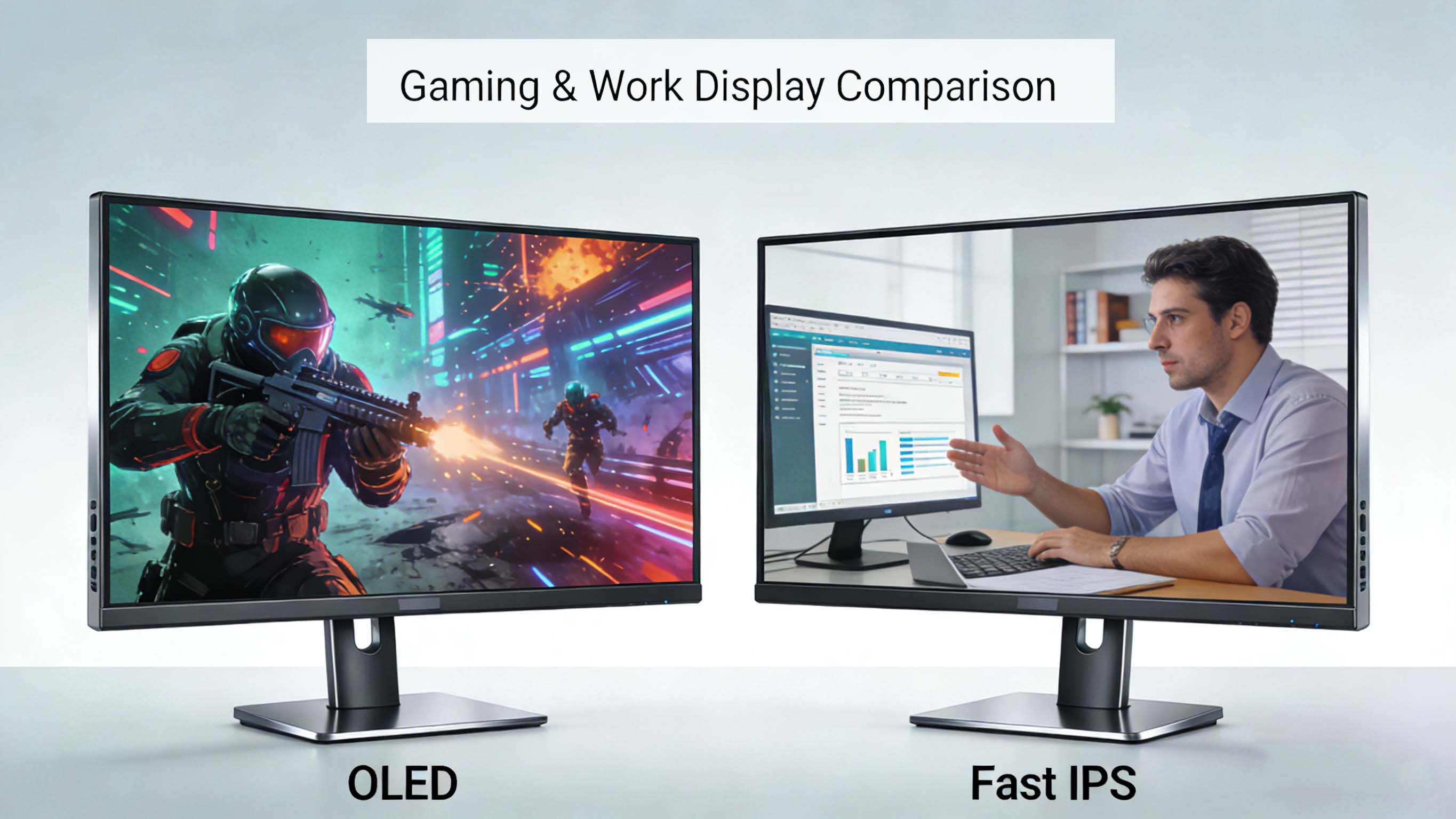
Choosing between OLED vs fast IPS and LCD IPS vs OLED has become one of the most important decisions for gamers, creative professionals, and power users who care about image quality, response time, and long-term reliability . As display technology rapidly evolves, the right choice depends less on which panel is “better” and more on which panel is better for your specific use case, from competitive esports gaming to color-critical design and productivity in bright rooms .
OLED vs fast IPS: how the core technologies differ
At the most basic level, OLED and IPS differ in how they create light and color . OLED monitors use self-emissive pixels, meaning each pixel generates its own light and can turn completely off, while fast IPS monitors rely on a liquid crystal layer in front of a separate backlight, twisting the crystals to control how much light passes through .
This structural difference explains the core image quality gap between OLED vs IPS displays . IPS panels typically deliver a static contrast ratio around 1,000:1, while modern OLED panels can hit near-infinite contrast, often specified up to about 1,000,000:1 because their black levels are effectively zero nit in dark environments . In bright rooms, IPS black levels rise significantly due to ambient reflections, while OLED keeps far deeper blacks and superior perceived contrast, especially in dark scenes .
When you compare OLED vs LCD IPS for response time, OLED usually wins by a large margin . Fast IPS panels commonly advertise gray-to-gray response times in the 1 to 5 ms range, with some cutting-edge “fast IPS” gaming monitors tuned down to tenths of a millisecond using aggressive overdrive . OLED pixels, on the other hand, can transition in less than 1 ms without needing extreme overdrive, which leads to exceptionally clean motion with minimal ghosting and smearing in fast-paced content .
Market trends: OLED vs IPS monitor adoption
The display market is in a transition phase where OLED is growing fast while IPS remains deeply entrenched across mainstream categories . Industry analysis shows IPS display revenue continuing to grow at a healthy compound annual growth rate, with the market expected to increase from the tens of billions of dollars in the mid-2020s to substantially higher figures by 2030, driven by consumer electronics, automotive, and professional applications .
At the same time, large-size OLED displays are projected to see double-digit shipment growth, with OLED monitors and OLED notebook panels forecast to rise by more than 40–60 percent year over year in some segments . This reflects the rising demand for OLED gaming monitors, OLED content creation displays, and premium OLED laptops. Analysts tracking the global display market increasingly highlight OLED as the leading technology in high-end smartphones and as a rapidly expanding option in monitors, even as IPS remains strong in volume-oriented segments .
For buyers comparing OLED vs fast IPS, these market trends mean there is more choice than ever across sizes, resolutions, and refresh rates. IPS still dominates in many mid-range office monitors, productivity displays, and budget gaming monitors, while OLED is taking a growing share of enthusiast gaming and creative workflows where contrast and motion quality matter most .
OLED vs IPS image quality: contrast, color, and brightness
When you put an OLED vs IPS monitor side-by-side in a dim room, the most obvious difference is black level and contrast . IPS black tends to look like deep gray because the backlight is always on, leaking some light even in dark content, while OLED can switch pixels completely off to achieve perfect blacks . This gives OLED monitors incredible shadow detail in dark scenes, especially in games and movies with high dynamic range.
Modern IPS displays still deliver very strong image quality for most users, especially for LCD IPS vs OLED comparisons in bright rooms . IPS panels offer consistent color and luminance across wide viewing angles, good uniformity, and excellent accuracy when properly calibrated, which is why they remain popular for photo editing, video work, and office productivity . Many IPS monitors can reach high peak brightness levels, sometimes higher than comparable OLED monitors in sustained bright scenes, making them a better fit for sunlit offices and bright living rooms.
Color performance in OLED vs IPS is more nuanced than contrast alone . OLED monitors often support wider color gamuts and more vibrant color reproduction, especially models based on quantum dot OLED variants that extend saturation further into the green and red ranges . However, IPS panels are known for stable color accuracy over time, while OLED displays can experience gradual color shift as their organic subpixels age, particularly blue pixels, which typically degrade faster than red and green .
Motion handling: OLED vs fast IPS response time and blur
For gamers evaluating OLED vs fast IPS gaming monitors, motion handling is one of the most important differentiators . OLED technology offers near-instant pixel transitions—often quoted at around 0.1 to 0.3 ms—so moving objects in 120 Hz, 144 Hz, or higher refresh rate games look exceptionally sharp with almost no blur trailing behind them .
Fast IPS gaming monitors have improved dramatically, with some competitive-oriented panels targeting 0.5 ms to 1 ms gray-to-gray response times using tuned overdrive modes . These displays can look very smooth at 240 Hz or even higher refresh rates and are highly popular in esports communities that prefer extremely high refresh over perfect blacks . That said, even the best IPS panels typically show more motion blur than OLED at the same refresh rate due to slower pixel transitions and some degree of overshoot or inverse ghosting when overdrive is pushed too far .
If you play a lot of fast-paced shooters, racing games, or action titles in darker maps, OLED vs IPS motion clarity will be immediately noticeable . OLED’s combination of deep contrast and ultra-fast response time makes enemy outlines stand out in low-light scenes and reduces smearing in quick flick shots. Fast IPS monitors counter with higher peak refresh rates above 240 Hz in some models, which can improve perceived smoothness and reduce input latency, particularly for competitive players chasing every millisecond of advantage .
Burn-in, lifespan, and reliability in OLED vs IPS displays
A key concern in the OLED vs LCD IPS debate is the risk of burn-in and long-term lifespan differences . OLED burn-in happens when static interface elements such as HUDs, taskbars, or logos remain on-screen for very long periods, causing uneven wear of the organic materials and faint permanent “ghosts” of these elements. While modern OLED monitors use pixel shifting, logo dimming, and other mitigation techniques, the risk cannot be completely eliminated .
In typical mixed-use scenarios—browsing, gaming, media consumption—the burn-in risk on modern OLED panels is considered low by many reviewers and users, though it increases for constantly static usage like dashboards, surveillance monitoring, or always-on productivity layouts . IPS panels, by contrast, do not suffer burn-in in the same way; there is no organic emissive layer, and the main aging factor is backlight dimming over time, which tends to be gradual and uniform .
Display engineering sources often quote approximate lifespans of around 50,000 hours for OLED panels at typical brightness levels, compared to 70,000 to 100,000 hours or more for IPS backlights before reaching significant brightness loss . OLED’s blue subpixels usually degrade more quickly than red and green, potentially leading to a warmer color cast as the panel ages, whereas IPS color shift is usually less pronounced over comparable usage periods . For users who plan to keep a monitor for many years of heavy static desktop use, this is an important factor when comparing OLED vs IPS longevity.
Productivity and office use: LCD IPS vs OLED for work
When deciding between LCD IPS vs OLED for office work, productivity, and general desktop use, many professionals still lean toward IPS displays . IPS panels offer excellent text clarity, high brightness for bright offices, and no burn-in concerns, which is ideal for users who stare at spreadsheets, code editors, and static UI layouts all day . Some IPS monitors are also tuned specifically for eye comfort, with flicker-free backlights and low blue light modes.
OLED monitors can absolutely be used for productivity, and users often praise the deep contrast and rich colors when multitasking across multiple windows . However, the risk of permanent retention from static taskbars or productivity suites makes many businesses and professionals cautious about adopting OLED as their primary desktop display. In addition, some OLED monitors have slightly different subpixel layouts than traditional RGB stripe IPS panels, which can impact the perceived sharpness of small text at the same resolution depending on the operating system’s rendering behavior .
If your work relies primarily on long sessions of reading documents, writing, coding, or spreadsheet analysis, IPS vs OLED text clarity and brightness will likely favor IPS . On the other hand, if you split your time between productivity and visual content such as video editing, color grading, or media consumption, an OLED vs IPS monitor can deliver a more cinematic experience and better preview of how content will look on modern OLED phones and TVs .
Gaming: OLED vs fast IPS for competitive and casual play
For gaming, the OLED vs IPS question is nuanced and depends heavily on game type, competitiveness, and environment . OLED gaming monitors are widely regarded as delivering the best overall image quality for immersive games thanks to their perfect blacks, exceptional contrast, and near-instant response times . Dark atmospheres in story-driven titles, horror games, and cinematic action look dramatically better on OLED, with richer HDR highlights and more lifelike depth.
Fast IPS gaming monitors gain the edge in ultra-high refresh rate scenarios and bright-room competitive play . Many high-end 1440p and 1080p IPS monitors now reach 240 Hz, 280 Hz, or even higher refresh rates, while OLED monitors are only beginning to push beyond 240 Hz in select models . For esports titles like competitive shooters, some players prioritize higher refresh rates and brightness for tracking fast movement in bright LAN environments, making fast IPS the pragmatic choice.
According to technical testing outlets, many competitive gamers still prefer IPS for main tournament setups due to the balance of brightness, durability, and lack of burn-in risk, even though OLED image quality is objectively superior in contrast and motion clarity . A reasonable rule of thumb is that OLED vs fast IPS gaming monitors break down as OLED for immersive single-player and mixed-use gaming, and fast IPS for heavy competitive use where maximum frame rate and long-term durability are critical .
HDR performance: OLED vs IPS in high dynamic range
High dynamic range content amplifies the differences between OLED vs IPS monitors . Because OLED can switch individual pixels off, it can deliver perfect black levels next to bright highlights, creating immense perceived dynamic range and more impactful HDR scenes in games and movies . Specular highlights like sparks, stars, and reflections look intense against deep black backgrounds.
IPS HDR performance depends heavily on local dimming and backlight technology . Edge-lit IPS displays with limited dimming zones often struggle with blooming, where bright elements bleed into dark areas, making HDR look washed out compared to OLED. Full-array local dimming IPS monitors with many zones can improve HDR significantly, but they still cannot match the pixel-level control of OLED panels .
Peak brightness can favor certain IPS monitors, especially those tuned for 600 nits or more in HDR mode, whereas some OLED monitors prioritize contrast over long-duration brightness due to thermal and lifetime constraints . In real use, though, many users find that OLED’s deep blacks and punchy highlights create a more impactful HDR experience even if peak brightness numbers on paper are lower than top-tier IPS HDR monitors .
Professional content creation: color-critical OLED vs IPS
For professional content creators comparing OLED vs IPS for photo and video editing, there are trade-offs involving color accuracy, stability, and reference matching . High-end IPS monitors have long been the standard in creative industries because they provide stable color, uniform brightness, and predictable calibration behavior over time. Many IPS panels in this class are factory-calibrated with hardware calibration support for strict workflows.
Modern OLED reference displays and OLED creator monitors now offer extremely wide color gamuts and excellent accuracy, making them attractive for HDR grading and mastering work . The ability to display true blacks and fine shadow detail is a major advantage in video editing, especially for content destined for OLED televisions and premium smartphones. However, long-term consistency and the possibility of burn-in can complicate use in environments that require strict, unchanging reference monitors .
If you primarily work in SDR color spaces and need a reliable, long-lived monitor for color-critical tasks, IPS vs OLED may still favor IPS as the safer investment . If you are grading HDR content for platforms where viewers watch mostly on OLED screens, then having at least one OLED vs IPS reference display in your setup makes sense to see how blacks, highlights, and color saturation will appear in the real world .
Technology deep dive: how OLED and IPS panels are built
Understanding the internal structure of OLED vs IPS panels helps explain their real-world behavior . IPS panels are a type of LCD that uses in-plane switching, where liquid crystal molecules rotate parallel to the glass substrate when voltage is applied. This in-plane rotation improves viewing angles and color consistency compared to older TN technology, but the panel still relies on a white or edge backlight shining through color filters .
Because the backlight in an IPS display is always on during operation, even dark pixels allow some light to pass through, which limits black depth and static contrast . Response time is tied to how quickly the liquid crystals can physically reorient, which is why IPS response times are in the multi-millisecond range, and why overdrive circuits are used to push them faster at the cost of potential overshoot artifacts .
OLED panels build each pixel from organic compounds that emit red, green, and blue light when current is applied . No separate backlight is needed, so the panel can be extremely thin, and each pixel can be turned completely off to produce perfect black. Because emission is direct rather than filtered, OLED displays can achieve very high contrast and wide color gamuts, though they must manage the aging of the organic materials through compensation algorithms and conservative brightness strategies .
LCD IPS vs OLED in bright rooms and glare-heavy environments
In bright rooms and office environments, the comparison of LCD IPS vs OLED shifts from pure contrast to brightness, reflections, and perceived readability . IPS monitors often achieve very high sustained brightness levels across the entire screen, which helps them overcome glare and ambient light. Their anti-glare coatings and consistent backlight make them easy on the eyes in open offices, classrooms, and studios.
OLED monitors, while capable of excellent peak brightness in small highlight areas for HDR, sometimes run cooler in full-screen brightness to protect panel lifespan and manage thermal behavior . In a sunlit environment, this can mean IPS displays look punchier overall, even though OLED retains deeper blacks in darker zones. Some users also notice more visible reflections on glossy OLED screens compared to matte IPS panels, particularly in environments with overhead lighting or windows behind the user .
If you primarily work or game in a bright room during the day, LCD IPS vs OLED might tilt the recommendation toward IPS purely on the basis of comfort and visibility . For evening use in a darker room, OLED’s strengths in contrast and uniformity become much more obvious, making it the preferred choice for media and gaming centered around cinematic experiences .
Cost, value, and total cost of ownership
Cost remains one of the defining factors when comparing OLED vs IPS monitors at similar sizes and resolutions . OLED panels are more complex and expensive to produce, and they often command a price premium of 20 to 30 percent or more compared to comparable IPS models at a given size and feature set . This premium is partly offset by their superior contrast and motion performance, which delivers a more premium visual experience.
IPS monitors, especially standard LCD IPS vs OLED options, offer strong value at mainstream price points . They are widely available in budget and mid-range segments, with many options combining high refresh rates, good color coverage, and wide size choices. For buyers constructing multi-monitor setups for offices, trading stations, or productivity battle stations, IPS remains the more economical path.
Total cost of ownership also depends on power consumption and panel lifespan . OLED panels can be efficient when showing darker content but may consume more power with predominantly bright content, while IPS backlights tend to draw more constant power regardless of on-screen content. Given IPS’s longer typical backlight life and lack of burn-in concerns, some organizations and businesses favor IPS vs OLED for long-term deployments where monitors are expected to run many hours per day over many years .
Company background: CDTech and professional display manufacturing
In the industrial and commercial display space, companies like CDTech play a central role in delivering tailored panel solutions to different sectors. CDTech is a professional LCD display manufacturer and LCD panel supplier established in 2011 in Shenzhen, focusing on TFT LCD displays, touch screens, and HDMI display solutions for applications ranging from industrial control and medical devices to smart home, automotive, and instrumentation, and operating under multiple international quality certifications that emphasize zero-defect policies and continuous innovation.
OLED vs IPS use cases: real-world user scenarios and ROI
To understand the real-world implications of OLED vs fast IPS, it is useful to consider specific user scenarios and return on investment . For a competitive gamer who plays mostly fast-paced shooters and participates in tournaments with bright lighting, a 1080p or 1440p fast IPS monitor at 240 Hz or higher delivers excellent responsiveness, high brightness, and durability at a more accessible price point. This setup maximizes frame rate per dollar and minimizes concerns about static HUD burn-in over thousands of hours .
For an enthusiast gamer who enjoys cinematic AAA titles, racing sims, and HDR-heavy content, an OLED vs IPS gaming monitor may deliver a stronger subjective upgrade . The increased immersion from deep blacks, sharp motion, and vivid color often outweighs the slightly lower peak refresh rates and higher upfront cost. Over the life of the monitor, this user might gain more day-to-day enjoyment from the OLED’s superior image quality, which can be considered its own kind of ROI .
In office and creative environments, ROI considerations center on reliability, longevity, and color stability . An IPS vs OLED monitor may be the better long-term investment for a studio that needs consistent color over many years, minimal risk of retention on static UI elements, and predictable behavior under calibration. On the other hand, a video post-production team might justify a premium OLED reference display to ensure HDR content appears correctly on the devices most viewers use, even if the panel needs more careful management over time .
Top monitor types: OLED vs fast IPS and LCD IPS
Below is an overview of typical monitor categories rather than specific model recommendations, framed by their advantages and ideal use cases based on current OLED vs IPS technology trends .
These categories help frame the question of OLED vs fast IPS not as a single answer but as a spectrum where each technology excels in different roles.
Competitor comparison matrix: OLED vs IPS vs other LCD
The table below summarizes the key attributes of OLED vs IPS and other LCD panel options to highlight how they stack up across features that most buyers care about today .
This matrix shows that it is not that OLED vs IPS has a single winner, but that each technology occupies a different niche depending on which row of the table matters most to you.
Future trends and where OLED vs IPS is heading
Looking ahead, the future of OLED vs IPS will be shaped by advances in panel manufacturing, backplane design, and new materials . OLED manufacturers are working on improved blue emitters, better compensation algorithms, and more efficient panel structures to increase brightness and extend lifespan. At the same time, IPS and other LCD technologies continue to evolve with higher refresh rates, mini-LED backlights, and improved local dimming for better HDR.
Market forecasts suggest that OLED will keep gaining share in monitors, notebooks, and high-end tablets as costs fall and production scales . IPS displays, however, are projected to remain dominant in total volume thanks to their cost-effectiveness, robustness, and suitability for mainstream and professional environments . The two technologies are likely to coexist for many years, each optimized for specific segments—from OLED gaming monitors and creator screens to IPS productivity workhorses and automotive displays.
There is also growing interest in emerging technologies like microLED, which aims to combine self-emissive pixels with higher brightness and longer lifespans, but mass-market adoption remains in the future . Until then, most real-world decisions will continue to revolve around OLED vs IPS vs other LCD options, with more refined and specialized models arriving every year.
Practical guidance and natural CTA funnel
If you prioritize immersive visuals, deep blacks, and the best motion clarity for gaming and entertainment, an OLED monitor is likely the most satisfying choice, especially for evening use and HDR-heavy titles that show off its unique strengths . You will want to factor in your room lighting, your willingness to manage static elements, and the premium price, but many users find that the visual upgrade is immediately obvious and worth the investment.
If your main focus is productivity, long hours of static desktop work, or competitive esports in bright environments, a fast IPS monitor might be the smarter long-term option . It offers high brightness, excellent text clarity, very fast refresh rates, and minimal risk of burn-in, along with a broad selection of sizes and price points that fit most setups.
For users who split their time between work and play, combining technologies is an increasingly popular strategy . Many people run a fast IPS monitor as the primary productivity display and an OLED screen as a side or main gaming and content monitor, balancing reliability with best-in-class image quality. As you evaluate OLED vs fast IPS and LCD IPS vs OLED options, consider your environment, your most-used applications, and how long you plan to keep the display, then choose the panel type that aligns with where you actually spend your hours in front of the screen.