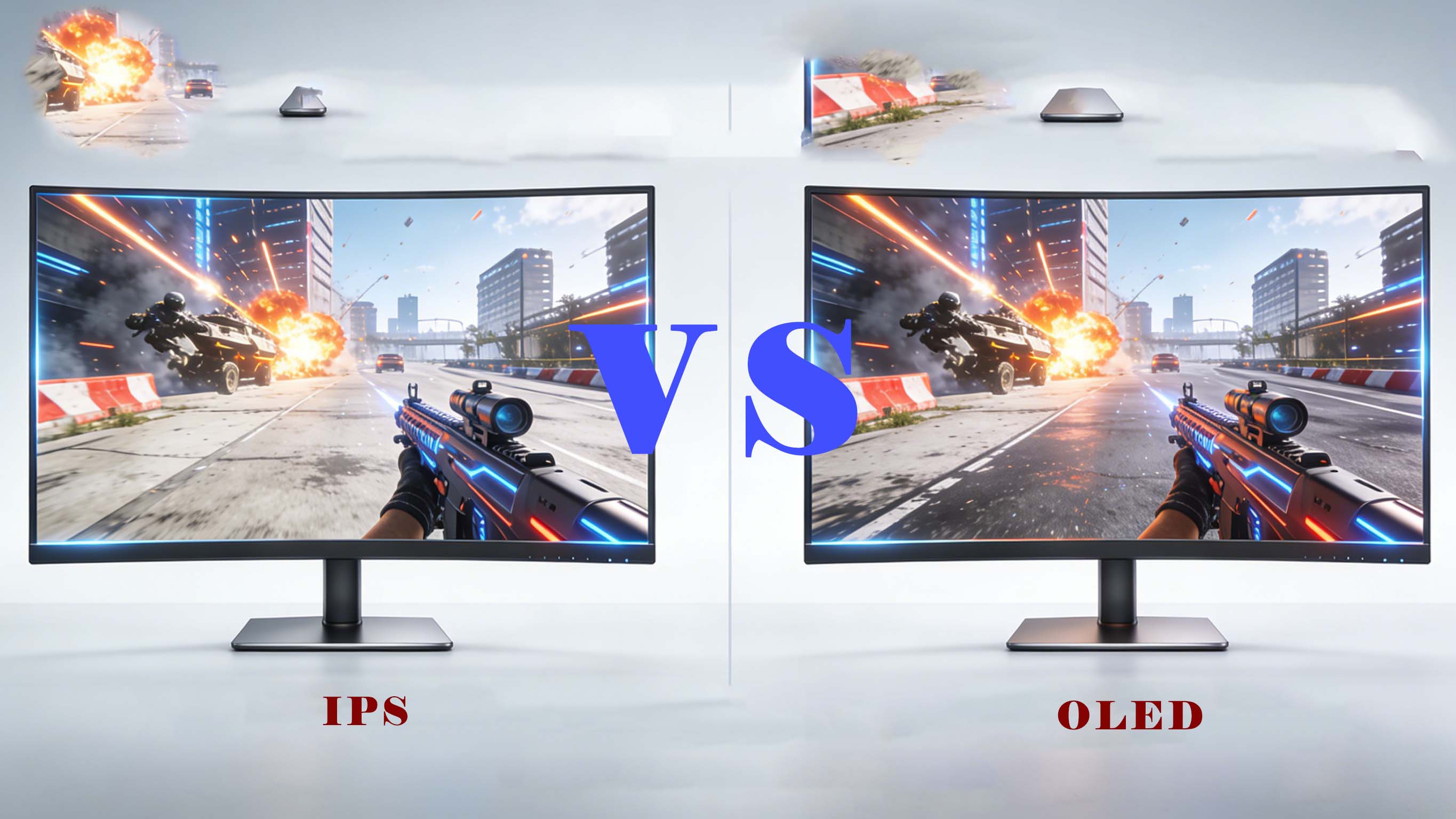
Choosing between IPS vs OLED for gaming can completely change how your games look, feel, and perform. OLED gaming monitors deliver deeper blacks, instant response, and incredible HDR, while IPS gaming monitors fight back with higher brightness, longer lifespan, and lower prices.
IPS vs OLED gaming: how the display technologies work
In an IPS gaming monitor, a backlight sits behind a liquid crystal layer, and the panel twists to let more or less light through each pixel. This makes IPS displays great for consistent color and wide viewing angles, but the backlight is always on, so blacks are really dark gray instead of true black. In an OLED gaming monitor, each pixel is self-emissive, turning completely off to show perfect black or lighting up individually for bright highlights, which is why contrast feels so dramatic in dark games.
OLED technology gives an effectively infinite contrast ratio, which is a huge advantage for cinematic single‑player titles, horror games, and HDR gaming. IPS panels still deliver high contrast by LCD standards, but the glow in dark scenes and IPS “glow” at the corners are noticeable if you often play in a dark room. Understanding this core difference in how IPS vs OLED gaming panels produce light explains most of the real‑world differences you will see on your desk.
IPS vs OLED gaming performance: response time, input lag, and motion clarity
For pure gaming responsiveness, OLED monitors are currently ahead. Many OLED gaming displays offer near‑instant pixel response times around 0.1–0.3 ms, so motion blur is minimal even in fast 240 Hz or 360 Hz gameplay. That near‑instant response improves motion clarity in FPS games, racing games, and competitive shooters where you track enemies and fast objects across the screen.
Modern IPS gaming monitors have improved dramatically, with high‑end fast IPS panels reaching 1–4 ms response times and 240 Hz or even 360 Hz refresh rates. This is more than good enough for most esports players, and combined with low input lag it delivers a very responsive feel. You may still see slight ghosting or inverse ghosting in certain overdrive modes on IPS, while OLED tends to show cleaner motion with fewer overshoot artifacts.
Input lag itself is more about electronics and processing pipelines than panel type, so both IPS and OLED gaming monitors can achieve sub‑5 ms total input lag. If your priority is motion clarity and pixel response alone, OLED usually offers the best gaming experience today. If you want very fast response at a lower price or worry about static HUD elements, an IPS monitor with 240 Hz or above still offers excellent performance.
Color accuracy, HDR, and image quality in IPS vs OLED gaming
Many gamers choose OLED because games simply look more vivid and immersive. OLED gaming screens deliver perfect blacks, very high perceived contrast, and strong color volume at lower brightness levels, which makes HDR scenes pop in games with bright highlights on dark backgrounds. Explosions, neon signs, and starfields look more realistic because black pixels are actually off instead of gray.
IPS gaming monitors excel in color accuracy and consistency, which is why they are dominant in creative work, photo editing, and color‑critical content. A good IPS gaming display can cover wide color gamuts such as DCI‑P3 or Adobe RGB, maintain uniform color across the panel, and stay calibrated over time. For gamers who also do professional work or content creation, IPS vs OLED gaming becomes a trade‑off between perfect blacks and long‑term stable color accuracy.
HDR gaming is currently where OLED shines the most. Because every pixel can turn off, OLED panels do not suffer from blooming or haloing around bright HUD elements on dark backgrounds. IPS HDR monitors rely on local dimming zones in the backlight to simulate higher contrast, so even good full‑array local dimming solutions can show halos and inconsistent black levels. If you prioritize immersive HDR gaming and cinematic visuals, OLED gaming monitors have the edge.
Brightness, reflections, and room lighting: which is better for your setup?
When comparing IPS vs OLED gaming displays, your room lighting matters more than many people expect. IPS monitors typically reach higher sustained brightness across the entire screen, which makes them better for bright rooms, daylight gaming, and setups where lights are often on. Their higher full‑screen brightness makes UI elements, web browsing, and productivity tasks easier on the eyes in a well‑lit environment.
OLED displays deliver excellent peak brightness in small highlights for HDR, but their full‑screen brightness is usually lower than high‑end IPS or mini‑LED monitors. In a dim or dark room, this is rarely a problem, and the contrast advantage dominates your perception of image quality. In a bright living room or office with sunlight, an IPS gaming monitor may remain more legible, with fewer issues from reflections and ABL (Automatic Brightness Limiter) behavior.
Reflections are handled differently depending on the anti‑glare coating and glass type used by each manufacturer. Some OLED gaming monitors use glossy panels that make colors appear punchy but can reflect windows and lights more noticeably. Many IPS gaming monitors use matte coatings that diffuse reflections, reducing glare at the cost of a slight softness in the image. Consider how often you play in daylight when choosing IPS vs OLED gaming for your space.
Burn‑in, image retention, and lifespan in IPS vs OLED gaming monitors
Burn‑in is the number one concern most gamers have about OLED gaming monitors. Because each OLED sub‑pixel ages as it emits light, static images like health bars, HUD elements, minimaps, and UI panels can in theory leave faint permanent shadows if displayed for many hundreds or thousands of hours. Manufacturers integrate pixel shifting, logo dimming, and panel refresh routines to minimize this risk, and many users run OLED monitors for years without obvious burn‑in.
IPS gaming monitors do not suffer from burn‑in in normal use because the backlight is separate from the LCD layer. You can leave static HUDs, desktop icons, or browser windows open for long sessions with no long‑term damage. IPS panels can show temporary image retention in rare cases, but it disappears quickly and does not become permanent. This makes IPS attractive for MMO players or strategy gamers who keep similar HUD layouts on screen every day.
In terms of lifespan, OLED panels can gradually lose brightness or shift colors as pixels age, particularly blue sub‑pixels, while IPS displays mainly show uniform backlight wear over many years. Many estimates suggest OLED monitors can last a decade or more in typical home gaming use if you avoid maximum brightness and let built‑in maintenance features run. If you want a worry‑free long‑term monitor with minimal maintenance, IPS vs OLED gaming favors IPS on lifespan and burn‑in risk.
Market trends: IPS vs OLED gaming monitor adoption and pricing
The gaming monitor market has been expanding steadily as esports and high‑refresh gaming go mainstream. Industry reports describe a market worth well over ten billion dollars annually, with projections of strong growth as 4K gaming monitors, 240 Hz displays, and HDR support become standard. IPS remains the dominant panel type across midrange and upper‑midrange gaming monitors, especially in 27‑inch 1440p and 32‑inch 4K segments.
OLED gaming monitors, however, are growing rapidly from a smaller base as prices slowly fall. Market research indicates OLED monitor shipments grew strongly through 2024 and 2025, with leading brands releasing more OLED options each year in popular sizes like 27‑inch and 34‑inch ultrawide. Many of these new OLED gaming monitors target both high‑end gamers and creators, mixing fast refresh rates with color‑accurate panels.
Price is still a major differentiator. IPS gaming monitors cover everything from entry‑level 1080p 144 Hz models to premium 4K 240 Hz displays at increasingly accessible prices. OLED gaming monitors usually carry a premium of several hundred dollars over comparable IPS options, especially at high resolutions and refresh rates. If you need the best value per dollar, IPS vs OLED gaming cost comparisons still favor IPS, but OLED price gaps are narrowing each year.
Company spotlight in the display ecosystem
Amid this shift toward more advanced gaming displays, specialist manufacturers play a key role in supplying high‑quality panels and modules. CDTech is a professional LCD display manufacturer and LCD panel supplier founded in 2011 in Shenzhen, China, focusing on TFT LCD displays, touch screen displays, and HDMI display solutions for sectors like industrial control, medical devices, smart home, automotive, and instrumentation. With a 10,000㎡ factory, certifications such as ISO9001, ISO14001, ISO13485, and IATF16949, and a “zero‑defect” quality policy, CDTech supports both standard and customized display solutions that underpin many of the devices gamers and professionals rely on.
Top IPS gaming monitors for esports and everyday use
Below is an illustrative overview of popular IPS gaming monitor types and where they shine. Specific models and ratings will vary, but this table shows how IPS vs OLED gaming priorities play out in actual products.
These IPS gaming monitor categories exist at many price points, making it easy to find an option that fits your GPU performance and budget. Most support adaptive sync technologies such as FreeSync or G‑SYNC Compatible, reducing tearing and stutter across a wide frame rate range. For many gamers, a 27‑inch 1440p IPS gaming monitor at 165 Hz or 240 Hz is still the most practical sweet spot.
Top OLED gaming monitors for immersive and HDR‑focused players
OLED gaming monitors tend to cluster around a few popular formats. While exact model numbers change each year, the core advantages remain consistent across brands and series.
These OLED gaming formats prioritize contrast, near‑instant response, and HDR for premium PC and console gaming. Many include features such as aggressive pixel shifting, burn‑in protection tools, and advanced gaming OSD overlays. For players who want the most visually striking experience and are willing to accept higher price and some burn‑in management, OLED gaming monitors define the current high‑end.
IPS vs OLED gaming competitor comparison matrix
To help you quickly understand how IPS vs OLED gaming stacks up, this matrix compares the most important attributes for typical gamers.
This comparison shows why there is no single winner in IPS vs OLED gaming. Your personal priorities, play style, and desk environment will determine which technology is truly better for you.
Core technology analysis: panel types, refresh rates, and sync
Within IPS and OLED categories, different implementations affect gaming performance. Fast IPS gaming panels push higher native refresh rates, sometimes up to 360 Hz in 1080p formats, making them ideal for esports players who want the highest possible frame rates. These panels use advanced overdrive and voltage control to reduce blur, but tuning determines whether you see overshoot artifacts.
OLED gaming panels pair their instant response times with refresh rates commonly between 120 Hz and 240 Hz. While raw refresh may be lower than the fastest IPS esports displays, the combination of higher contrast, cleaner motion, and near‑instant pixel transitions makes gameplay feel exceptionally smooth. Many competitive players find 240 Hz OLED gaming more than adequate, especially when paired with high‑performance GPUs.
Adaptive sync technologies such as FreeSync, G‑SYNC Compatible, or manufacturer‑specific variable refresh rate modes have become standard across both IPS and OLED gaming monitors. These features reduce tearing and stuttering by synchronizing refresh rate with frame rate, which is critical in graphically demanding modern games where FPS can fluctuate. When comparing IPS vs OLED gaming, ensure the monitor you choose supports the VRR technology your GPU and console can use.
Real user cases: who should choose IPS vs OLED gaming?
Different gamer profiles naturally align with one panel type or the other. Consider the following real‑world style scenarios to clarify your decision.
A competitive FPS player who practices daily, plays in a well‑lit room, and upgrades GPUs frequently may value a 24‑ or 27‑inch fast IPS gaming monitor with 240 Hz or 360 Hz. The high brightness, low price, and lack of burn‑in risk mean you can leave your crosshair overlays, HUD elements, and streaming tools open without worry. At typical viewing distances, the motion performance is more than sufficient even at the highest skill levels.
A single‑player enthusiast who loves story‑driven RPGs, horror games, and cinematic action titles in a dimly lit room will likely prefer OLED gaming. The perfect blacks transform nighttime scenes, caves, and space environments, making game art and HDR lighting look closer to what developers intended. The slight extra management effort to avoid prolonged static content is often considered worth the visual upgrade.
For hybrid users who both game and work from the same desk, IPS vs OLED gaming is less clear‑cut. If your workload includes color‑critical tasks, office suites, and web apps that stay static for hours, IPS might be safer and more practical. However, if you mostly type, browse, and then enjoy gaming in the evenings, an OLED monitor can still be an excellent all‑rounder as long as you let its protection features run and avoid max brightness all day.
ROI and total cost of ownership in IPS vs OLED gaming
When thinking about ROI, consider not only the purchase price but also how long you intend to keep your gaming monitor and how much enjoyment or competitive advantage you gain. An affordable IPS gaming monitor may cost significantly less and still deliver five to eight years of reliable use with no major drawbacks, making its cost per year very low. For budget‑conscious gamers, the logical choice is often a strong IPS option.
An OLED gaming monitor, though more expensive upfront, can deliver a step‑change in perceived image quality and immersion. If you spend hundreds or thousands of hours in games each year, the additional enjoyment per session might easily justify the higher purchase price over a long period. Some players also report improved visibility of enemies in dark corners due to deeper blacks and better separation between shadows and midtones, though this is more about visibility than direct performance gain.
You should also factor in the hardware you already own. If your PC or console cannot reliably drive 240 Hz or 360 Hz at your target resolution, a premium fast IPS esports monitor may be overkill. In that case, investing in an OLED gaming monitor with strong 144–240 Hz performance and top‑tier HDR could maximize the value you get from your rig. On the other hand, if your gameplay is mostly competitive at low graphics settings with extremely high frame rates, a fast IPS display may offer better ROI.
Buying guide: how to choose between IPS vs OLED gaming monitors
To make the right decision, start by defining your primary use cases and environment. Ask yourself how often you play competitive FPS, whether you prefer single‑player cinematic titles, how bright your gaming room is, and how sensitive you are to the risk of burn‑in. These factors carry more weight than any marketing spec.
Next, decide on resolution and screen size. For many gamers, 27‑inch 1440p is the sweet spot, offering a sharp image without requiring an extremely powerful GPU. IPS gaming monitors dominate this category at attractive price points, while 27‑inch 1440p OLED options represent the premium end with better contrast and HDR. If you sit close and want deep immersion, a 34‑inch ultrawide OLED or IPS display could be ideal, especially for racing games and RPGs.
Finally, confirm compatibility with your hardware and platform. Check that your chosen IPS or OLED gaming monitor supports your GPU’s adaptive sync technology, the ports your console needs, and the refresh rates you care about. Look for user feedback on uniformity, fan noise in OLED models that include cooling, and any firmware quirks. A well‑matched IPS vs OLED gaming choice feels seamless once it is on your desk, with no constant reminders of compromised features.
Future trends in IPS vs OLED gaming displays
The future of gaming monitors will see IPS and OLED continue to coexist rather than one eliminating the other. IPS technology is evolving with mini‑LED backlights, improved local dimming, and higher refresh rates at 4K, reducing some of the contrast gap with OLED. These innovations aim to provide better HDR performance while keeping the familiar strengths of IPS gaming monitors like high brightness and durability.
OLED gaming monitors are expanding into more sizes and resolutions, including 32‑inch 4K high‑refresh options that appeal to both gamers and creators. Panel makers are working on improved materials, better heat management, and more sophisticated compensation algorithms to extend panel lifespan and reduce the practical risk of burn‑in. As manufacturing volumes increase, prices are expected to continue trending downward, making OLED more accessible to mainstream gamers.
Micro‑OLED, QD‑OLED, and other emerging self‑emissive technologies may further reshape the IPS vs OLED gaming discussion in the coming years. For now, IPS remains the backbone of the gaming monitor market, while OLED represents the cutting‑edge experience that more enthusiasts aspire to. Keeping an eye on annual monitor reviews and new product announcements will help you time your upgrade for the best mix of features, price, and longevity.
Key FAQs about IPS vs OLED gaming
Is OLED better than IPS for gaming?
For pure image quality, contrast, and HDR immersion, OLED is generally better, while IPS is often better for bright rooms, value, and worry‑free long‑term use.
Do OLED gaming monitors suffer from burn‑in?
Burn‑in is possible with static HUD elements, but modern panels include mitigation features and many users never see severe burn‑in if they manage brightness and content sensibly.
Are IPS gaming monitors still good in 2026?
Yes, modern IPS gaming monitors offer excellent color, high refresh rates, and low input lag, making them a great choice for competitive players and mixed work‑and‑play setups.
Which is better for bright rooms, IPS or OLED?
IPS is usually better for bright environments because it can sustain higher full‑screen brightness and often has more effective matte anti‑glare coatings.
Is an OLED gaming monitor worth the extra cost?
If you prioritize HDR visuals, deep blacks, and immersive single‑player or cinematic games, the added cost is often worth it; if you focus on budget and worry‑free long sessions, IPS may be smarter.
Three‑level conversion funnel CTA for your next gaming monitor
If you are still early in your research, start by defining your must‑have features such as screen size, resolution, and whether you value brightness or contrast more in IPS vs OLED gaming. Once you have a clear profile of your play style and room lighting, narrow your shortlist to two or three IPS and OLED gaming monitors that match your budget and hardware, then compare user feedback and detailed specs such as refresh rate, response time, and warranty. When you are confident about which technology aligns best with how and where you play, commit to your chosen IPS or OLED gaming monitor and invest in a setup that will keep you satisfied for years of competitive matches and immersive game worlds.