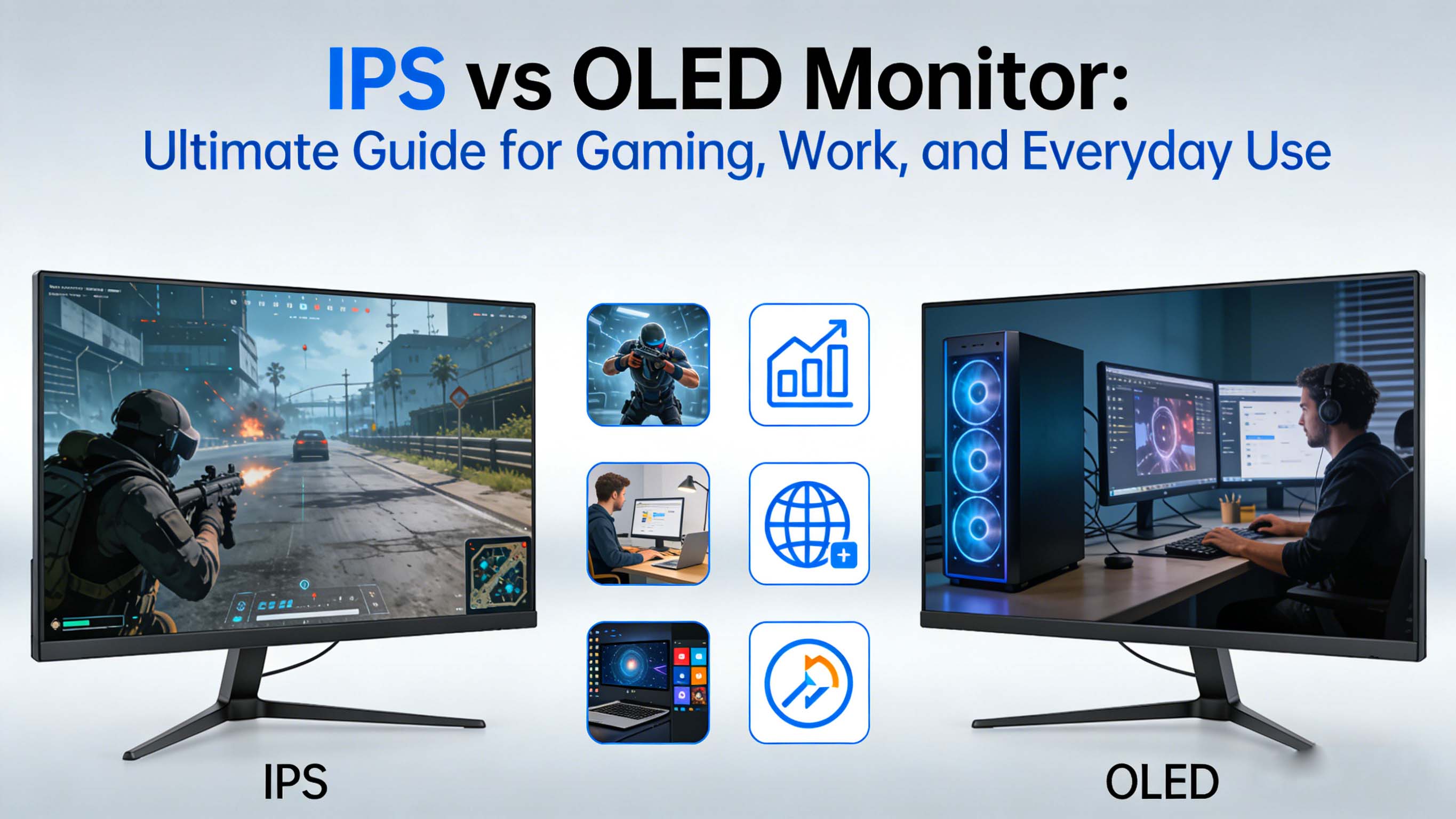
Choosing between an IPS vs OLED monitor is one of the most important display decisions you can make in 2026, especially if you care about gaming performance, color accuracy, and long‑term durability for work and entertainment . IPS and OLED panels both deliver stunning visuals, but they do so with very different strengths, trade‑offs, and price profiles that affect real‑world use in home, office, studio, and esports environments .
IPS vs OLED monitor basics: how each technology works
An IPS monitor (In‑Plane Switching) is a type of LCD that uses a constant backlight shining through liquid crystals and color filters, which twist to control how much light passes through each pixel . Because the backlight is always on, IPS monitors tend to offer higher overall brightness, very wide viewing angles, and stable, accurate colors that make them ideal for productivity and professional creative work .
An OLED monitor (Organic Light‑Emitting Diode) is fundamentally different because each pixel produces its own light and can turn completely off, delivering perfect blacks and effectively infinite contrast . This pixel‑level control allows OLED monitors to show incredibly vivid images with deep shadows, but it also introduces concerns like burn‑in risk and somewhat lower full‑screen brightness compared to the brightest IPS displays .
IPS vs OLED monitor picture quality: color, contrast, and brightness
When you compare IPS vs OLED monitor image quality, contrast is the most dramatic difference you will notice in games, movies, and dark user interfaces . IPS monitors can reach high contrast ratios, but because the backlight is always on, blacks appear as very dark gray rather than truly black, especially in a dark room .
OLED monitors can shut off individual pixels, which means black regions are literally emitting no light and create an effectively infinite contrast ratio that makes HDR scenes and dark game levels look incredibly realistic . Many users report that even mid‑range OLED gaming monitors look more “cinematic” than high‑end IPS models simply because of these deep blacks and punchy highlights .
Where IPS vs OLED monitor brightness differs is in sustained full‑screen output and visibility in bright rooms . IPS displays typically sustain higher uniform brightness across the entire screen, which is perfect for office lighting, daylight workstations, and outdoor‑facing signage . OLED displays often excel at short HDR highlights, but they may tone down brightness on large bright areas to control heat and power, making IPS preferable for always‑bright or sunlit environments such as front‑of‑house terminals and studio desks near windows .
Color accuracy is a long‑time strength of IPS monitors, and premium IPS panels are still widely used in professional photography, video editing, and design because they offer stable, predictable color over time and at different viewing angles . Modern OLED monitors, especially newer generations and QD‑OLED variants, can cover wide color gamuts with stunning saturation, but some long‑term color drift can occur as organic materials age, so calibration and usage patterns matter more than on IPS .
IPS vs OLED monitor for gaming: speed, motion, and immersion
For gaming, IPS vs OLED is often framed as a battle between brightness and longevity versus contrast and response time . Modern IPS gaming monitors offer high refresh rates, typically 144 Hz to 240 Hz, with gray‑to‑gray response times in a few milliseconds that are already very good for competitive play . Many esports players still rely on fast IPS panels because they are widely available at 24‑ to 27‑inch sizes with tuned overdrive and proven reliability.
OLED gaming monitors push motion performance even further with near‑instant pixel response, often below 1 millisecond, which drastically reduces ghosting and smearing in fast‑paced shooters and racing titles . According to multiple gaming market analyses, OLED gaming monitors are projected to reach around 11.35 billion dollars in market value by 2025 with strong growth driven by demand for premium visual experiences and smooth motion .
In IPS vs OLED monitor comparisons for competitive gaming, both technologies now offer high refresh models, including 240 Hz OLED and 360 Hz or higher IPS options in certain segments . OLED’s advantage is cleaner motion clarity and black frame insertion options that make moving objects look razor sharp, while IPS can provide brighter scenes and often comes in more budget‑friendly configurations, especially at 1080p and 1440p resolutions .
Input lag differences between IPS vs OLED monitor models are usually small on modern gaming displays, with both able to achieve low latency suitable for esports when paired with proper overdrive and gaming modes . For many users, the deciding factor becomes how important dark‑room immersion and contrast are compared to concerns about burn‑in when using the monitor for both gaming and static desktop tasks .
IPS vs OLED monitor market trends and adoption data
The IPS display market continues to grow strongly, driven by demand for high‑quality visuals in televisions, laptops, and especially desktop monitors used for productivity and content creation . Market Research Future estimates that the IPS display market size was around 18.39 billion US dollars in 2024 and is projected to climb to about 38.48 billion dollars by 2035, with a compound annual growth rate close to 7 percent from 2025 onward .
In North America alone, IPS panel display revenue was reported at about 7.21 billion dollars in 2025 and is expected to reach roughly 14.53 billion dollars by 2033 on the back of industrial, commercial, and technology‑driven applications . This shows that IPS remains a dominant technology for professional monitors, industrial control terminals, education displays, and office setups, where longevity, brightness, and cost are crucial factors.
On the OLED side of the IPS vs OLED monitor landscape, dedicated OLED gaming monitors are seeing rapid growth from a smaller base as more brands enter the market and prices decline . Some reports estimate the OLED gaming monitor segment reaching approximately 1.5 billion US dollars by 2025 with a compound annual growth rate of about 25 percent through 2033, fueled by demand from both professional and casual gamers in North America and Asia‑Pacific .
Marketing campaigns such as the #GameWithOLED initiative have demonstrated how strongly gamers respond to OLED visuals once they experience the difference, with some brands reporting more than 100 percent growth in OLED monitor sales during focused promotional periods . This suggests that as awareness grows and manufacturing scales, OLED’s share of the high‑end monitor market will continue to rise, particularly for 27‑ and 32‑inch gaming displays with high refresh rates .
IPS vs OLED monitor technology: core engineering differences
IPS vs OLED monitor panel design starts with how each type generates light and controls color at the subpixel level . IPS panels rely on a backlight unit, typically using LED arrays, shining through multiple layers including polarizers, liquid crystals, and color filters that determine the final pixel color . Improvements like advanced high‑performance IPS (AH‑IPS) and nano‑IPS have boosted color gamut, response times, and refresh rates, but all IPS variations share that always‑on backlight foundation .
OLED panels eliminate the separate backlight by using organic compounds that emit red, green, and blue light when electrically stimulated, letting each pixel turn fully on, dim, or completely off . Some newer QD‑OLED designs combine blue OLED emitters with quantum dot layers to improve color volume and brightness, while maintaining the deep blacks and fast response times that define OLED .
Power consumption in IPS vs OLED monitor usage depends heavily on content and brightness settings, but the general trend is that IPS has more consistent power draw because the backlight runs at a nearly constant level . OLED can be more efficient when displaying darker content with many pixels turned off, but it may consume more power than IPS when much of the screen is bright, such as large white documents or web browsers at high brightness .
Thermal behavior and panel lifespan also differ between IPS vs OLED monitor technologies, largely due to the organic materials in OLED that slowly degrade with use . IPS panels are generally more tolerant of static content and high brightness over long periods, whereas OLED panels need careful design of compensation algorithms, pixel shifting, and user habits to mitigate uneven wear and image retention in professional or always‑on environments .
Top IPS vs OLED monitor products by use case
Below is an adaptive example table summarizing typical IPS vs OLED monitor categories, highlighting their strengths for gaming, creative work, and office use based on common features seen in current 2026 offerings and independent testing data .
These categories reflect typical IPS vs OLED monitor strengths: IPS dominates office, color‑critical work, and value‑oriented esports, while OLED wins in cinematic gaming, HDR content, and dark‑room immersion .
Competitor comparison matrix: IPS vs OLED monitor features
To make the IPS vs OLED decision more concrete, the next table compares the two panel types across the most important buying factors .
This kind of IPS vs OLED monitor comparison matrix makes it clear why many users still choose IPS for long workdays and mixed use, while enthusiasts increasingly gravitate to OLED for immersive evening gaming and movie sessions .
Real user cases: IPS vs OLED monitor ROI in different scenarios
In creative studios, IPS vs OLED monitor deployment often leans toward IPS for the majority of workstations because producers and editors need consistent color, high brightness, and resistance to static UI elements like timelines and toolbars . Many post‑production pipelines still standardize on high‑end IPS reference monitors for grading and review, while OLED displays might be used at specific stages for checking HDR content and consumer‑like viewing conditions.
In corporate and industrial environments, IPS monitors dominate control rooms, reception kiosks, and meeting rooms where screens remain on many hours per day showing dashboards, static logos, and application windows . Because burn‑in risk is very low and lifespan in these static scenarios is high, IPS vs OLED monitor ROI usually favors IPS, especially when you factor in lower acquisition cost and simpler replacement planning .
For gamers and streamers, real‑world reports consistently show that upgrading from a mid‑range IPS to a high‑refresh OLED monitor delivers a noticeable boost in immersion thanks to deep blacks and crystal‑clear motion, even if frame times and input lag remain similar . Some campaigns have documented more than 100 percent growth in OLED monitor sales when brands allowed players to directly compare IPS vs OLED monitors side by side, suggesting strong perceived value and willingness to pay more for OLED once users experience it .
In many households, a hybrid approach is emerging: users keep an IPS monitor as a work‑from‑home productivity screen and add an OLED display as a secondary gaming or media monitor . This IPS vs OLED monitor mix reduces burn‑in risk for static office tasks while still delivering OLED’s strengths during off‑hours when dark‑room gaming or streaming is the main activity.
CDTech is a professional LCD display manufacturer and LCD panel supplier established in 2011 in Shenzhen, China, specializing in TFT LCD displays, touch screen displays, and HDMI display solutions for industrial control, medical, smart home, automotive, and instrumentation markets. With a 10,000 square meter factory, advanced automated production and testing equipment, and certifications including ISO9001, ISO14001, ISO13485, and IATF16949, the company focuses on a zero‑defect quality policy and long‑term partnerships worldwide.
IPS vs OLED monitor buying guide by user profile
When choosing between an IPS vs OLED monitor for gaming, creative work, or general productivity, your usage pattern and environment should drive the decision more than isolated specifications . If you spend eight or more hours per day in spreadsheets, browsers, and code editors with many static elements, IPS is usually the safer, more cost‑effective option because it offers high brightness and low burn‑in risk .
If you primarily want a monitor for gaming, movies, and late‑night content in a dimly lit room, OLED will provide dramatically better perceived contrast, making black‑heavy scenes pop and HDR titles look closer to what developers intended . In IPS vs OLED monitor decisions for mixed use, many buyers now opt for 27‑inch 1440p OLED models at 240 Hz or 4K OLED displays at 120–240 Hz, accepting the need for some burn‑in precautions in exchange for premium visuals .
Budget constraints still play a big role in IPS vs OLED choices because OLED panels carry a higher manufacturing cost that translates to premium shelf prices . Value‑oriented gamers often choose 24.5‑inch or 27‑inch 1080p or 1440p IPS monitors with 165–240 Hz refresh rates because they offer excellent motion clarity and responsiveness at a lower price than comparable OLED models .
Future‑proofing your IPS vs OLED monitor purchase also involves thinking about GPU capability, as high‑refresh 1440p and 4K OLEDs require strong graphics cards to hit high frame rates in demanding titles . If your system cannot drive those frame rates, a high‑quality IPS monitor at a more modest resolution and refresh rate may deliver better overall value in the short term while the OLED market continues to mature and prices fall .
IPS vs OLED monitor: burn‑in, image retention, and lifespan
One of the most important topics in the IPS vs OLED monitor debate is long‑term durability, especially for users who leave static elements such as taskbars, toolbars, and HUDs on screen for many hours a day . IPS displays are much less prone to permanent image retention because the backlight and liquid crystal structure do not wear in the same uneven way as self‑emissive OLED pixels, making IPS safe for dashboards, static logos, and fixed‑layout applications .
OLED monitors have improved significantly in this area thanks to new organic materials, better panel driving algorithms, automatic pixel shifting, and built‑in compensation cycles that try to equalize wear across the screen . Nevertheless, manufacturer documentation and independent reviews still caution that static, high‑brightness content over long durations can increase the risk of burn‑in, especially for uses like desktop productivity, news tickers, and always‑on signage .
Real‑world experiences shared by early adopters who switched from IPS to OLED for desktop use indicate that moderate use patterns with varied content, screensavers, and sensible brightness levels can keep burn‑in minimal over the first several years . However, for mission‑critical applications where displays must run nearly continuously with fixed elements, IPS vs OLED monitor lifecycle cost analysis usually still favors IPS technology .
Panel lifespan ratings in hours can be similar on paper between IPS and OLED, but the nature of degradation is different: IPS may gradually lose brightness or uniformity while OLED may show color and luminance changes in frequently used regions first . This distinction makes calibration and usage policies more important when deploying OLED monitors in professional contexts such as color grading or broadcast control rooms compared to typical IPS installations .
IPS vs OLED monitor for professional creators and color‑critical work
Professional photographers, video editors, and graphic designers often prioritize accuracy and consistency over raw visual impact, which shapes the IPS vs OLED monitor choice in studios and agencies . IPS monitors with factory calibration, hardware LUTs, and coverage of color spaces such as sRGB, Adobe RGB, and DCI‑P3 provide a reliable baseline across multiple workstations, making collaborative projects more predictable .
OLED monitors can exceed IPS in perceived contrast and color volume, which helps artists judge how their content will look on high‑end consumer TVs and flagship smartphones that increasingly use OLED screens . Some high‑end studios now use a combination of IPS and OLED reference displays: IPS for consistent editing and offline review, and OLED for HDR passes and final look checks before delivery .
In IPS vs OLED monitor discussions for print‑focused workflows, IPS still tends to be preferred because its stable luminance and color over long sessions align better with the needs of soft proofing and repeated calibration . For digital‑only teams whose audience mostly views content on OLED phones, tablets, and TVs, adopting at least one OLED monitor in the review chain can help catch issues with black crush, highlight clipping, or overly aggressive contrast that may not be obvious on IPS .
A common strategy is to buy a wide‑gamut IPS as the main workstation display and add a smaller, high‑quality OLED as a secondary preview screen, balancing IPS vs OLED strengths while minimizing risk and cost . This approach offers an excellent compromise for creators, giving them both the accuracy and the consumer‑style reference they need to deliver work that looks great everywhere.
IPS vs OLED monitor future trends: where the market is heading
Looking ahead to 2030 and beyond, IPS vs OLED monitor development will likely continue along complementary paths rather than one technology completely replacing the other . IPS manufacturers are investing in higher refresh rates, better HDR performance, improved energy efficiency, and new backlight technologies that narrow the perceived gap in contrast and color while retaining brightness and durability advantages .
OLED monitor makers are focused on enhancing peak and sustained brightness, reducing burn‑in risk, and expanding size and aspect ratio options, especially in the 27‑ to 32‑inch and ultrawide segments popular with gamers and content creators . Reports suggest that OLED gaming monitors will keep growing at double‑digit compound annual rates as more mainstream price tiers appear and panel yields improve .
Hybrid and emerging technologies could eventually blur the IPS vs OLED monitor line even further, with concepts such as micro‑LED and dual‑cell LCD promising OLED‑like contrast alongside LCD‑like longevity, though these remain premium or experimental for now . For the foreseeable future, IPS and OLED will coexist, each optimized for different priorities in terms of brightness, cost, and robustness versus pure image quality and immersion .
For buyers, this means that the IPS vs OLED monitor decision will continue to depend on individual usage patterns, environment, and tolerance for risk around burn‑in and evolving technology roadmaps . Monitoring market reports and independent testing as new generations launch will help ensure that your next display upgrade aligns with both your current workloads and where display technology is heading over the next five to ten years.
IPS vs OLED monitor decision guide: aligning technology with your goals
If you need a dependable, bright screen for long workdays, productivity apps, static dashboards, and mixed web use, a high‑quality IPS monitor remains the most balanced, low‑risk choice that offers excellent color, wide availability, and broad size and resolution options . For many users, especially in offices and studios, IPS vs OLED monitor calculations still favor IPS when you factor in total cost of ownership and flexibility across different tasks .
If your top priority is immersive gaming, movie watching, and HDR content in a dim or dark room, an OLED monitor will deliver a noticeably more dramatic experience thanks to perfect blacks, very high perceived contrast, and incredibly fast response times . Enthusiast gamers and home theater fans are increasingly viewing OLED as the display of choice for their primary entertainment screen, even if they keep an IPS display for work and daytime use .
For hybrid users who game, create, and work on the same PC, a careful IPS vs OLED monitor evaluation might lead to a dual‑monitor setup or a single high‑end OLED used with conservative brightness settings, periodic breaks, and awareness of static UI elements . This strikes a balance between taking advantage of OLED’s visual strengths and managing the long‑term risks that still differentiate it from IPS in always‑on scenarios .
As you plan your next upgrade, start by defining whether your primary need is reliable brightness and longevity, or cinematic contrast and motion performance, then choose the IPS vs OLED monitor that best matches that priority within your budget . In 2026 and beyond, understanding these trade‑offs and aligning them with your daily usage will do more for your visual experience and return on investment than any single specification on a product datasheet.