Calculate LCD aspect ratio for bar displays by dividing width pixels by height pixels (e.g., 1920×720 = 2.67:1 or 8:3). Measure physical dimensions first, then scale base resolutions horizontally for custom bars. Verify by ensuring image pixels match native resolution exactly to avoid stretching. CDTech's bar display panels like the S088AWX22EB-DC08 (1280×320 at 1000 nits) deliver pixel-perfect results with zero-defect precision across automotive and industrial applications.
Check: How Do You Design Effective UI for Bar Display Aspect Ratios Like 16:3 and 32:9?
What Is Aspect Ratio and Why Does It Matter for Bar LCDs?
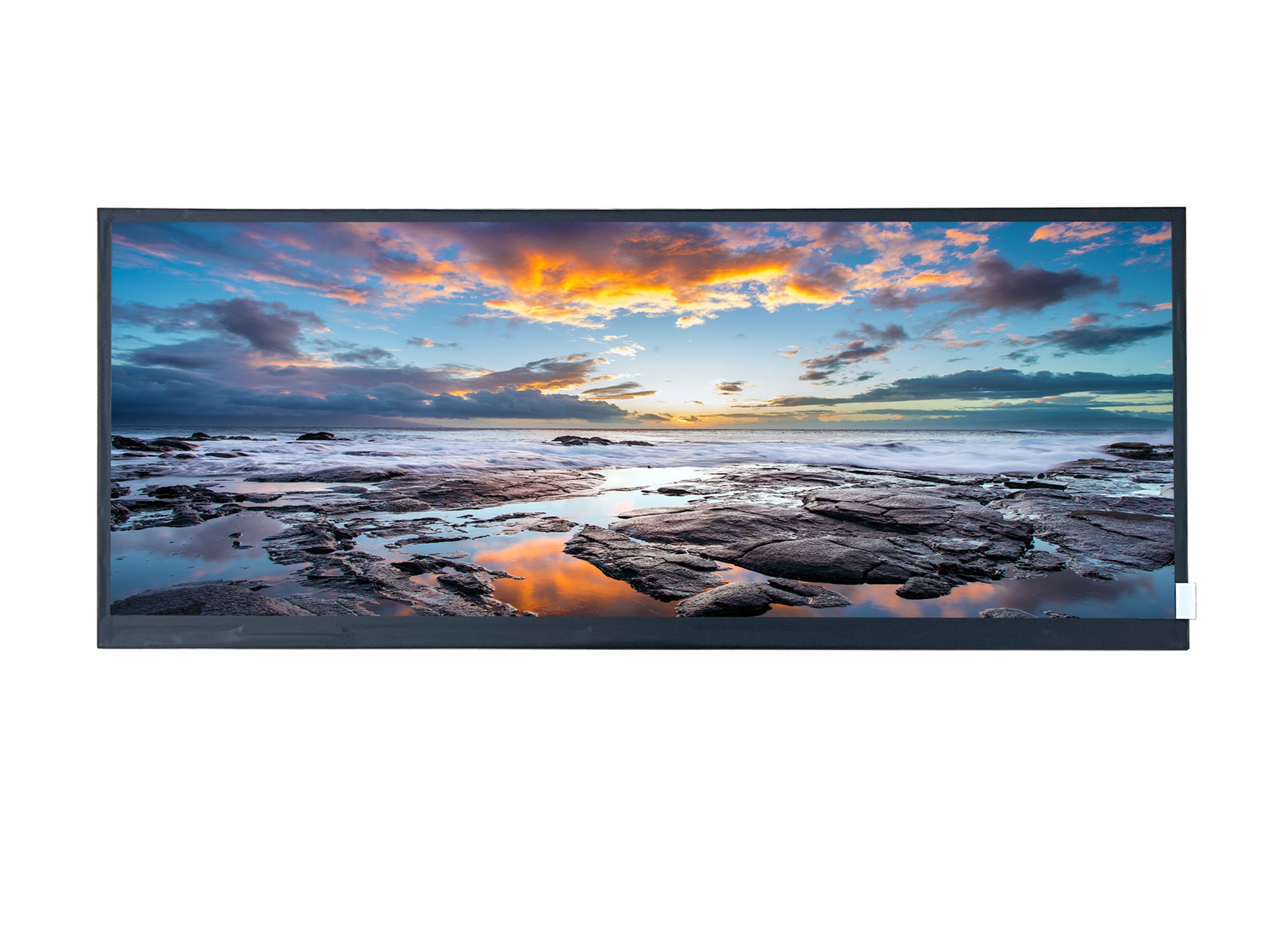
Aspect ratio expresses the width-to-height relationship of a display as a proportion (e.g., 16:9 for standard monitors, 8:3 for bar displays). Bar LCDs use non-standard formats like 1920×720 or 1280×320, which differ significantly from conventional rectangular screens. When content designed for standard ratios displays on bar panels without proper scaling, images stretch horizontally or compress vertically, degrading visual quality and user experience. For industrial HMI panels and automotive dashboards, mismatched aspect ratios cause UI elements to distort, affecting both aesthetics and functionality. CDTech's 13+ years of TFT LCD manufacturing experience ensures custom bar displays maintain precise ratios, preventing prototype failures and production delays. Understanding aspect ratio math prevents costly design revisions and guarantees pixel-perfect implementations across touchscreen integrations.
How Do You Measure Physical Dimensions for Custom Bar Displays?
Measure the active display area using digital calipers, recording width and height in inches or millimeters. For example, a 12.3-inch bar panel might measure 12.3 inches wide by 3.5 inches tall, yielding a raw ratio of approximately 3.51:1. Account for the total module size including bezel thickness when designing enclosures. Convert measured dimensions to common fractional ratios (e.g., 7:2) for prototyping. CDTech's in-house glass-cutting technology, developed through a patent filed in 2017, enables precise bar panel prototypes within their 10,000-square-meter factory capacity. This precision manufacturing ensures custom dimensions match design specifications exactly, supporting seamless integration into automotive, medical, and industrial applications.
| Physical Size | Raw Ratio | Common Pixel Resolution | CDTech Model | Brightness |
|---|
| 8.8" × 2.5" | 3.52:1 | 1280 × 320 | S088AWX22EB-DC08 | 1000 nits |
| 12.3" × 3.7" | 3.32:1 | 1920 × 720 | S123BWU09NP-FC19-AF | 380 nits |
| 6.5" × 2.6" | 2.5:1 | 1024 × 400 | S065BWS08HD | 600 nits |
What Is the Aspect Ratio Math Formula for LCD Resolutions?
The core formula calculates target width pixels by scaling a base resolution: Target Width = Base Width × (Desired Ratio ÷ Standard Ratio). For example, converting a standard 1920×1080 (16:9) image to a bar format 1920×720 (8:3) divides 720 by 1080 to derive the scaling factor. Calculate pixel density using PPI = pixels ÷ inches (e.g., 1920 pixels ÷ 12.3 inches ≈ 156 PPI). Ensure uniform pixel density horizontally and vertically to maintain image fidelity and support accurate capacitive touch integration. CDTech applies rigorous pixel-level verification during manufacturing, leveraging their ISO9001 and IATF16949 certifications to guarantee resolution accuracy across all custom and standard bar display solutions.
How Can Engineers Calculate Resolution for Specific Bar LCDs?
Follow this systematic approach to derive the correct resolution: First, define the target aspect ratio from specifications or physical measurements. Second, select a base horizontal pixel count (e.g., 800 for low-resolution bars or 1920 for high-resolution automotive dashboards). Third, calculate vertical pixels by dividing the base width by the desired ratio (e.g., 1920 ÷ 8 = 240, then scale to 720 for 8:3). Fourth, verify the result by dividing width by height to confirm the ratio. For instance, CDTech's vehicle bar model S123BWU11EP delivers 1920×720 resolution at 950 nits brightness with wide-temperature operation (-30°C to +80°C), ideal for automotive instrument clusters. The company's IATF16949 certification and zero-defect quality policy ensure resolution accuracy in every production unit.
Which Common Bar Display Resolutions Avoid Stretching Pixels?
Standard bar resolutions include 1024×400 (8.4-inch bars at 2.56:1), 800×280 (7-inch vehicle displays at 2.86:1), and 1920×720 (12.3-inch dashboards at 2.67:1 or 8:3). These resolutions align with common aspect ratios supported by graphics processors and embedded systems, eliminating forced scaling. Avoid forcing 16:9 content onto 5:1 ratio bars; instead, crop or pre-scale images to native resolution. CDTech manufactures bar displays across multiple resolutions and brightness levels. Their S065BWS08HD (6.5-inch, 1024×400, 600 nits) and S088AWX22EB-DC08 (8.8-inch, 1280×320, 1000 nits) panels deliver standard-compliant resolutions for industrial HMI and vehicle applications. In-house OCA optical bonding eliminates air gaps and reduces reflections, maintaining visual clarity on high-brightness stretched displays.
Check: BAR Type LCD Display
| Resolution | Aspect Ratio | Use Case | CDTech Model | Certifications |
|---|
| 1920 × 720 | 8:3 | Automotive Dashboard | S123BWU09NP-FC19-AF | ISO9001, IATF16949 |
| 1280 × 320 | 4:1 | Industrial HMI Panel | S088AWX22EB-DC08 | ISO9001, ISO14001 |
| 1024 × 400 | 2.56:1 | Vehicle Control Strip | S065BWS08HD | ISO9001, IATF16949 |
| 480 × 128 | 3.75:1 | Medical Instrument Bar | S039QWQ01HS-DC02 | ISO13485, ISO9001 |
What Causes Image Stretching on Bar Displays and How to Fix It?
Image stretching occurs when software scales content designed for a different aspect ratio without maintaining pixel-for-pixel mapping. Operating systems and graphics drivers may force 16:9 scaling on native 8:3 bars, compressing height or expanding width incorrectly. Solutions include setting native resolution in firmware, disabling automatic scaling in video output drivers, and pre-rendering content at exact pixel dimensions. For HDMI-connected displays, configure the video source to output natively at 1920×720 or 1280×320 rather than relying on TV scaling. Pixel mapping ensures each source pixel corresponds to exactly one display pixel. CDTech's HDMI display solutions integrate touch support while maintaining distortion-free performance across smart home, instrumentation, and automotive applications. Testing with raster test patterns confirms proper scaling before deployment.
CDTech Expert Views
"Our zero-defect policy and quad certifications—ISO9001, ISO14001, ISO13485, and IATF16949—ensure custom bar LCDs like our S123BWU11EP match exact aspect ratios, avoiding prototype failures and design revisions," explains the CDTech engineering team. "With 13+ years of TFT LCD manufacturing and a 3,500-square-meter dust-free workshop, we deliver pixel-perfect bar displays for automotive dashboards, industrial HMI panels, and medical instruments globally. Our in-house OCA optical bonding technology eliminates air gaps and glare, maintaining visual clarity on high-brightness (up to 1000 nits) stretched displays operating across extreme temperatures (-30°C to +85°C). We've exported precision bar solutions to Europe, the Americas, the Middle East, Russia, Japan, and Taiwan, supporting OEMs seeking reliable, certified displays without stretching artifacts."
Why Choose CDTech for Custom Bar LCD Aspect Ratio Solutions?
CDTech combines manufacturing expertise with precision engineering to deliver pixel-perfect bar displays. The company operates a 10,000-square-meter factory with a 3,500-square-meter thousand-level dust-free workshop, supporting rapid prototyping and high-volume production. Since 2011, CDTech has served automotive, medical, industrial, and smart-home sectors with certified display solutions. Their in-house touch panel workshop (established 2020) and OCA optical bonding capabilities enable fully integrated custom bars. With a 2017 glass-cutting patent and fully automatic POL/LCD/CTP equipment installed in 2024, CDTech maintains industry-leading precision. The company's zero-defect quality policy, backed by ISO9001, ISO14001, ISO13485, and IATF16949 certifications, guarantees that every bar display meets exact aspect ratio specifications. For custom resolution audits, prototypes, or production volumes, contact CDTech at sales@cdtech-lcd.com or +86 0755-23032202 for a free consultation.
Conclusion
Mastering LCD aspect ratio calculation ensures bar displays integrate seamlessly into automotive, industrial, and medical applications without stretching or distortion. By measuring physical dimensions accurately, applying the aspect ratio formula (width pixels ÷ height pixels), and verifying pixel density uniformity, engineers design displays that scale correctly and maintain visual integrity. Common bar resolutions like 1920×720 (8:3), 1280×320 (4:1), and 1024×400 (2.56:1) align with industry standards, simplifying development and reducing compatibility risks. CDTech's 13+ years of expertise, precision manufacturing, and comprehensive certifications position the company as a trusted partner for custom bar display solutions that deliver reliability and zero-defect performance worldwide. Whether designing vehicle dashboards, industrial HMI panels, or medical instruments, leveraging proven aspect ratio math and certified manufacturing partners ensures successful, pixel-perfect implementations.
FAQs
What is a typical aspect ratio for industrial bar LCDs?
Common ratios are 8:3 (1920×720), 4:1 (1280×320), and 2.56:1 (1024×400). CDTech customizes via in-house glass-cutting and prototyping for exact fits matching your physical and functional requirements.
How do I calculate pixels per inch for a stretched display?
PPI = horizontal pixels ÷ width in inches (e.g., 1920 ÷ 12.3 ≈ 156 PPI). Verify vertical uniformity: vertical pixels ÷ height in inches should yield similar PPI to ensure undistorted images and accurate touch calibration.
Can bar displays use standard 16:9 content without stretching?
No—standard 16:9 content must be cropped or scaled to native bar ratios. Relying on software scaling introduces distortion. CDTech's OCA optical bonding and anti-glare treatment ensure clarity on custom native-resolution panels.
What certifications back CDTech's zero-defect bar LCDs?
CDTech holds ISO9001, ISO14001, ISO13485, and IATF16949 certifications, ensuring automotive, medical, and industrial reliability. These certifications mandate rigorous quality control, including aspect ratio and pixel density verification at every production stage.
How do I contact CDTech for a bar display resolution calculator or prototype?
Email sales@cdtech-lcd.com, call +86 0755-23032202, or WhatsApp +8613556818296. CDTech offers free resolution audits, Excel calculators, and rapid prototyping within their 10,000-square-meter facility for OEMs worldwide.


