1280x720 and WXGA Displays in Industrial and Automotive Designs
Views: 323Author: Site EditorPublish Time: 2026-09-14Origin: Site
1280x720 sits in an awkward but useful place. It is not the lowest resolution an industrial interface can get away with, and it is not the high-resolution class that imaging and inspection equipment asks for. What it offers is enough pixels for a graphical interface on a 7-inch to 12-inch panel at a bandwidth and cost level that most embedded platforms can carry without redesign — which is why it keeps appearing in dashboards, HMI panels and instrument screens.
This article covers where the class fits, what each interface can actually carry, how it compares with 1024x600 and 1920x1080, and how to decide whether it is enough for your design.
What the 1280x720 class covers
The label covers more than one thing in practice. Strictly, 1280x720 is a 16:9 panel with 921,600 pixels. Around it sit near neighbours that share the same vertical resolution or the same total pixel budget but a different shape: 1280x800 (16:10, common in 10.1-inch modules), 1920x720 (a stretched bar format used in instrument clusters), and 1280x480 or 1280x320 bar variants.
That distinction matters as soon as you write a specification, because “720p” alone does not tell a supplier the aspect ratio, the pixel clock, or the interface you intend to use. Specify resolution and aspect ratio, then let the interface choices follow.
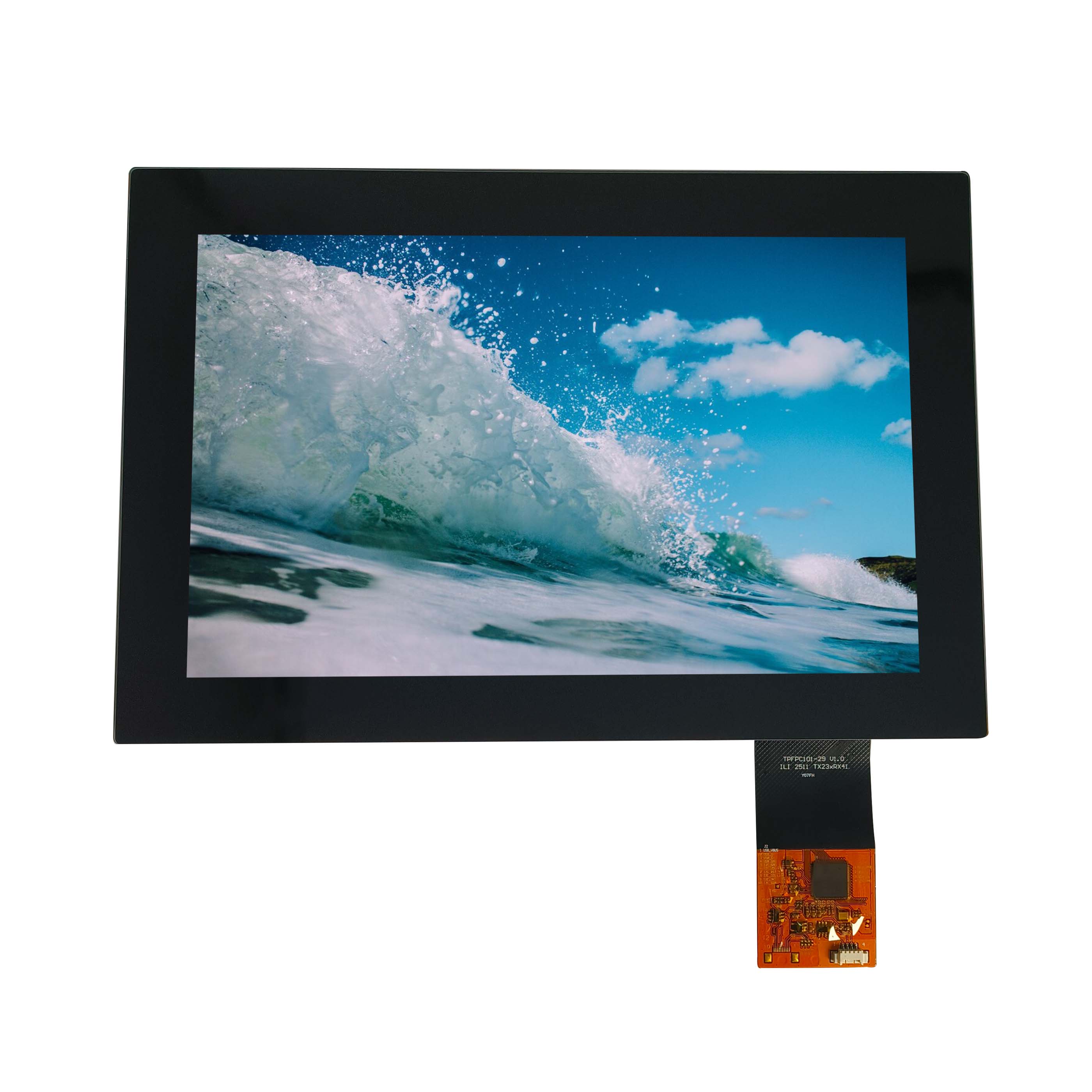
A representative module from this class is a 10.1-inch panel with a 1280x800-class resolution — the 16:10 relative of 720p — which is one of the sizes this resolution range is typically built into. CDTech's 10.1-inch display range shows the formats available in that size class.
Industrial applications that fit 720p
The resolution earns its place where an interface carries graphics, several data fields and some text, but not medical imaging or detailed inspection. Typical cases:
Machine and process HMI. Trend graphs, alarm lists and setpoints need width rather than fine detail; 720p gives enough room without demanding a high-bandwidth link.
Instrument front panels. A 7-inch or 10.1-inch panel showing a chart plus a numeric readout is comfortably inside the class.
Access control, kiosk and point-of-use terminals. Interfaces that combine text, an image and a keypad, viewed at arm's length.
Vehicle and off-highway dashboards. Cluster and infotainment functions, where the stretched variants come into play.
Where it stops being a good fit is equally useful to know. If the operator needs to read dense tables, resolve individual pixels of an inspected part, or view detailed imaging, 720p forces either a larger panel or a scrolling interface, and a higher resolution class will usually be cheaper to live with than the workarounds.
Automotive and bar-format variants at 1920x720
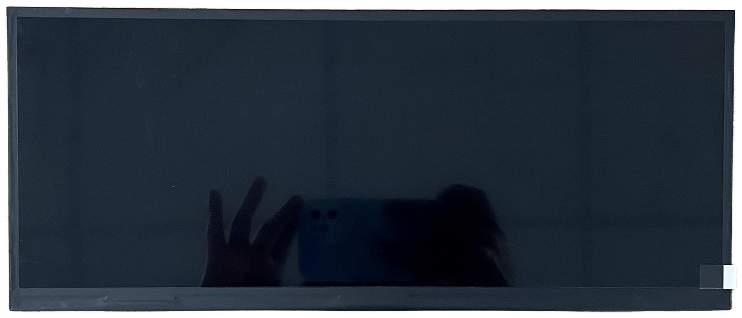
The automotive cluster format is the clearest example of a same-height, different-width variant. A 1920x720 panel keeps the 720-line vertical resolution but stretches to a 24:9 shape, which suits a dashboard that spans behind the steering wheel and continues into the centre console.
A 12.3-inch 1920x720 automotive module: same vertical resolution as 720p, wider horizontal format.
Modules in this shape are typically driven over LVDS with more than one port, because a single link at that pixel clock becomes the limiting factor. CDTech's 12.3-inch display range is where this format appears in the catalogue.
If your interface already exists in a 16:9 layout, a bar panel means either re-laying out the UI or accepting unused areas. Decide which before you commit, because the stretched format is not a drop-in replacement for 16:9 — it is a different canvas.
Interfaces and bandwidth for 720p panels
At this resolution you have a genuine choice of interfaces, and the choice usually follows the host platform rather than the panel.
RGB parallel interfaces are the cheapest way to drive 720p and remain common in cost-sensitive designs. They work well when the panel sits close to the controller and the pin budget is available. LVDS is the mainstream choice for industrial and automotive panels at this size: it carries 720p comfortably over a reasonable cable length, and it is well supported by embedded SoCs. MIPI DSI is the natural option when the host is a mobile-class application processor with limited I/O, and HDMI or DisplayPort appear when the source is a PC-class board rather than an embedded one.
The practical questions are bandwidth headroom, cable length, and whether the panel needs more than one link. If you are choosing between the two most common options, the comparison in LVDS versus MIPI DSI covers the trade-offs without repeating them here. Treat the interface as a system decision: changing it later usually means changing the board, not just the display.
Pixel density, viewing distance and content
Pixel density is what turns a resolution into an experience. The same 1280x720 spread over 7 inches gives a noticeably finer image than over 12 inches, and a stretched 1920x720 panel distributes its pixels very unevenly relative to the physical shape.
A working rule for interface design: text should not need to be smaller than the point at which the operator shortens their viewing distance. If a design requires squinting, the answer is usually a larger panel or less content per screen, not more pixels. For arm's-length use, 720p on a 10-inch panel is comfortable for interface text; on a 15-inch panel the same resolution starts to look coarse at the same distance.
Resolution also interacts with content type. Line graphics and solid areas tolerate lower density well; fine text, thin strokes and detailed images do not. If your interface is mostly data and controls, 720p will feel generous. If it shows a rendered part or a camera image, the pixel structure becomes part of what the operator sees.
Scaling, legacy content and mixed-resolution systems
Most programmes do not start from a blank canvas. They carry a user interface built for 1024x600, or a video pipeline that delivers a different size, and expect the display to adapt.
Scaling upward from 1024x600 to 1280x720 is not a clean multiple, so interpolation is involved. Text and thin lines suffer most. If the platform offers integer scaling or a native drawing path, use it and lay out the interface for the panel, rather than letting the graphics stack scale a legacy frame buffer. If the same application must run on two panels, design the layout to a safe area that both can render, and accept small unused margins instead of stretching. For camera and video inputs, check whether the video path supports the panel's native size. A system that scales 1080p video down to 720p for display is usually fine; one that must scale 720p video up to a 1920x720 panel has to accept either cropping or distortion.
Supply and cost position against 1024x600 and 1920x1080
Resolution classes differ in availability as much as in price. 1024x600 is a long-established industrial format with wide availability and low cost, but it shows its age in graphical interfaces. 1280x720 and 1280x800 sit a step above, with good availability across 7-inch to 12-inch sizes. 1920x1080 raises bandwidth, connector and thermal requirements, and panels in that class tend to be available in fewer industrial sizes.
Moderate bandwidth; interface re-layout if migrating upward
1920x720 (stretched)
Instrument clusters and wide console formats
Different canvas; multi-port links; layout redesign
1920x1080
Imaging, inspection and dense data views
Higher bandwidth, connector and thermal demands; fewer sizes
Cost comparisons are only meaningful when they include the whole chain: the panel, the interface components, the cable and connector strategy, and the engineering time to migrate the interface. A cheaper panel that forces a graphics redesign is rarely the cheaper decision.
Deciding whether 720p is enough
Work through four questions in order, and the decision usually makes itself.
What does the operator have to read? Interface text and line graphics are comfortable at this class; detailed images and dense tables are not.
Where does the panel sit and how far away is the viewer? Arm's length on a 7-inch to 10-inch panel is well matched; the same resolution on a large panel at two metres is not.
What can the host drive? If the platform cannot carry more bandwidth without a redesign, the question is settled by the hardware.
What happens in three years? If the product will need a higher-resolution interface later, choose a link and a mechanical format now that can accept the successor panel.
If the answers point to 720p, the remaining work is specification discipline: fix resolution, aspect ratio, interface and viewing distance in one document, and check them together rather than as separate line items.
Frequently asked questions
Is 1280x720 the same as WXGA?
Not exactly. WXGA is used for 1280x800 (16:10) and sometimes 1280x720 (16:9). Specify the exact pixel dimensions and aspect ratio rather than the label.
Can a 1280x720 panel be driven from a single LVDS link?
Usually yes, at moderate cable lengths and with the right lane configuration. Check the pixel clock and link configuration against the panel's requirements before assuming it will.
Is 1920x720 a drop-in upgrade from 1280x720?
No. It has the same vertical resolution but a different shape, so the interface layout has to be redesigned and the link usually needs more than one port.
Should we choose 1280x800 instead of 1280x720?
If the host and mechanical format allow it, 16:10 gives more vertical room for the same width, which suits interface content well. The availability of panels in your required size class is the deciding factor.
If you are weighing 720p against neighbouring classes for a specific size and platform, tell us the size and resolution you are considering and we will confirm what is available and what the interface implications are.