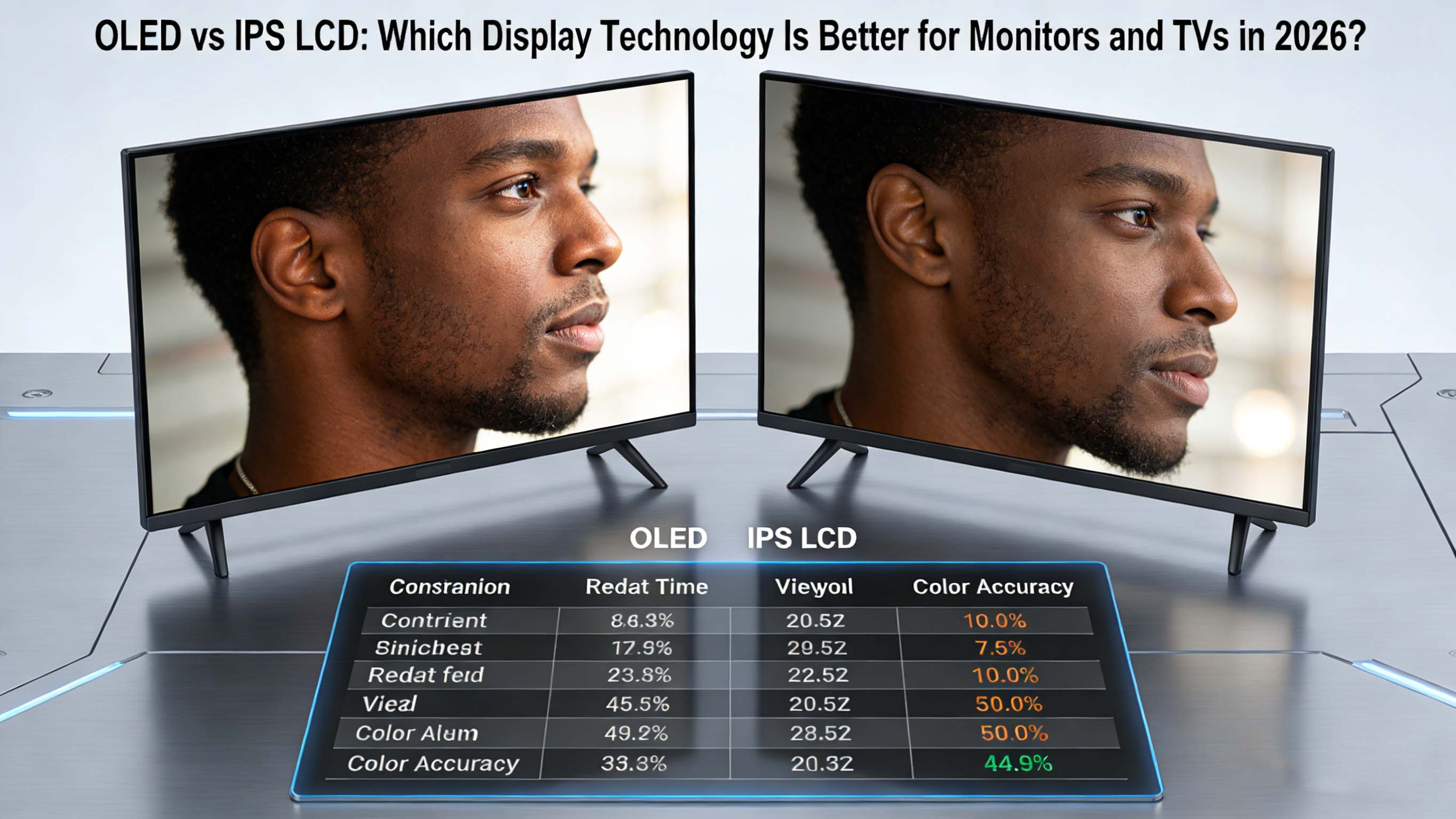
Choosing between OLED vs IPS LCD has become one of the most important decisions when buying a new monitor, TV, laptop screen, or professional display in 2026. Buyers want the deepest blacks, brightest highlights, best color accuracy, and longest lifespan possible, all at the right price for gaming, work, and entertainment. Understanding how OLED and IPS LCD work, and where each shines, is the key to getting the best screen for your specific use case.
OLED vs IPS LCD: Core Technology Explained
OLED, or Organic Light Emitting Diode, is a self-emissive display technology where each pixel generates its own light. This means an OLED pixel can turn completely off to produce true black, giving OLED monitors and TVs effectively infinite contrast ratios and incredible perceived depth in dark scenes. Because no separate backlight is needed, OLED panels can be very thin, flexible in some designs, and highly energy efficient when showing darker content.
IPS, or In-Plane Switching LCD, is a subtype of LCD technology using a white or edge-lit LED backlight that shines through liquid crystals and color filters. The backlight is always on during operation, while the liquid crystals twist to allow more or less light to pass. This limits how dark blacks can get, since some light leaks through, but IPS LCD panels deliver excellent color stability and very wide viewing angles, which is why they are common in monitors, laptops, and professional reference displays. Modern IPS displays have evolved to offer fast response times and high refresh rates, making IPS a strong option for gaming as well.
From a practical standpoint, OLED vs IPS LCD comes down to self-lit pixels with perfect blacks and ultra-fast response, versus backlit LCD with higher full-screen brightness, more mature manufacturing, and generally lower risk of image retention. Understanding these fundamentals clarifies why different industries and users prefer one over the other.
Image Quality: Black Levels, Contrast, and HDR
The biggest visual difference between OLED and IPS LCD is black level performance. OLED can turn individual pixels completely off, creating true black regions next to bright highlights, resulting in extreme contrast that makes movies, games, and dark UI themes look incredibly rich. This is especially noticeable in HDR content, where OLED can display small, bright specular highlights against very dark backgrounds without halos.
IPS LCD monitors and TVs rely on a uniform backlight, so even when the image is mostly black, some light is still present. This means blacks appear as dark gray in challenging scenes. Advanced IPS LCDs with full-array local dimming and mini-LED backlights can dynamically dim zones, improving contrast, but they cannot match the pixel-level control of OLED. Some users notice blooming or halos around bright objects on dark backgrounds with zone-based dimming.
In real-world use, many viewers immediately notice OLED’s deeper blacks and stronger contrast in movies and games, especially in dim rooms. IPS LCD, however, still looks very good for most content, and some users prefer its more uniform brightness and slightly more “neutral” look in bright rooms. If you value absolute black levels and cinematic depth, OLED has the edge; if you want punchy brightness and consistent luminance across the entire screen, a high-quality IPS LCD remains very competitive.
Brightness and Viewing Environment
Brightness is an area where IPS LCD often holds an advantage, particularly for sustained full-screen brightness. IPS LCD panels can maintain high nits levels across the entire display surface, which is beneficial for office work in bright environments, daytime TV viewing, and HDR highlights that cover large portions of the screen. Many IPS gaming monitors and professional displays are optimized to maintain high brightness over long periods without noticeable dimming.
OLED panels can deliver extremely bright highlights in small areas, which looks stunning in HDR movies and games, but full-screen sustained brightness is usually lower than high-end IPS or mini-LED solutions. To protect panel longevity and manage power, OLED TVs and monitors often reduce brightness when large bright areas are shown for extended periods. In a bright, sunlit room, an IPS LCD display can sometimes look clearer and more legible, especially for productivity tasks with white backgrounds.
For users working mostly in darker or controlled lighting environments, OLED’s brightness is more than sufficient, and the improved contrast makes images appear even more vivid. For users in offices with strong overhead lighting or near windows, a bright IPS LCD monitor with an effective anti-glare coating may remain the more practical choice.
Color Accuracy, Gamut, and Calibration
Both OLED and IPS LCD can achieve excellent color performance in 2026, but they do so in slightly different ways. IPS LCD technology has a long history in professional fields such as photography, video editing, CAD, and medical imaging. Many IPS displays are factory-calibrated and support wide color gamuts such as sRGB, Adobe RGB, and DCI-P3 with consistent color and grayscale tracking across the panel. This consistency, combined with well-understood calibration workflows, makes IPS LCD a default choice in many color-critical industries.
Modern OLED panels, especially those using advanced subpixel structures and quantum dot enhancement, can achieve very wide color gamuts, high saturation, and excellent color accuracy. Out-of-the-box color on OLED TVs and high-end OLED monitors is often impressive and visually impactful. However, long-term uniformity and color stability can be affected by differential aging of the organic materials, especially blue and green subpixels, which may slightly shift color balance over years of heavy use.
For casual users and gamers, both OLED and IPS LCD deliver vibrant and accurate color when properly tuned, with OLED often perceived as more “punchy.” For strictly color-critical workflows, IPS LCD still enjoys a reputation for predictable behavior over time, calibrated workflows, and panel uniformity, although calibrated OLED reference monitors are increasingly used in high-end post-production and content creation.
Response Time, Motion Clarity, and Gaming
In gaming, response time and motion clarity are key deciding factors in the OLED vs IPS LCD debate. OLED pixels can change state nearly instantly, with response times often measured at fractions of a millisecond. This results in minimal motion blur, very clear fast-moving objects, and crisp edges even at high refresh rates. For fast-paced shooters, racing games, and action titles, OLED’s motion clarity can significantly enhance perceived smoothness and responsiveness.
Modern IPS gaming monitors have dramatically improved, with many models achieving 1 ms gray-to-gray response times and refresh rates up to 240 Hz or even 360 Hz. At these speeds, IPS LCD offers very smooth gameplay and low perceived blur, especially with well-tuned overdrive and strobing features. However, IPS panels still rely on crystal rotation, which inherently lags behind OLED’s pixel emission changes, so subtle smearing or overshoot may appear depending on settings.
Input lag is influenced by processing, not just panel type, so both OLED and IPS LCD can be configured for low latency gaming modes. For most players, both technologies deliver excellent gaming performance, but OLED has a noticeable advantage in pure motion clarity and perceived smoothness. Extremely competitive esports players may still choose IPS LCD for its brightness, reliability, and familiarity in tournament setups, but many enthusiasts are migrating to OLED for its visual impact.
Burn-In, Image Retention, and Lifespan
Burn-in and image retention remain the most discussed drawbacks of OLED technology versus IPS LCD. Because each OLED pixel is an organic emitter, prolonged display of static elements such as HUDs, logos, or taskbars can cause differential wear, leading to faint ghost images that remain visible on uniform backgrounds. Long-term tests and manufacturer data indicate that modern OLED panels have improved longevity and compensation algorithms, but they still carry more risk of permanent retention than IPS LCD.
IPS LCD panels do not suffer from burn-in in the same way. They can show temporary image retention if static content is left for a very long time, but this typically fades quickly once content changes. As a result, IPS LCD is favored for applications with static UI elements, dashboards, medical interfaces, and digital signage where content does not change often. Lifespan for a well-designed IPS LCD backlight system is commonly measured in many tens of thousands of hours of use.
Many OLED monitors and TVs now include pixel-shift features, panel refresh cycles, and brightness limiting to extend lifespan. For typical mixed usage with varied content, moderate brightness, and occasional screen savers, users can expect several years of trouble-free performance from OLED panels. Heavy users who routinely run static interfaces at maximum brightness for long hours may still lean toward IPS LCD for peace of mind and long-term uniformity.
Power Consumption and Heat
Power consumption differs between OLED and IPS LCD depending on usage patterns. OLED tends to consume less power when displaying darker content, since dark pixels are off or emit very little light. This is beneficial for dark mode interfaces, cinematic games with many dark scenes, and HDR content that uses localized highlights. In these scenarios, OLED can be more efficient and generate less heat than an always-on backlight.
IPS LCD uses a backlight that is on at a relatively constant level, so power draw depends more on brightness settings than on the content itself. White screens, spreadsheets, and web pages with large bright areas do not significantly change power draw compared to darker content. At the same brightness setting, an IPS LCD may use more power than OLED when most of the content is dark, but may be comparable or lower power when large areas are bright and OLED must drive many pixels at high output.
For mobile devices and laptops, OLED’s efficiency advantage in dark mode can improve battery life, which is one reason OLED laptop panels are becoming more common. For desktops and TVs connected to mains power, the power difference is less critical, but still relevant for heat output and overall efficiency, especially in multi-monitor setups.
Use Cases: OLED vs IPS LCD by Scenario
Different use cases emphasize different strengths, so viewing OLED vs IPS LCD by scenario helps clarify the best choice.
For movie and streaming enthusiasts who watch a lot of content in dim rooms, OLED is often the ideal technology. Deep blacks, infinite contrast, and cinematic HDR presentation make movies and streaming series look closer to what the creators intended. Dark scenes in sci-fi, fantasy, and atmospheric dramas benefit greatly from OLED’s black level performance.
For competitive gaming and esports, both OLED and IPS LCD are viable. OLED offers unmatched response time and contrast, while IPS LCD offers very high refresh rates, strong brightness, and no burn-in anxiety. Players who participate in tournaments or use shared equipment may still find IPS LCD more practical, but those who game mainly at home and want the most immersive visuals increasingly prefer OLED gaming monitors and TVs.
For productivity, coding, office tasks, and spreadsheets, IPS LCD remains a popular choice. The bright, uniform white backgrounds and high brightness help in well-lit offices, and concerns about static menus, toolbars, and documents are reduced compared to OLED. Many business and enterprise fleets standardize on IPS LCD for cost, availability, and longevity reasons.
For creative professionals in photography, video editing, graphic design, and content creation, both technologies are compelling. IPS LCD offers proven calibration, stable color, and a wide range of professional monitors with uniformity compensation and hardware calibration. OLED, on the other hand, provides unparalleled contrast that reveals details in shadows and highlights, which is valuable in grading and post-production. Many studios now use a combination of IPS reference displays and OLED client displays to see how content appears on both kinds of screens.
Market Trends and Industry Data for OLED vs IPS LCD
Market analysts in recent years have observed rapid growth in OLED adoption for premium TVs, gaming monitors, and high-end laptops. OLED TV shipments have steadily increased as prices fall and panel sizes expand, with major brands integrating OLED into their flagship lines. At the same time, IPS LCD remains dominant in volume for monitors, business laptops, and budget TVs due to lower costs and well-established production lines.
Reports from display industry research groups indicate that the share of OLED monitors, particularly in the 27-inch to 34-inch range with high refresh rates, has grown significantly since 2023. Enthusiast and creator segments are driving this trend, as they prioritize image quality and responsiveness over initial price. In contrast, IPS LCD still powers the majority of mainstream 24-inch and 27-inch displays used in offices, schools, and homes.
Automotive, industrial, and medical markets are also evaluating OLED vs IPS LCD based on reliability and environmental conditions. High-temperature, bright environments, and regulatory requirements still favor IPS LCD in many professional deployments, while concept vehicles and luxury dashboards increasingly experiment with OLED for curved, high-contrast instrument clusters and infotainment systems.
At this point, CDTech is a professional LCD display manufacturer and LCD panel supplier established in Shenzhen in 2011, supporting clients worldwide with TFT LCD, touch, and HDMI display solutions. With a focus on strict quality certifications and automated production, CDTech offers both standard and customized displays to serve industrial, medical, automotive, and smart device applications that must choose the right panel technology for long-term success.
Top OLED and IPS LCD Display Types
The phrase “top products” in the context of OLED vs IPS LCD does not always refer to specific models, but rather to typical configurations and classes of displays that consumers and professionals can consider. Different technologies optimize for size, refresh rate, and use case.
This table highlights how display type, size, and use case influence which technology is considered a “top” solution. When pairing OLED vs IPS LCD to your needs, it is useful to think in terms of size, refresh rate, resolution, and environment.
Competitor Comparison Matrix: OLED vs IPS LCD
A direct comparison of OLED vs IPS LCD across the most important attributes can make decision-making easier.
This matrix shows that no single technology wins in every category. Instead, the “best” choice for OLED vs IPS LCD depends on which attributes matter most for your specific work or entertainment style.
Real User Cases and ROI from OLED vs IPS LCD
Real-world scenarios illustrate how OLED and IPS LCD affect productivity, comfort, and return on investment over time. Consider a freelance video editor who spends long hours grading HDR footage in a dim studio. Using an OLED monitor with true blacks and high contrast allows them to see subtle shadow detail and highlight clipping more clearly than a typical IPS LCD. This can lead to more accurate grades, higher quality deliverables, and happier clients. The higher upfront cost may be offset by better work quality and client retention, representing strong ROI.
In another example, a large corporate office deploys hundreds of 24-inch IPS LCD monitors for employees. The primary tasks involve email, documents, web apps, and data entry in bright open-plan spaces. IPS LCD monitors provide good brightness, wide viewing angles, predictable performance, and low risk of long-term image issues from static toolbars and windows. The company benefits from lower unit cost, proven reliability, and simplified fleet management, leading to a favorable ROI at scale.
A third scenario involves a serious gamer investing in a 27-inch or 34-inch OLED gaming monitor for a home setup. The user cares deeply about immersion, fast response, deep blacks, and HDR impact in story-driven games, racing simulators, and cinematic titles. The OLED monitor transforms the perceived quality of every session, making the investment feel worthwhile, even if they remain mindful of static HUD elements and brightness settings to limit burn-in risk over time.
Another real user case is a digital signage deployment in a public space or retail environment. Here, the content shows logos, menus, and static layouts for many hours per day. In this situation, IPS LCD or other LCD variants are generally more appropriate, as they can run static content reliably with minimal concerns about permanent image retention. The ROI comes from long-term durability and predictable maintenance costs rather than absolute black performance.
Core Technology Analysis: Manufacturing, Structure, and Evolution
From a manufacturing perspective, OLED panels are more complex and expensive to produce at high yields, especially for large sizes and high resolutions. The organic materials used in OLED emitters require precise deposition and encapsulation, and yields can drop as size increases, contributing to higher prices for large OLED TVs and monitors. Advances in tandem OLED stacks, better materials, and new production techniques are gradually improving brightness, efficiency, and lifespan.
IPS LCD production is mature, with multiple fabs worldwide capable of producing huge volumes at relatively low cost. The basic LCD structure, including glass substrates, liquid crystals, color filters, and LED backlights, is well understood and optimized. Product variations such as mini-LED and quantum dot films enhance performance while building on the same core LCD architecture. This maturity gives IPS LCD a price and availability advantage in many market segments.
Structurally, OLED’s self-emissive pixels enable thinner devices, flexible and curved designs, and extremely narrow bezels. This allows designers to create curved OLED monitors, rollable displays, and ultra-thin TVs that blend into interiors. IPS LCD panels are more rigid and require some thickness for the backlight and diffusion layers, though modern engineering has reduced thickness significantly in recent years.
Technological evolution also plays a role in future readiness. OLED research is focused on improving emissive material efficiency, blue emitter longevity, and cost-effective production of high-resolution panels with fine pixel structure. IPS LCD research continues to explore higher refresh rates, improved local dimming, better anti-glare coatings, and enhanced quantum dot implementations. Both technologies are far from “finished” and will continue evolving throughout the decade.
Buying Guide: How to Choose Between OLED and IPS LCD
When deciding between OLED vs IPS LCD, it helps to prioritize a few key questions. First, consider your primary use: Are you mainly playing games, watching movies, working with documents, editing content, or a mix of all three? Second, think about your room lighting conditions: Is your environment bright and sunlit, or dim and controlled? Third, weigh your sensitivity to burn-in risk and how static your on-screen content tends to be.
If you are a movie enthusiast or gamer who spends evenings in a darker room and wants maximum immersion, OLED is extremely appealing. Focus on models with good HDR implementation, sufficient brightness for your space, and strong warranty coverage. If you are a competitive gamer who plays many hours of titles with static HUDs, you may still prefer a fast IPS LCD monitor with very high refresh, strong brightness, and no burn-in anxiety.
If you are a professional who works with color-critical content, consider whether your workflow depends on long-term color stability, hardware calibration, and uniformity. IPS LCD reference monitors remain a safe, proven choice. However, if you also want to see how content appears on an OLED screen similar to what consumers use in home theaters, a secondary OLED display can be a valuable complement.
For office productivity, coding, and general computing, IPS LCD offers excellent value, comfort, and reliability. Bright, uniform white backgrounds are easier to maintain, and there are many budget-friendly options with ergonomic stands and eye-care features. OLED monitors and laptops for productivity are attractive when you also care about media quality and dark mode efficiency, but IPS LCD often wins on cost and long-term durability for static workloads.
Future Trend Forecast for OLED vs IPS LCD
Looking ahead over the next few years, OLED is expected to continue growing in premium segments such as high-end TVs, gaming monitors, and flagship laptops. As manufacturing yields improve and new materials become more efficient, prices should gradually come down, making OLED more accessible in midrange products. Burn-in mitigation will keep improving through both hardware and software, further reducing risk for typical users.
IPS LCD and other LCD variants will maintain a strong presence in mainstream markets, business environments, education, and specialized applications. Mini-LED backlighting and refined local dimming algorithms will help LCD close the gap in HDR performance, especially in bright rooms. Quantum dot enhancements will continue to provide wide color gamuts and excellent brightness, so IPS LCD will remain competitive in color-critical and bright-environment scenarios.
Hybrid setups may become more common, where users pair an OLED display for immersive content with an IPS LCD display for productivity and static applications. This combination allows users to take advantage of the strengths of each technology without fully committing to one or the other. In offices and studios, multi-monitor arrangements mixing OLED and IPS LCD could become a standard approach to balancing image quality, longevity, and cost.
As extended reality, automotive displays, and new form factors evolve, both OLED and IPS LCD will adapt. Flexible OLED will enable new curved and foldable designs for vehicles, wearable devices, and large-format signage. Ruggedized IPS LCD will continue serving industrial, medical, and outdoor use cases requiring strict reliability and predictable performance. The coexistence of OLED vs IPS LCD is likely to persist, with each technology dominating in areas where its strengths matter most.
Relevant FAQs About OLED vs IPS LCD
Q: Is OLED really better than IPS LCD for gaming?
A: For most gamers, OLED offers better contrast, deeper blacks, and faster response times, making games look smoother and more immersive. IPS LCD can still be preferable for very high refresh rate competitive gaming and bright rooms, where its higher sustained brightness and lower burn-in risk matter.
Q: Does OLED burn-in still happen in 2026?
A: Burn-in is less common than early generations thanks to improved materials and compensation algorithms, but it can still occur if static elements are displayed at high brightness for many hours. Sensible usage, such as enabling screen savers and avoiding maximum brightness for static content, reduces the risk significantly.
Q: Which is better for office work, OLED or IPS LCD?
A: IPS LCD is generally better suited for typical office work with static windows and bright white backgrounds, thanks to strong brightness, no long-term burn-in concerns, and lower cost. OLED can still be excellent if you prefer dark mode and also use the display for entertainment, but it requires more attention to usage patterns.
Q: Are OLED monitors worth the higher price?
A: If you care deeply about picture quality, HDR, and gaming immersion, many users find the visual upgrade of OLED worth the premium. If you prioritize budget, long-term static use, or fleet deployments, IPS LCD often delivers a better cost-to-benefit ratio.
Q: What about eye strain with OLED vs IPS LCD?
A: Both technologies can be comfortable when properly set up. OLED’s deep blacks and lower brightness in dark mode can reduce eye fatigue in dim environments, while IPS LCD’s high brightness helps in well-lit spaces. Features like blue light filtering, flicker-free backlights, proper brightness settings, and ergonomic positioning are more important than panel type alone for eye comfort.
Q: Will OLED eventually replace IPS LCD entirely?
A: It is unlikely in the near term. OLED will dominate more premium and design-driven segments, but IPS LCD and other LCD technologies will stay strong in mainstream, professional, industrial, and cost-sensitive markets. Each technology will continue to evolve and fill the roles it suits best.
Three-Level Conversion Funnel CTA
If you are just starting your research on OLED vs IPS LCD, begin by defining your main goal: gaming, movies, creative work, or productivity. Once you know your primary use, compare at least two displays side by side if possible, paying attention to black levels, brightness in your typical room, and how text and motion look to your eyes. When you are ready to decide, invest in the panel type that best aligns with your daily habits, and you will enjoy a display that feels tailored to your life for many years to come.