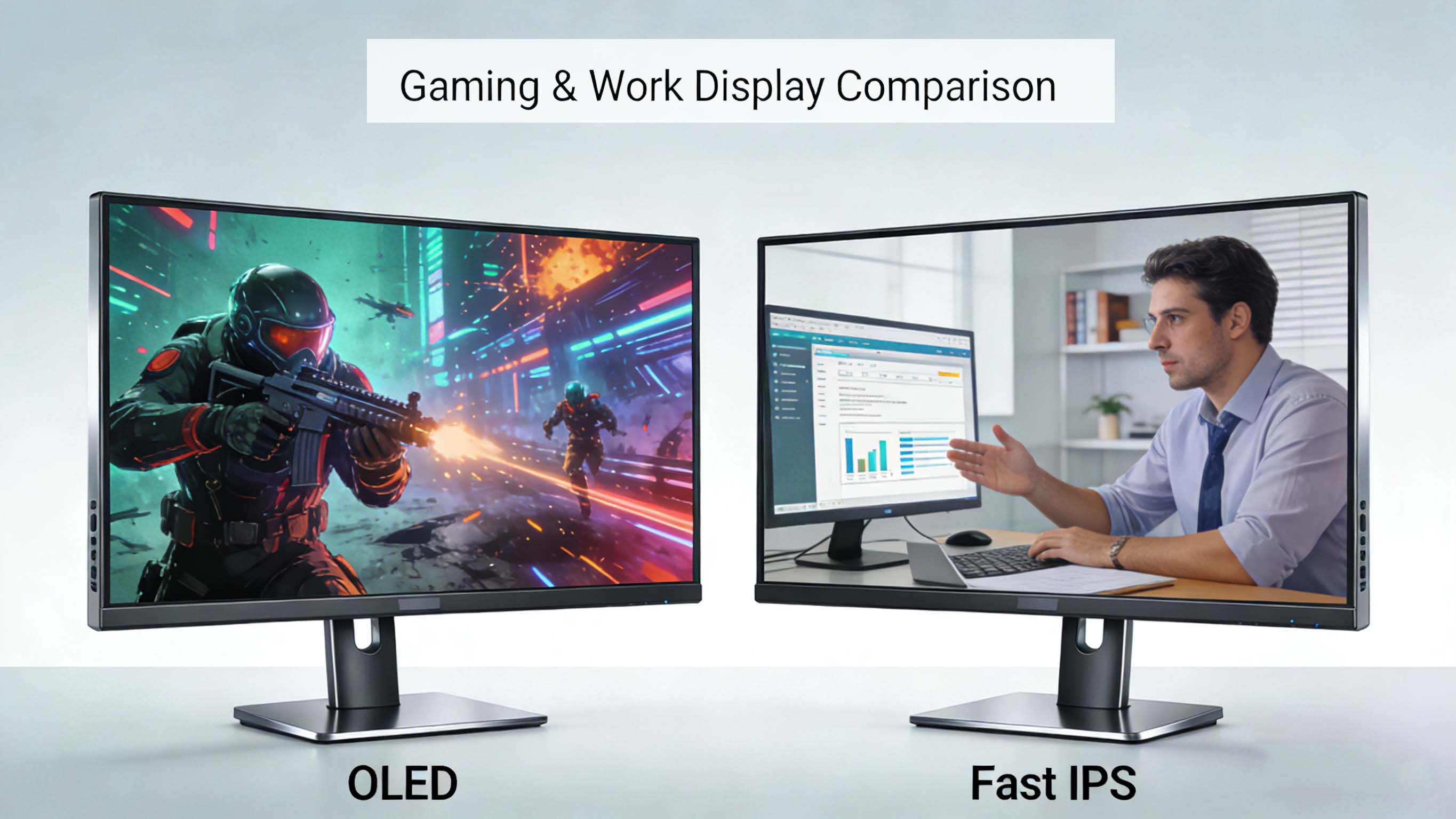
Choosing between an IPS panel vs OLED display has become one of the most important decisions when you buy a monitor, laptop, TV, or professional screen. IPS and OLED each offer different strengths in contrast, brightness, color accuracy, motion performance, and long-term reliability, so the right choice depends on how you actually use your screen and the environment you work or play in . In this comprehensive guide, you will learn how IPS vs OLED compares for gaming, productivity, creative work, movies, competitive esports, industrial applications, and future display trends through 2030 .
IPS panel vs OLED: core differences explained
At the most fundamental level, IPS is a liquid crystal display technology that relies on a backlight, while OLED is a self-emissive technology where each pixel generates its own light . In an IPS monitor, the backlight is always on and the liquid crystals twist to allow more or less light through, which limits black levels and contrast even on high-end IPS panels . In an OLED monitor or TV, pixels can turn completely off to display perfect black, producing effectively infinite contrast and a very dramatic image in dark scenes .
This leads to a classic trade-off many users encounter when comparing IPS vs OLED in person. IPS displays tend to be brighter overall and better suited to bright rooms, offices, and daylight environments, while OLED looks incredible in dark rooms with deep blacks and high perceived contrast . Modern IPS panels deliver wide viewing angles and excellent color accuracy for professional work, whereas OLED combines superb contrast with near-instant response times that benefit fast-paced gaming and movie content .
How IPS vs OLED work at the pixel level
In-plane switching panels use a liquid crystal layer sandwiched between polarizers and a uniform LED backlight, and the crystals rotate parallel to the panel to modulate light transmission . Because the light source is shared across the entire screen, even the best IPS monitor will show blacks as very dark gray and can suffer from glow or light bleed at the edges in dark scenes . Advanced IPS technologies with better coatings and local dimming backlights can improve perceived contrast, but the backlight remains the limiting factor .
OLED panels use organic light-emitting diodes where each subpixel is its own light source, so when a pixel is not driven, it emits no light and becomes truly black . This allows an OLED display to achieve infinite contrast, extremely high dynamic range, and pixel-level local dimming for HDR movies and games . The trade-off is that organic materials can degrade over time and are sensitive to static images, introducing the risk of image retention and burn-in if the same content stays on screen for prolonged periods .
IPS vs OLED for gaming monitors and esports
For many buyers, the IPS vs OLED monitor decision revolves around gaming, especially high refresh rate monitors for PC and console. Modern IPS gaming monitors frequently hit 240 Hz and even 360 Hz with response times in the 1–3 ms range, which is fast enough for most players and provides smooth motion clarity . These IPS panels are popular in esports because they are bright, consistent, and free from burn-in risk even when static HUD elements are displayed for hours .
OLED gaming monitors, especially new QD-OLED and WOLED panels, push response time even further, with near-instant pixel transitions around 0.03–0.1 ms and extremely low motion blur . This makes fast-paced shooters and racing games look incredibly crisp, and combined with perfect blacks, dark maps and night scenes gain depth and detail that IPS cannot fully match . Many reviewers note that an OLED gaming monitor delivers a more immersive, cinematic experience, particularly when you combine high refresh rates with adaptive sync and HDR .
However, burn-in risk remains a concern for competitive players who leave static UI, crosshairs, and minimaps visible at high brightness for thousands of hours . While panel makers have introduced pixel shifting, logo dimming, and screensavers to mitigate this, IPS is still the safer choice for 24/7 gaming setups and internet cafes where uptime is high and content is repetitive . As a rule of thumb, OLED is the best gaming monitor technology for mixed usage and immersion, while IPS excels for long-term reliability, bright rooms, and budget-conscious players .
IPS vs OLED color, contrast, and HDR performance
When comparing IPS vs OLED image quality, three metrics dominate: color reproduction, contrast ratio, and HDR dynamics. High-end IPS panels offer excellent color accuracy out of the box and can be calibrated to cover wide color gamuts like sRGB, DCI-P3, and Adobe RGB, making them a favorite for photographers, video editors, and designers who prioritize consistent, neutral color over extra saturation . Viewing angles are also wide on IPS, so colors and brightness remain stable when viewed from the side, which is helpful for collaborative work and multi-monitor setups .
OLED panels, by contrast, deliver richer, more saturated colors and very high perceived contrast because blacks are truly black and bright highlights stand out dramatically . HDR content benefits hugely from this, as pixel-level control allows small specular highlights, stars, and bright UI elements to appear intensely bright against a very dark background . Many users describe OLED image quality as more vivid and cinematic, though some professionals still prefer the more neutral, reference-grade look of a calibrated IPS monitor for color-critical work .
Brightness, reflections, and room environment
One of the clearest practical differences between IPS vs OLED displays is how they behave in different lighting conditions. IPS monitors and TVs often reach higher full-screen brightness, making them better for bright offices, living rooms with large windows, and outdoor or semi-outdoor signage where sunlight or strong ambient light is present . Their uniform backlight delivers consistent brightness across the whole screen, which helps maintain legibility for spreadsheets, documents, dashboards, and complex UIs .
OLED screens tend to have lower full-screen brightness but can hit very high peak brightness for small highlights, which is excellent for HDR but less ideal for pure office productivity in a sunlit room . In high ambient light, reflections and lower brightness can make dark content look washed out, reducing some of the contrast advantage that OLED has in dim environments . Many display experts still recommend IPS monitors for users who work primarily in bright spaces and reserve OLED for darker home theaters and controlled lighting setups .
Burn-in, lifespan, and long-term durability
Lifespan and durability are key concerns when comparing IPS vs OLED for professional, industrial, and always-on applications. IPS LCD panels have no inherent burn-in mechanism and can run static content like menus, dashboards, and UI elements for years with minimal risk beyond general backlight aging . Their backlights and liquid crystal layers do degrade over long periods, gradually losing brightness and shifting color, but this process is predictable and manageable in enterprise environments .
OLED, on the other hand, relies on organic materials that slowly lose brightness over time and can suffer permanent image retention if static content is displayed at high brightness for extended periods . Manufacturers often quote lifespans of around 10–15 years for typical usage on modern OLED panels, though real-world lifespan depends heavily on usage patterns, brightness settings, and content mix . For use cases like stock tickers, digital signage, medical monitors, and control rooms with persistent UI, IPS is still widely considered the safer and more cost-effective technology owing to its lower burn-in risk and predictable aging profile .
Response time, input lag, and motion clarity
Gamers and motion-sensitive users often ask whether IPS or OLED has better response time and input lag. OLED technology inherently enables extremely fast pixel response because it does not need to reorient liquid crystals; pixels simply ramp up or down current to emit light, often achieving gray-to-gray transitions in fractions of a millisecond . This translates into minimal motion blur and ghosting at high refresh rates, so fast scenes in shooters, sports games, and racing titles look exceptionally sharp .
IPS response times have improved dramatically with fast IPS and overdrive tuning, and many modern IPS gaming monitors now advertise 1 ms or even lower response ratings, which are more than adequate for most users . In practical terms, the difference between a high-quality fast IPS and an OLED gaming monitor is noticeable but not always game-changing for non-competitive players, though OLED still has the edge in pure motion clarity . Input lag, which is influenced more by the scaler and processing than the panel, can be very low on both IPS and OLED displays, so buyers should consider specific model measurements rather than panel type alone .
IPS vs OLED for productivity, office work, and coding
When your main use case is productivity—office apps, web browsing, email, code editors, and virtual meetings—the IPS vs OLED priorities shift. In this scenario, brightness, text clarity, white uniformity, and long-term reliability are more important than perfect blacks or HDR performance . IPS monitors often provide sharper perceived text and clearer fine details at a given resolution, especially at moderate pixel densities, due to their subpixel layouts and matte coatings optimized for office use .
Because office workloads frequently involve static elements such as taskbars, menu ribbons, and code windows that remain in place for hours, IPS panels also mitigate burn-in risk and reduce long-term maintenance concerns for IT departments . Many businesses therefore standardize on IPS panels for office use, while offering OLED laptops or monitors as premium options for executives and creative professionals who also consume media and work in darker environments . In short, IPS remains the default choice for most productivity setups, while OLED appeals to users who value image quality and multimedia performance in addition to work tasks .
IPS vs OLED for creative professionals and color-critical work
Photographers, video editors, and graphic designers often weigh IPS vs OLED differently than gamers. High-end IPS monitors calibrated for color-critical work can achieve excellent color accuracy, uniformity, and predictable behavior across sRGB, DCI-P3, and Rec.709 color spaces, which is essential for consistent output across print and broadcast formats . Many professional reference monitors used in studios and post-production are still IPS or similar LCD technologies because of their track record and stable performance over time .
OLED reference monitors and laptops now offer very wide color gamuts and extremely deep blacks, which help creatives evaluate how content will look on modern TVs, smartphones, and cinemas . However, potential image retention and color shift over very long periods of use can be a concern in mission-critical environments where the display is on for many hours a day with static user interfaces . As a result, many professionals choose IPS as a primary color-accurate work monitor and use OLED screens as secondary displays for HDR evaluation and client review .
Market trends: IPS vs OLED adoption and growth
Display industry data shows that IPS still holds a large share of the computer monitor market, even as OLED grows quickly in premium segments. Mordor Intelligence reports that IPS accounted for around 45.9 percent of the computer monitor market by panel technology in 2025, underscoring its role as the mainstream choice for office, education, and entry-level gaming . At the same time, OLED and mini-LED panels are expanding at an annual growth rate approaching 18 percent through 2031, driven by demand for higher contrast and advanced HDR capabilities .
In the broader display market, research cited by Yahoo Finance indicates that the global display industry is projected to expand from roughly 167 billion dollars in 2025 to over 260 billion by 2035, with OLED technology playing an increasingly dominant role in high-end TVs, smartphones, wearables, and premium monitors . IPS retains strength in budget and midrange categories thanks to mature manufacturing processes and cost-effective production, especially in laptops, consumer monitors, and industrial displays . This dynamic suggests that IPS vs OLED is not a zero-sum game; instead, each technology is carving out niches based on performance, price, and application-specific requirements .
At one point in this evolving ecosystem, CDTech has emerged as a specialized LCD display manufacturer and LCD panel supplier based in Shenzhen, focusing on TFT LCD panels, touch screen displays, and HDMI display solutions for industries such as industrial control, medical equipment, smart home, automotive, and instrumentation. By combining a large-scale automated factory with strict quality certifications, the company delivers reliable IPS-based display modules and customized solutions tailored to the demanding environments where long-term stability matters more than bleeding-edge contrast.
IPS vs OLED in laptops, tablets, and smartphones
Mobile devices provide another angle to the IPS vs OLED debate. In smartphones, OLED displays have quickly become standard in midrange and flagship models because they offer thin profiles, flexible form factors, excellent contrast, and energy savings on dark-themed UIs and always-on displays . Their ability to support curved edges, punch-hole cameras, and foldable designs has made OLED the preferred technology for brands pushing premium design and immersive media consumption .
Laptops, however, still rely heavily on IPS panels, especially in business, education, and budget segments where cost, brightness, and battery life stability matter most . Market growth reports note that IPS laptop panels reached tens of millions of units in recent years, with touch-enabled IPS displays gaining traction in 2-in-1 devices and tablets . OLED laptops are growing within the premium category, offering stunning visuals for content creators and enthusiasts, but IPS remains the more common choice due to lower cost, reduced burn-in risk, and stronger performance in bright office environments .
Industrial, medical, and automotive use: IPS vs OLED
Beyond consumer electronics, IPS vs OLED plays out differently in industrial, medical, and automotive applications. Industrial control panels, factory HMIs, and medical devices often display static or semi-static layouts for extended periods, making IPS the safer option for long-term reliability and compliance requirements . IPS panels also tend to offer higher sustained brightness and robust operation in a range of temperatures, which is valuable in harsh industrial and outdoor settings .
Automotive displays are beginning to adopt OLED in premium dashboards and infotainment systems, where deep blacks and curved designs enhance aesthetics, but many vehicles still depend on IPS or related LCD technologies for instrument clusters, secondary screens, and head units because of their durability and resistance to image retention . As OLED materials and encapsulation techniques improve, more automakers are expected to integrate OLED into high-end trims, while IPS continues to serve as a reliable, cost-effective solution across mainstream models .
Top IPS and OLED monitor examples and use cases
To make the IPS vs OLED choice more practical, it helps to think in terms of archetype products rather than specific brand models.
This table illustrates that IPS dominates multi-purpose and productivity use cases, while OLED anchors premium gaming and cinematic viewing. Users often choose IPS for their primary work monitor and add an OLED display for after-hours gaming and streaming .
Competitor comparison matrix: IPS vs OLED vs mini-LED
The IPS vs OLED choice increasingly intersects with mini-LED backlight technology, which enhances LCD contrast by adding thousands of local dimming zones.
Mini-LED narrows the gap between IPS and OLED by improving contrast and HDR without adding burn-in risk, which is why it appears in many high-end gaming and professional monitors. However, OLED still leads in pixel-level contrast and motion clarity, preserving its appeal for enthusiasts and cinephiles .
Real-world user cases and ROI of IPS vs OLED
When comparing IPS vs OLED return on investment, it helps to consider how different users benefit in practice. A competitive esports player who practices several hours a day with static HUD elements might see better long-term ROI from a high-refresh IPS gaming monitor that avoids burn-in risk while still delivering excellent motion performance . Their productivity apps, web browsing, and streaming will also look good, and the lower purchase cost stretches their budget toward GPU, CPU, or peripherals .
By contrast, a single-player gamer and movie enthusiast who plays story-driven titles in a dark room gains enormous perceived value from an OLED gaming monitor or TV, because perfect blacks and near-instant response produce a more immersive experience . Even if the upfront cost is higher, the improved enjoyment over several years can make OLED a worthwhile investment, especially if they take care to use dark themes, auto-hide HUDs, and built-in panel maintenance tools to mitigate burn-in risk . For businesses, an IPS monitor’s longer expected lifespan under static content and lower replacement rate can yield better total cost of ownership than a more expensive OLED that must be handled cautiously in static-heavy applications .
IPS vs OLED energy efficiency and environmental impact
Energy consumption is another dimension in the IPS vs OLED analysis, especially for large fleets of displays or eco-conscious users. IPS panels draw relatively consistent power regardless of what is displayed, because the backlight is always on and the liquid crystal layer only modulates light, with any energy savings coming from brightness settings and backlight modulation techniques . This predictability simplifies power planning in offices, control rooms, and digital signage networks where content can vary widely .
OLED power usage, by contrast, depends heavily on image content: dark themes and predominantly black UIs use less power, while large white or bright areas increase consumption because more pixels are driven at higher levels . This means an OLED smartphone using a dark mode can consume less power than its IPS counterpart, while an OLED monitor displaying a white document at full brightness may draw more . As display manufacturers continue to improve OLED materials and driving schemes, both IPS and OLED are likely to become more efficient, but their different power profiles will remain relevant for specific use cases .
Future trends: the next phase of IPS vs OLED
Looking to 2030 and beyond, industry forecasts indicate that OLED will keep expanding in premium segments while IPS remains entrenched in mainstream, industrial, and commercial applications. Market reports suggest that OLED and mini-LED shipments in monitors will continue to grow at a double-digit compound annual rate, with OLED panel volumes expected to roughly double by around 2027 as manufacturing yields improve and costs decline . As more 240 Hz and 360 Hz OLED monitors reach the market, the technology will become even more attractive for competitive gamers and enthusiasts who want the highest possible motion clarity and HDR quality .
At the same time, IPS panel makers are investing in ultra-low power designs, improved backlights, and mini-LED integration to keep the technology competitive on contrast and energy efficiency . Corporate buyers, schools, hospitals, and factories will likely continue to rely on IPS for its robustness, predictable behavior, and absence of burn-in concerns, especially in applications with static layouts and long daily uptime . Hybrid setups that mix IPS productivity monitors with OLED entertainment or review displays are expected to become more common, reflecting the complementary strengths of each panel type rather than a winner-takes-all outcome .
Practical buying guidance: how to choose between IPS and OLED
When deciding between an IPS panel vs OLED display for your next purchase, the most important factor is your primary usage scenario. If you mostly work with documents, spreadsheets, code, web apps, and static dashboards in a bright room, a bright IPS monitor with strong text clarity and no burn-in risk is usually the better, more economical choice . For users who want a gaming monitor that doubles as a work screen, a fast IPS panel remains the safest all-rounder.
If your main priority is immersion in games and movies, especially in a dark or controlled environment, an OLED monitor or TV offers unmatched blacks, contrast, and response time that transform the visual experience . Enthusiast gamers, home theater fans, and creative users who regularly watch HDR content are ideal candidates for OLED, provided they accept the need to manage static elements and brightness to extend panel life . In many setups, the optimal solution is not IPS vs OLED, but IPS and OLED working together: an IPS display for all-day work and static content, and an OLED screen reserved for the most visually demanding tasks.
If you had to pick just one priority—immersion or durability—which matters more to you right now?