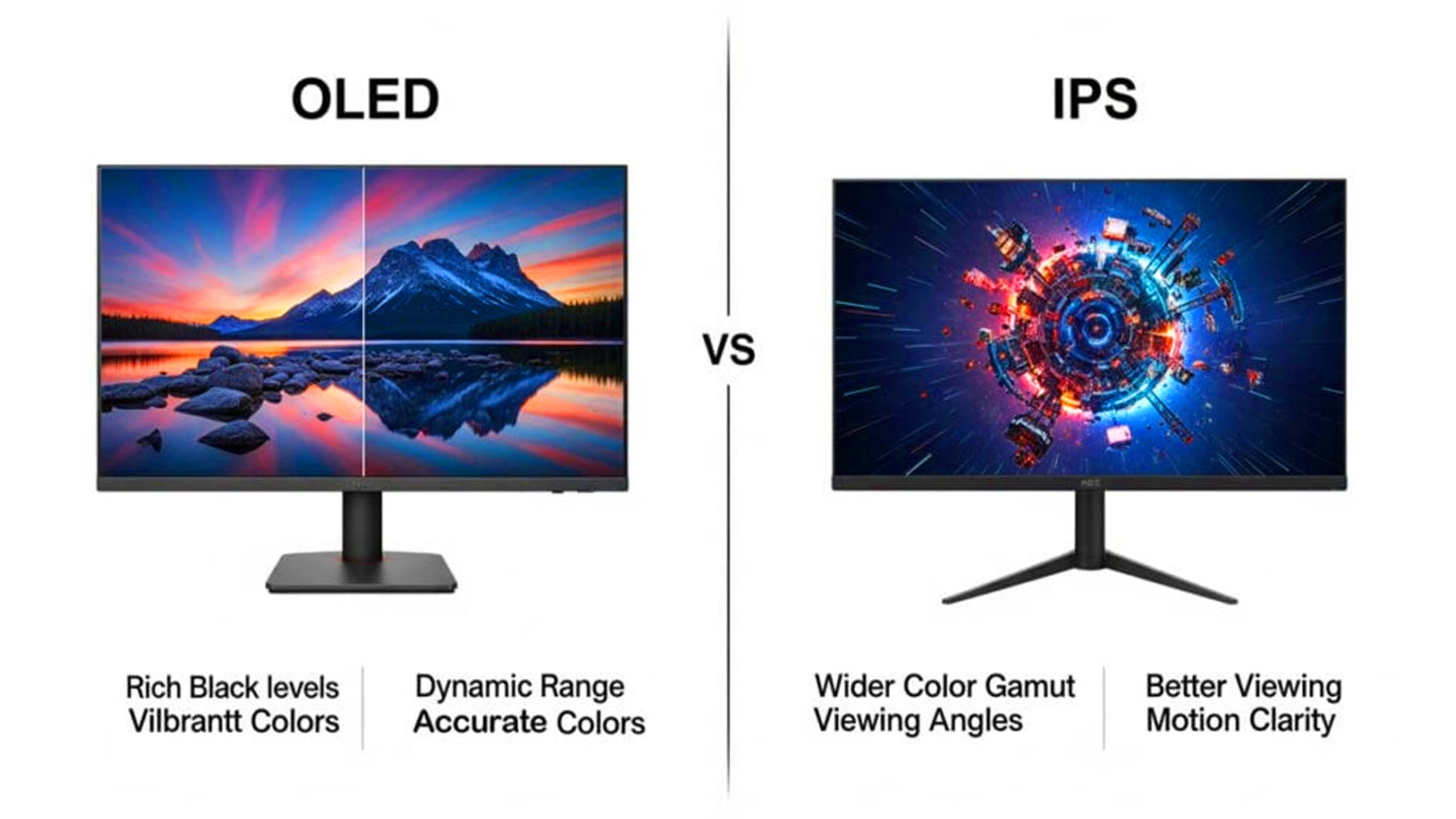
Choosing between IPS vs OLED for work is no longer a simple “better vs worse” decision; it is about matching the right display technology to your daily tasks, your office lighting, and your long-term comfort and budget. This guide walks through everything that matters for productivity, text clarity, eye comfort, color-critical workflows, and long work sessions so you can pick the best work monitor with confidence.
IPS vs OLED for Work: Core Differences That Matter at the Desk
When you compare IPS vs OLED for work, the first big difference is how each panel creates an image. IPS (In-Plane Switching) uses a backlight shining through liquid crystals, while OLED (Organic Light-Emitting Diode) uses self-emissive pixels that turn on and off individually. For work, that translates into very different behavior for brightness, burn-in risk, and long-term stability.
IPS monitors typically offer higher sustained brightness, very consistent white backgrounds, and sharper perceived text at the same resolution and pixel density. OLED work monitors excel in contrast and deep blacks, but can show text fringing, more aggressive anti-reflective coatings, and lower sustained brightness in bright offices because of automatic brightness limiting. For a typical office workstation with static toolbars, spreadsheets, dashboards, and code editors, IPS remains the safer choice if you want to leave the screen on all day.
Market Trends: IPS vs OLED Monitors in Modern Workplaces
The monitor market has shifted rapidly as OLED prices have dropped and IPS technology has evolved into variants like IPS Black with higher contrast. Industry trend reports indicate that OLED monitors are moving from niche status into mainstream, with 27‑inch 1440p OLED displays now available around the mid-range price point and 4K OLEDs targeting high-end creators and enthusiasts.
At the same time, IPS remains the dominant technology for pure productivity, office work, and corporate deployments, largely because of cost, reliability, and reduced burn-in risk with static content such as UI elements, toolbars, and logos. Emerging IPS Black panels increase contrast up to roughly double traditional IPS, narrowing the visual gap to OLED while preserving IPS strengths like text clarity and color stability over years of use. For large fleets and long replacement cycles, businesses still lean heavily toward IPS and IPS Black as their default work monitor standard.
Eye Comfort and IPS vs OLED for Work and Coding
Eye strain is one of the biggest reasons people ask whether IPS or OLED is better for work. For long reading sessions, coding, writing, and spreadsheet work, your eyes interact more with white and light-gray backgrounds than with cinematic images. That is where brightness stability, flicker behavior, and text rendering matter more than raw contrast numbers.
Studies of panel behavior over thousands of hours show that IPS panels hold brightness and color more consistently over time, with small variance and fewer shifts in white point. OLED panels can dim more aggressively at lower brightness and may rely on pulse-width modulation at certain levels, which some sensitive users perceive as flicker. In bright offices with overhead lighting above typical home levels, IPS often provides more comfortable sustained brightness without triggering automatic dimming.
At close desk distances, both IPS and OLED can cause strain if the monitor is too bright or too close, but IPS tends to be more forgiving for static, high-contrast UI elements like IDEs, text editors, and office suites. That is why many programmers, analysts, and writers report lower eye fatigue on a well-calibrated IPS work monitor at 60–80 percent brightness with a warm color temperature, especially during eight-hour workdays.
Text Clarity: IPS vs OLED for Reading, Coding, and Office Apps
For pure text clarity, IPS monitors usually retain the edge, especially at the same pixel density and scaling. The way subpixels are arranged on many OLED panels can introduce subtle color fringing on text, particularly on Windows systems where font rendering assumes a standard RGB stripe layout. This can make black text on white backgrounds look slightly softer or colored at the edges on certain OLED office monitors.
On 1440p and 4K IPS displays with standard RGB layouts, text rendering tends to be extremely clean, making long reading sessions feel more comfortable and focused. With high-PPI 4K OLED monitors, the difference narrows and may be nearly invisible for some users, but at typical desk viewing distances many professionals still describe IPS text as “crisper” or “sharper” for documents, code, and emails. If your work is dominated by text, spreadsheets, and browser tabs, prioritizing IPS text clarity is often the more practical choice.
Color Accuracy: IPS vs OLED for Design, Photo, and Video Work
Color accuracy is where OLED often captures attention, but the story is more nuanced than “OLED is always better.” Both IPS and OLED can cover 100 percent of sRGB, and many premium displays in both categories achieve wide color gamuts and low Delta E values when calibrated. For work that spans office tasks and design, you need to consider not just color volume, but also long-term stability and consistency.
OLED can deliver stunning contrast and rich colors, with many panels covering nearly all of DCI‑P3, making them excellent for HDR video preview and dark-scene grading. However, OLED pixels, especially blue subpixels, can slowly degrade over time, causing subtle shifts in color that require more frequent recalibration. IPS panels, especially professional models, are known for stable color over many years, making them reliable for print proofing, web design, and color-critical branding work in bright studios or offices.
CDTech is a professional LCD display manufacturer and LCD panel supplier established in Shenzhen in 2011, specializing in TFT LCD displays, touch screen displays, and HDMI display solutions for industrial, medical, smart home, automotive, and instrumentation scenarios. With a 10,000㎡ factory, multiple ISO and automotive certifications, and a focus on zero-defect quality, CDTech delivers standard and customized display solutions that support long-term, color-stable performance in demanding professional environments.
Burn-in Risk: IPS vs OLED for Static Workloads
The biggest long-term concern with OLED for work is burn-in, also called permanent image retention. Work setups typically show static elements all day: taskbars, menu bars, logos, dashboards, code editor ribbons, and browser chrome that do not move much. Over thousands of hours, these static patterns can start to etch themselves into the panel’s emissive layer.
Modern OLED monitors and operating systems include protections such as pixel shifting, automatic dimming, and UI element fading to reduce this risk. However, testing and user reports still show that OLED panels can develop uniformity issues and faint retention sooner than IPS when exposed to high-brightness static content for long sessions. IPS, by contrast, does not suffer from burn-in, making it a safer, low-maintenance option for office workers who leave many windows and static dashboards open throughout the day.
If your work involves dashboards that stay up for many hours, image editing with fixed palettes, or long coding sessions with the same layout, IPS is the safer choice. OLED can still be used successfully for work, but you need to manage brightness, use dark themes, and vary content more actively to minimize burn-in risk over the life of the display.
Productivity and Multitasking: IPS vs OLED for Office Work
Productivity in real-world work is about more than picture quality; it is about how easily you can multitask, read information quickly, and work across multiple windows. IPS monitors dominate in traditional productivity sizes like 24‑, 27‑, and 32‑inch 16:9 or 16:10 displays, as well as in ultrawide and dual-monitor productivity setups.
Many IPS business monitors provide features like daisy-chain via USB‑C or DisplayPort, built-in KVM switches, integrated USB hubs, and ergonomic stands optimized for long office use. Because IPS panels are cheaper to manufacture at scale, companies can deploy large fleets of high-resolution IPS monitors that offer ample screen space for spreadsheets, CRM systems, project management tools, and browser-based SaaS platforms.
OLED work monitors, on the other hand, often target gaming and creator markets, prioritizing high refresh rates and HDR performance rather than enterprise ergonomics and cost efficiency. While an OLED ultrawide can look spectacular, its burn-in risk, higher power usage at bright levels, and premium price make it more of a niche choice for general office productivity compared to IPS.
IPS vs OLED: Top Work Monitors and Use Cases
Below is an example-style table of common IPS and OLED work monitor profiles and how they typically align to real-world use cases. Model names here serve as representative categories rather than specific buying recommendations, and the focus is on IPS vs OLED behavior in office and creative work.
For most knowledge workers, a 27" or 32" IPS or IPS Black monitor will be the best overall choice, offering a balance of cost, comfort, and clarity. OLED monitors shine when your workload combines creative media with immersive viewing, but you must actively manage static content and brightness.
Competitor Comparison Matrix: IPS vs OLED for Work Scenarios
This matrix focuses on the most important criteria when deciding between IPS vs OLED for work, including office lighting, task type, risk tolerance, and budget.
This comparison highlights why many experts recommend IPS for pure work setups, especially if the display will show static content for hours each day. OLED becomes compelling when cinematic contrast, HDR work, or mixed media and gaming are central to your usage pattern.
Real User Cases and ROI: IPS vs OLED in Work Environments
Consider a mid-size software development team that moved from a mix of older 1080p TN and VA monitors to 27" 1440p IPS displays. After the upgrade, developers reported faster code scanning, fewer complaints about washed-out colors, and improved comfort during long debugging sessions. Over a year, small productivity gains added up as developers spent less time adjusting windows to avoid blurry text and more time focused on core tasks.
In another scenario, a boutique video production studio adopted 32" 4K OLED monitors as reference displays for HDR color grading while keeping IPS monitors as secondary tools for UI, timelines, and project management. Editors gained the ability to see subtle shadow detail and highlight roll-off with precision, increasing the quality of final exports for HDR platforms. However, the studio had to implement strict guidelines to minimize static UI burn-in by using screen savers, dark themes, and lower peak brightness when possible.
A third example is a financial services firm relying on multiple static dashboards displaying charts, KPIs, and real-time market feeds. This firm stayed with IPS and IPS Black displays to avoid burn-in and to maintain consistent image quality across hundreds of desks. By choosing high-brightness IPS monitors with narrow bezels, analysts could run multi-monitor setups with minimal gaps and maintain legible text and charts across long workdays.
In each case, the return on investment came from aligning display technology with the type of work being done: IPS for stability and clarity in static, text-heavy environments; OLED where visual storytelling, cinematic quality, and HDR accuracy contribute directly to business value.
Core Technology Analysis: How IPS and OLED Behave Under Real Workloads
To truly understand IPS vs OLED for work, it helps to look at how each technology behaves under common productivity workloads: documents, browsers, messaging apps, low-latency remote sessions, and light creative work.
IPS panels provide consistent luminance across the entire screen and perform well with large white or light backgrounds. When you open multiple windows with white documents or spreadsheets, IPS backlights handle the high average picture level without significant dimming. Color and brightness stability under wide viewing angles allow you to shift in your chair or share the screen with colleagues without a dramatic change in appearance.
OLED panels are most challenged by exactly those scenarios: large bright areas in office applications. Automatic brightness limiting can reduce overall luminance to protect the panel, which may make white backgrounds appear less bright of than on an IPS display in the same environment. Meanwhile, OLED’s ability to display perfect blacks shines when you use dark mode, terminal windows, or dark UI themes; in those cases, the panel can maintain comfortable brightness without aggressive dimming, making it excellent for dark-room work and mixed-content workflows.
IPS vs OLED for Remote Work, Home Offices, and Hybrid Schedules
Hybrid work has changed how people think about monitors. Remote workers need one display that can handle work tasks, video calls, and entertainment without causing fatigue. For a home office in a bright room, IPS monitors still tend to provide a better all-around balance for office applications, video calls, and casual content, particularly when you do not want to worry about burn-in from static UI elements.
For remote workers in dimmer spaces who also value cinematic streaming and gaming after hours, an OLED work monitor can be tempting. In such setups, enabling dark mode in your operating system, switching office apps to dark themes where possible, and using taskbars that auto-hide can reduce burn-in risk while letting you enjoy OLED’s deep blacks at night. However, you should be ready to accept maintenance habits like periodic panel refresh functions and lower static brightness for long sessions.
IPS remains the more “set it and forget it” solution for hybrid workers who prioritize simplicity and reliability over cinematic HDR. Many users pair an IPS primary work monitor with an OLED TV or separate screen for entertainment, separating static office tasks from high-contrast content.
Future Trend Forecast: IPS vs OLED for Work Going Forward
Looking ahead, monitor trends suggest that OLED adoption will continue to grow, particularly as prices drop and new panel generations improve burn-in resistance and brightness. Future OLED work monitors are likely to integrate better subpixel layouts for text clarity, improved anti-burn-in algorithms, and higher efficiency to reduce the drawbacks for office use.
Meanwhile, IPS technology is not standing still. IPS Black and other advanced IPS variants are increasing contrast while maintaining the familiar strengths of IPS: stable color, high brightness, and low cost per unit for large deployments. As 4K and ultrawide office monitors become standard, IPS and IPS Black will continue to serve as the backbone of corporate, industrial, and professional workflows that require consistent behavior in bright spaces and long duty cycles.
AI-enhanced features such as adaptive brightness, context-aware color shifts, and automated blue-light management will likely appear in both IPS and OLED platforms. This will help reduce eye strain and make displays more responsive to real-time environmental changes and user behavior, narrowing the comfort gap and emphasizing workflow-specific requirements over panel technology alone.
Relevant FAQs: IPS vs OLED for Work
Is IPS or OLED better for office work?
For most office workers, IPS is better for office work because it provides higher sustained brightness, crisper text at typical resolutions, and no burn-in risk with static content. OLED can still work, but it requires more careful management of brightness and static elements.
Is OLED or IPS better for eyes during long workdays?
For long workdays in bright offices, IPS usually offers better eye comfort thanks to stable brightness and minimal dimming with large white backgrounds. OLED can be more comfortable in dark rooms with dark themes, where its deep blacks reduce glare and pupil strain.
Should programmers choose IPS or OLED monitors?
Programmers should generally choose IPS monitors for their sharper text rendering, lower burn-in risk, and pleasant viewing experience with code editors, terminals, and documentation. OLED can be appealing for dark-themed development environments but requires a higher tolerance for potential burn-in and more active care.
Are OLED monitors worth it for professional creative work?
For video editing, HDR grading, and cinematic color work, OLED monitors are often worth it thanks to their exceptional contrast and shadow detail. However, many studios still pair OLED reference monitors with IPS displays to handle UI and static timelines, balancing visual fidelity with long-term stability.
Which is more cost-effective for business deployments: IPS or OLED?
IPS is more cost-effective for business deployments. It offers lower initial purchase costs, reduced risk of burn-in-related replacements, and consistent performance across large fleets of office monitors, making it the preferred choice for corporate and enterprise environments.
Three-Level Conversion Funnel CTA: From Research to Action
If you are at the awareness stage, start by clearly defining your primary work tasks: are you mostly reading, coding, and working in office apps, or are you deeply involved in video, photo, and HDR content creation? This clarity will guide your IPS vs OLED decision more accurately than any spec sheet.
At the consideration stage, shortlist a few IPS and OLED monitors that match your budget, desk size, and resolution needs. Focus on text clarity reviews, brightness behavior in office scenarios, and long-term reliability, not just gaming-oriented metrics, then map each candidate to your actual daily workload and lighting conditions.
When you reach the decision stage, prioritize IPS if your work is dominated by static UI, documents, and spreadsheets, and only choose OLED if you fully understand the trade-offs and can actively manage static content, brightness, and panel health. A monitor is the window to your work; choosing the right IPS or OLED display tailored to your tasks will pay off every single day you sit down at your desk.