NewsSite EditorSitehttps://cdtech-lcd.usa72.wondercdn.com/uploads/image/5faca15e24cff.pngFor equipment manufacturers, selecting a BAR Type LCD display involves much more than choosing the right dimensions. Factors such as brightness, display technology, interface compatibility, operating environment, customization capabilities, and long-term product availability all have a significant impact on the success of a project. This guide explains the most important considerations to help manufacturers choose a display solution that delivers reliable performance throughout the entire product lifecycle.
BAR Type LCD Display Buying Guide for Equipment Manufacturers
Views: 727Author: Site EditorPublish Time: 2026-07-10Origin: Site
A bar display is not a cropped monitor. Its unusual aspect ratio forces every other decision: which panel route is available, how the interface must behave, how the touch sensor is laid out, how the module is mounted without stressing a long thin sheet of glass, and how several units are synchronised along a shelf or a platform. Selecting in that order avoids discovering a constraint after tooling.
Native stretched panels vs cut panels: the decision that drives everything else
Start here, because it constrains size, cost and reliability.
A native stretched panel is manufactured to a bar format, so its driver IC count, gate routing and edge sealing are designed for that geometry. A cut panel is produced by resizing a standard panel, which introduces technical risk at the cut edge and yield loss. Native panels limit the available sizes and resolutions to what panel makers actually produce, while cut panels allow almost any dimension at the cost of reliability and qualification work.
The selection rule is straightforward: if a native panel exists in roughly the required format, use it; reserve resizing for cases where the format is essential and no native option is close. The trade-offs of the two routes are covered in detail in CDTech's existing bar display selection material and in the comparison on cut versus native panels.
Size and aspect ratio options and what fits a shelf
The format follows the fixture, not the catalogue.
Retail shelf strips are typically installed within a 30 mm to 60 mm face height, which drives aspect ratios from around 1:4 to 1:8. Transit and equipment applications often use wider formats for platform signage or instrument strips. The available sizes in CDTech's bar-type range include 2.9, 3.9, 4.6, 5.8, 6.5, 7.0, 10.1, 12.3, 12.8, 29 and 32.9 inches, with resolutions including 320x120, 480x128, 800x320, 1024x400 and 280x1424.
Before choosing, measure the installed space: the visible aperture, the depth behind the fixture, the access route for the cable and the space needed for the driver board. Most bar display projects that go wrong do so because the electronics had nowhere to live, not because the panel was the wrong size.
Resolution and pixel pitch for readability at distance
Pixel pitch decides the smallest legible character.
On a bar display the horizontal resolution is usually generous relative to the height, so the limiting parameter is the vertical pixel count: a 320x120 panel can display a character of limited height, while a 1024x400 panel gives a more usable text area. The viewing distance then determines the required character height in millimetres, which converts directly into a pixel count. For a shelf viewed at 1 m, a price needs to be large; for a transit strip read at 5 m, the information must be drastically simplified.
Specify the content first and derive the resolution from it. Choosing a panel and then fitting content into it produces unreadable displays with impressive specifications.
Brightness requirements for retail and transit lighting
Retail lighting is directional and produces glare bands.
Supermarket ceilings are bright and often fitted with linear LED luminaires, which reflect visibly from a glossy bar display angled towards a shopper. Anti-glare treatment and optical bonding address the reflection, and the required luminance follows from the ambient level at the installed position. Transit and outdoor-facing formats face worse conditions, including low sun, and usually need both higher brightness and stronger glare control.
Because a bar display is long and thin, a reflection can obscure a large proportion of the visible area at once, which makes surface treatment more important here than on a standard 16:9 panel. CDTech's notes on bar display brightness and contrast cover the measurement approach.
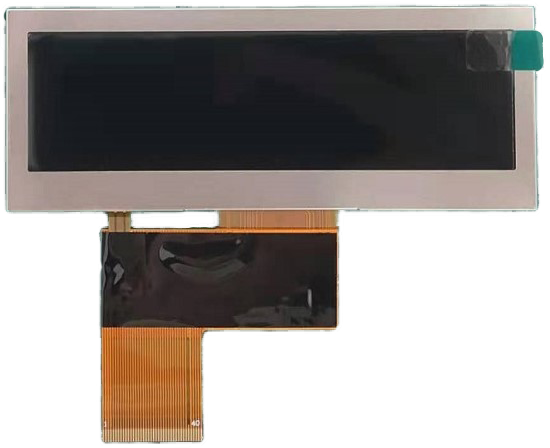
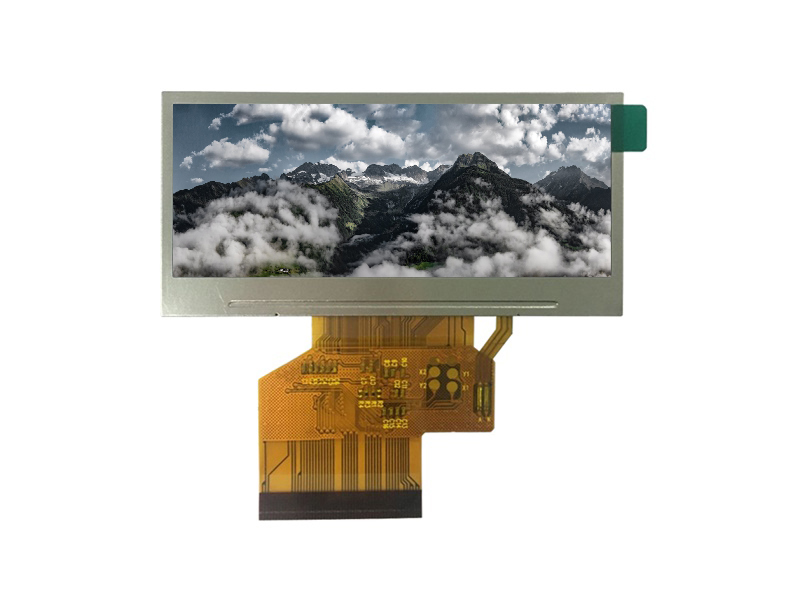
A 3.9-inch 480x128 bar-type colour TFT module with 500 nits brightness - a typical shelf-edge format where face height and glare control matter more than resolution. Source: CDTech product page.
Interfaces: RGB, LVDS, MIPI and eDP for long, thin panels
Long panels mean long cables, and long cables change the interface choice.
Small bar displays are often driven over RGB, MCU or SPI, which suits short connections inside a fixture. As the panel grows, resolution and length push the design towards LVDS, MIPI DSI, eDP or HDMI, which carry more data over fewer conductors with better noise immunity. A daisy-chained retail wall is the extreme case: several panels, long cable runs, and a controller that must drive all of them consistently.
CDTech's bar displays are available with RGB, MCU, SPI, MIPI, LVDS and HDMI interfaces, which allows the interface to follow the system architecture. The trade-offs between the families are set out in bar display interfaces compared.
Touch options along a 1:4 aspect ratio
Sensor layout has to follow the geometry.
A capacitive sensor on a long, thin panel needs a channel arrangement that maintains resolution along the length while avoiding large continuous electrode areas that behave poorly when a hand rests on the surface. Where touch is used for occasional selection, a single-touch or limited multi-touch configuration is usually sufficient and simpler to tune. Where the display is purely informative, touch is often omitted, which reduces cost and removes a wear surface.
Cover glass for these formats is generally thin, which helps sensitivity but reduces impact resistance, so the surrounding bezel or fixture should provide the protection. Custom touch panel construction for unusual formats is described in CDTech's notes on custom touch panel manufacturing.
Mechanical mounting without stressing the glass
A long panel flexes, and flex shows.
Bar displays are mounted along their length, and if the mounting surface is not flat or the fasteners load the glass unevenly, the result is either visible mura or a cracked edge in service. The mounting design should support the panel along its length in a way that allows for thermal expansion, use foam or compliant pads rather than direct clamping, and avoid transmitting fixture tolerances into the glass. Mounting brackets that hold only the ends of a long module are the classic failure.
Where the module is bonded to a cover glass, the assembly is stiffer but the bond becomes a load path, so the fixture must not bend the assembly. CDTech's notes on bar display cutout, FPC and bonding cover the mechanical checks.
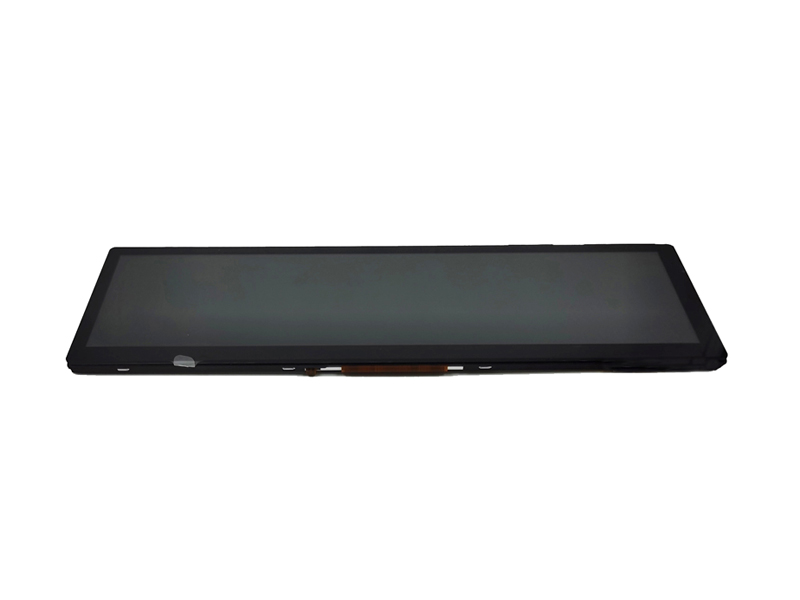
An 8.8-inch 1280x320 bar-type IPS module with an LVDS interface - the point at which resolution and cable length push the interface away from parallel RGB. Source: CDTech technical blog.
Daisy-chaining and multi-unit synchronisation
Synchronising displays is a timing problem, not a cabling problem.
In a shelf wall or a transit information band, several panels show content that must appear aligned: prices that change together, or a moving message that continues across units. If each display runs on its own timing, the content drifts visibly within minutes. Solutions include feeding all units from a single source with a distribution scheme, using displays with a defined cascade input and output, or synchronising from a shared timing reference.
Whichever approach is used, the specification should state the maximum permitted drift between units over a working day, because that number determines whether a simple distribution scheme is sufficient or whether a synchronised architecture is required.
Driving unusual resolutions and custom EDID
Standard video outputs expect standard timings.
Bar resolutions such as 1920x360 or 280x1424 are outside the usual video standards, so a host that outputs a standard mode will not drive the panel directly. The practical solutions are a display that accepts its native timing, a scaler or controller board that generates the correct timing and presents a standard EDID to the host, or a host that can be configured for custom timings. Where a serial interface is used, EDID and link training become part of the design.
CDTech's notes on interface selection checks cover the parameters to verify before design freeze, and the interface specifications themselves are published by bodies such as MIPI and HDMI.
A 2.9-inch 320x120 bar-type module with an 18-bit RGB interface - a small native format where the interface stays simple and cable runs stay short. Source: CDTech product page.
Cost drivers and volume thresholds
Tooling and yield, not the panel, set the entry price.
Cost structure of bar display projects by route
Route
Main cost drivers
Volume threshold
Native bar panel, standard module
Panel supply, standard FPC and driver board
Lowest; suits pilot volumes
Native bar panel, custom cover glass and bonding
Glass tooling, bonding process, inspection standard
Where volumes are uncertain, the safer route is a native panel with a custom cover glass and cable, which captures most of the product appearance without committing to panel-level tooling. Retail technology practice and store-fixture economics are tracked by organisations such as the EHI Retail Institute, and enclosure and signage construction conventions come from bodies such as NEMA. Panel format availability is visible from manufacturers such as Innolux and AUO.
FAQ
What sizes do bar-type LCD displays come in?
Common native sizes run from around 2.9 inches to 12.8 inches in shelf and equipment formats, with larger stretched panels such as 29-inch and 32.9-inch for signage. Resolutions vary widely, including 320x120, 480x128, 800x320, 1024x400 and 280x1424, so the format and the resolution have to be selected together.
How do I choose a stretched display for a shelf?
Start from the fixture: face height, depth, cable access and the space for a driver board. Then derive character height from the viewing distance and match it to available resolution. Use a native panel wherever one exists, and specify anti-glare treatment because reflections affect a larger proportion of a thin display.
Can several bar displays be daisy-chained?
Yes, and it is common in shelf walls and transit information bands. The requirement to specify is the maximum permitted drift between units: if the content must stay aligned, the architecture needs a shared timing source or displays with cascade input and output rather than independent players.
Why does a custom bar resolution not work with a standard video output?
Standard video outputs expect standard timing modes, and bar formats such as 1920x360 are outside them. The usual solutions are a controller that generates the native timing and presents a standard EDID to the host, or a host that can be configured for custom timings.
Next step
Send the fixture dimensions, viewing distance, content layout and interface preference to CDTech; the reply will identify the closest native bar format, list the interface and touch options and state the tooling implications.