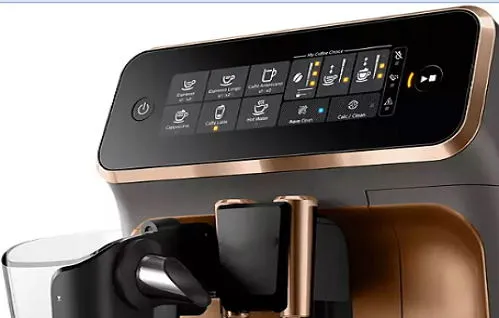
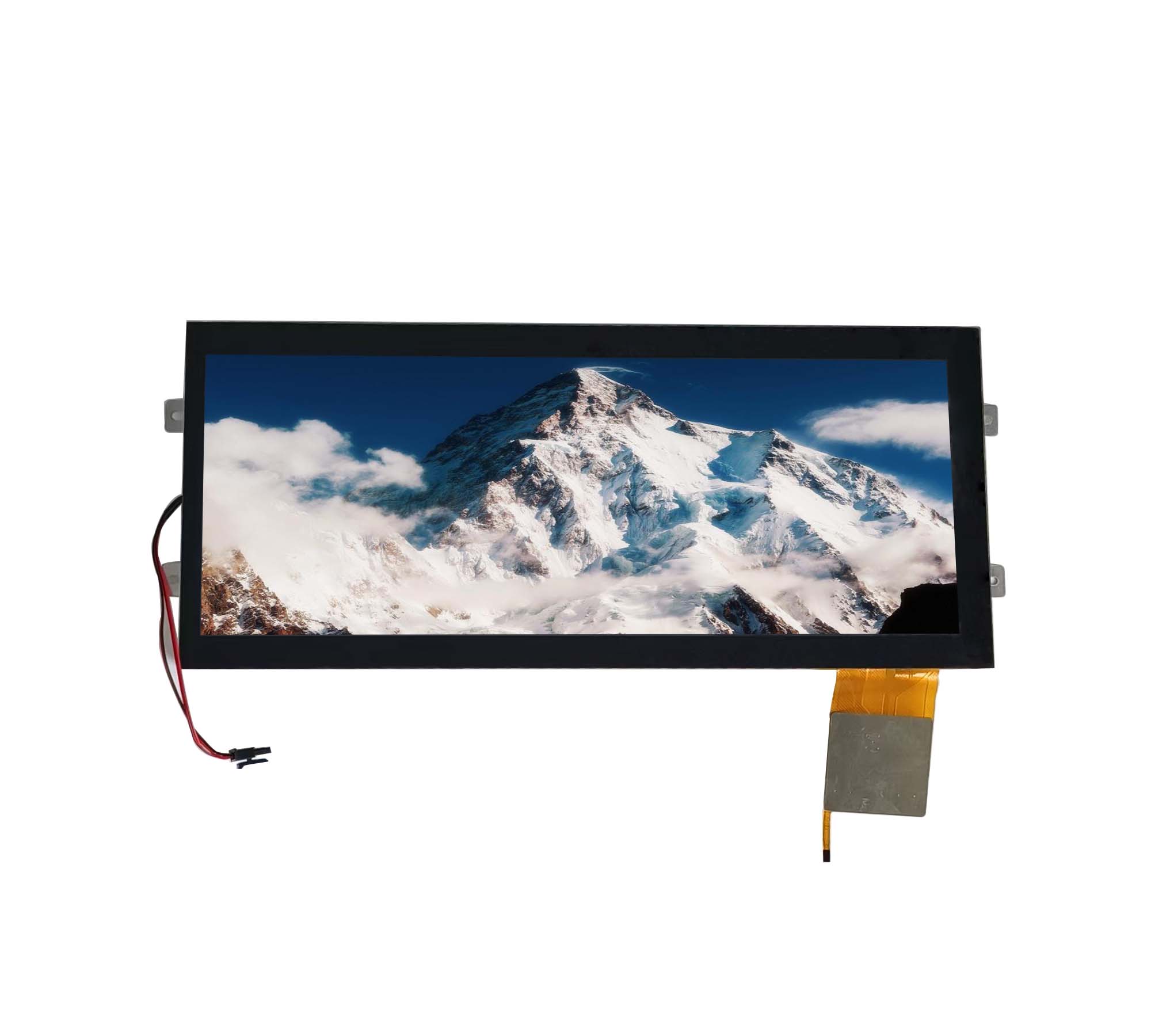
An LCD bar display is a type of liquid crystal display with an elongated rectangular screen designed to present information in a narrow space. Its wide aspect ratio makes it suitable for equipment where a conventional square or standard widescreen display may not fit the available mounting area or match the layout of the information being displayed.
LCD bar displays are used in industrial control panels, transportation systems, retail equipment, medical devices, and other applications that require a long, narrow viewing area. Depending on the design, they can display text, numerical values, status indicators, graphics, and other visual information.
Choosing the right LCD bar display involves more than selecting a suitable screen size. Display technology, resolution, brightness, viewing angle, operating temperature, interface compatibility, and customization requirements all affect its performance in the final product.
What Is an LCD Bar Display?
An LCD bar display is a liquid crystal display module characterized by its elongated shape and wide aspect ratio. Unlike conventional LCDs, which commonly use standard rectangular formats, a bar display has a narrower height relative to its width.
This form factor allows manufacturers to integrate a display into control cabinets, instrument panels, shelves, vehicle dashboards, and other products with limited vertical space. It can also help present information in a horizontal sequence, making it easier to display scrolling messages, multiple readings, timelines, or extended status information.
LCD bar displays are not limited to one display technology. Depending on the application, they may use TN or IPS TFT LCD technology, monochrome LCD technology, or other configurations. Some modules support touch functionality, while others are designed exclusively for visual output.
The appropriate design depends on the content being displayed, the viewing environment, and the electrical and mechanical requirements of the host device.
Types of LCD Bar Displays
LCD bar displays can be classified according to display technology, color capability, and functional design. Understanding these differences helps engineers narrow down suitable options before evaluating individual modules.
1. TFT LCD Bar Displays
TFT (Thin-Film Transistor) LCD technology is commonly used when an application requires color graphics, detailed information, or a more flexible user interface. Each pixel is controlled by a transistor, allowing the display to render text, icons, images, and graphical elements.
TFT LCD bar displays are suitable for industrial equipment, transportation interfaces, commercial devices, and electronic control systems that need to present multiple types of information on one screen.
Within this category, TN and IPS panels offer different characteristics. TN panels can be appropriate for applications with relatively straightforward viewing requirements, while IPS panels generally provide wider viewing angles and more consistent color reproduction.
The choice should be based on the viewing position, image quality requirements, and operating conditions rather than display technology alone.
2. Monochrome LCD Bar Displays
Monochrome LCD bar displays present information using a single display color against a contrasting background. They are often suitable for applications that prioritize simple information presentation, low-complexity interfaces, and clear numerical or status indications.
Depending on the design, monochrome displays may use character-based, graphic, or segmented formats. These configurations support different levels of flexibility.
Segment displays: Best suited to predefined symbols and numerical values, such as measurements or counters.
Character displays: Suitable for text and basic alphanumeric information.
Graphic displays: Offer greater flexibility for custom symbols, simple diagrams, and graphical layouts.
Monochrome LCDs can be a practical choice when full-color graphics are unnecessary. Their suitability for low-power operation depends on the specific LCD technology, backlight requirements, and module design.
3. Touchscreen LCD Bar Displays
Some LCD bar displays integrate a touch panel, allowing users to interact directly with the displayed interface. This can be useful in equipment that combines monitoring and control functions in a single narrow panel.
Touch functionality may be implemented using projected capacitive or resistive technology. Projected capacitive touch supports multi-touch interaction in suitable configurations, while resistive touch can respond to pressure from a finger or an appropriate stylus.
The choice depends on the interface design, expected operating environment, glove requirements, and whether the application needs multi-touch gestures.
Touchscreen integration also affects the overall module dimensions, cover-glass design, optical performance, and controller compatibility. These factors should be evaluated early in the design process.
Common Applications of LCD Bar Displays
The elongated form factor makes LCD bar displays useful in products where information must fit into a limited or unusually shaped space. Their actual capabilities depend on the selected module, but several application areas are particularly relevant.
Industrial Control and Automation
Industrial equipment often requires compact displays for operating status, process measurements, alarms, and production information. An LCD bar display can fit into a narrow control panel while providing a dedicated area for essential readings.
For example, a machine interface may use a bar-shaped screen to display operating parameters, temperature readings, production counts, or equipment status. A color TFT version can distinguish between different information categories through graphical elements, while a monochrome version may be sufficient for simpler readouts.
When selecting a display for industrial use, engineers should consider the ambient temperature range, expected service life, mounting arrangement, electrical noise environment, and readability under factory lighting conditions.
Transportation and Vehicle Systems
Vehicle dashboards and transportation equipment frequently contain long, narrow areas for presenting information. LCD bar displays can be integrated into instrument panels, passenger information systems, vehicle control interfaces, and other equipment where the available mounting space is constrained.
Depending on the design, the display may show speed-related information, operating status, route details, warnings, or other interface elements.
Outdoor and vehicle applications require careful attention to brightness, viewing angle, temperature variation, vibration, and mechanical durability. A display that performs well in a stationary indoor environment may not provide the same readability or reliability when exposed to sunlight and changing temperatures.
The display module must therefore be evaluated against the actual environmental conditions of the vehicle or transportation system.
Retail and Digital Signage
Retail environments use narrow displays for shelf-edge information, product details, promotional messages, and pricing information. An LCD bar display can fit into shelf structures or other locations where a conventional display would occupy too much space.
In these applications, the required resolution depends on the content. Simple pricing and short text messages may not need the same pixel density as displays intended for detailed graphics or frequently changing promotional content.
Brightness, viewing distance, content orientation, and installation dimensions are important considerations. The display should also be compatible with the content-management hardware or control system used by the equipment.
Medical and Laboratory Equipment
Medical and laboratory devices may use compact displays to present measurements, device status, operating modes, and other essential information. An elongated screen can be useful when the enclosure design leaves limited space for a user interface.
However, the display requirements vary significantly by device. Some applications need only basic numerical readouts, while others require detailed graphics, touch interaction, or consistent visibility from different viewing angles.
Engineers should assess readability, operating temperature, cleaning requirements, touch-panel compatibility, and the applicable requirements of the complete medical device. Selecting a display module alone does not establish that the finished product meets medical-device standards.
Smart Devices and Commercial Equipment
LCD bar displays can also be integrated into smart-home controllers, appliances, access-control systems, measuring instruments, and other commercial products.
Their narrow profile allows product designers to create interfaces that follow the shape of the enclosure rather than relying on a conventional screen layout. This can be particularly useful when the display needs to fit alongside physical buttons, indicator lights, or other components.
For these applications, module thickness, power consumption, interface compatibility, and long-term component availability can be just as important as image quality.
Key Factors to Consider When Selecting an LCD Bar Display
Choosing an LCD bar display requires matching the module's physical characteristics and technical performance to the needs of the finished product. Evaluating the following factors before finalizing the design can reduce integration problems and unnecessary redesigns.
1. Screen Size, Aspect Ratio, and Resolution
The first step is to determine the available installation space and the dimensions of the visible display area. The overall module dimensions are not necessarily the same as the active display area, so both measurements should be checked against the product enclosure.
Aspect ratio is equally important. A wide screen may fit the mounting area but still provide insufficient vertical space for text, icons, or multiple lines of information.
Resolution should be selected according to the content. Numerical readouts and short messages generally have different requirements from detailed graphics, small text, and complex user interfaces. Higher resolution can improve the presentation of fine details, but it must also be supported by the display controller and host system.
Before choosing a module, define the expected content, viewing distance, font sizes, and interface layout.
2. Display Technology and Viewing Angle
The display technology influences image quality, contrast, color reproduction, and visibility from different positions.
For applications where users view the screen from a fixed position, a suitable TN panel may meet the requirements. Where operators need to view information from multiple angles, an IPS TFT display may be a better fit because of its generally wider viewing angles and more consistent image appearance.
Monochrome LCD technology may be sufficient when the interface is limited to basic information and does not require full-color graphics.
The decision should reflect actual usage conditions. A technically advanced panel is not automatically the best option if a simpler display already meets the application's requirements.
3. Brightness and Environmental Readability
Brightness affects how easily information can be read under different lighting conditions. An indoor control panel may work well with a moderate-brightness display, while equipment installed near windows or in outdoor environments may require a higher-brightness solution.
Brightness should not be evaluated in isolation. Reflections from the cover glass, surface treatments, viewing angle, and contrast also influence readability.
For sunlight-exposed equipment, engineers should assess the complete optical configuration rather than relying solely on the panel's brightness rating. Depending on the application, anti-glare or anti-reflection treatments may help improve visibility, although they address reflections in different ways.
4. Operating Temperature and Reliability
The operating temperature range must match the conditions in which the display will function. Industrial cabinets, vehicles, outdoor equipment, and enclosed electronic products can experience significant temperature fluctuations.
Check the manufacturer's specified operating and storage temperature ranges. These are different parameters and should not be treated as interchangeable.
Other environmental factors may include vibration, humidity, condensation, and exposure to dust or cleaning agents. The LCD module itself may not provide the level of environmental protection required by the finished product, so the enclosure, sealing, mounting structure, and associated electronics must also be considered.
For applications with demanding environmental conditions, prototype testing under representative operating conditions is advisable.
5. Interface and Electrical Compatibility
An LCD bar display must communicate correctly with the host system. Depending on the module, the interface may include RGB, LVDS, MIPI DSI, SPI, or other supported connections.
The selected interface affects more than the connector type. Engineers should verify signal requirements, supported resolution and refresh rate, controller compatibility, cable length, and PCB layout constraints.
Electrical specifications also require attention. These include the supply voltage, logic levels, backlight power requirements, and any necessary driver or controller circuitry.
A module that fits the enclosure but requires an incompatible interface or an impractical electrical redesign may increase development time and overall system cost.
6. Touch Functionality and Cover-Glass Design
If the application requires direct interaction, the touch panel should be selected together with the display rather than treated as an unrelated accessory.
Projected capacitive and resistive touch technologies have different operating characteristics. The choice should account for the user's interaction method, expected gloves or styluses, required touch accuracy, and environmental conditions.
Cover-glass thickness, surface treatment, bonding method, and touch-controller compatibility can also affect the final result. In particular, the display and touch panel must be mechanically and electrically compatible with the intended enclosure.
For products that do not require user interaction, omitting touch functionality may simplify integration and reduce unnecessary complexity.
7. Power Consumption and Backlight Requirements
Power consumption matters in battery-powered equipment and products with strict thermal limits. For an LCD module, the backlight can be a significant part of total power use, so the panel and backlight specifications should be reviewed separately where applicable.
Backlight brightness, dimming method, operating duty cycle, and expected usage patterns can all influence power requirements.
A display that meets the visibility requirements at a lower brightness setting may help reduce power consumption, but brightness should not be reduced to the point that the interface becomes difficult to read in its intended environment.
8. Customization, Availability, and Long-Term Supply
Standard LCD modules are suitable for many projects, but some applications require a customized aspect ratio, mounting structure, FPC cable, connector position, touch panel, or cover glass.
Customization can help the display fit the product more closely, but it may also affect development time, tooling costs, minimum order quantities, and replacement planning.
Long-term availability is particularly important for industrial equipment that may remain in production for many years. Before committing to a module, ask the supplier about production status, expected availability, change-notification procedures, sample lead times, and support for future orders.
These considerations can help reduce the risk of having to redesign the product because a display component becomes unavailable.
Common Challenges During LCD Bar Display Integration
Even a well-selected display can encounter problems if the surrounding system is not designed appropriately.
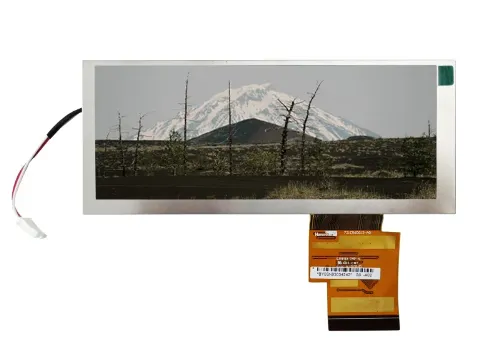
One common issue is incorrect mechanical planning. Engineers may account for the visible screen area but overlook the PCB, connector, FPC bending space, mounting points, or backlight structure. Checking the complete module drawing before finalizing the enclosure helps prevent these problems.
Another challenge is poor readability after installation. The display may appear clear during initial testing but become difficult to read when viewed through a cover glass or installed under strong ambient lighting. Testing the complete optical stack in the actual mounting position is therefore more reliable than evaluating the bare module alone.
Interface incompatibility can also create delays. A display's resolution, signal timing, pin assignment, and controller requirements should be confirmed before PCB development is completed.
Finally, environmental reliability should not be assumed from the display technology alone. Temperature, vibration, moisture, and electrical interference can affect the module or the wider system. Testing the assembled product under realistic conditions helps identify weaknesses before mass production.
How to Choose the Right LCD Bar Display Supplier
A reliable supplier should be able to provide more than a product catalog. Technical documentation, customization capabilities, sample support, and clear communication are important when integrating a display into a commercial or industrial product.
Start by confirming that the supplier offers a module with the required dimensions, display technology, resolution, brightness, and interface. Request a detailed datasheet and mechanical drawing so that the engineering team can assess compatibility before ordering samples.
If the project requires customization, discuss the proposed changes early. Ask whether the supplier can support the required FPC design, touch integration, cover glass, connector configuration, and mechanical dimensions. It is also useful to clarify sample lead times, production lead times, minimum order quantities, and the process for managing component changes.
For industrial applications, review the supplier's quality-management practices and request relevant product or process documentation. Any claimed certifications should be verified for their scope and applicability to the specific product.
Before moving into mass production, test samples in the intended hardware and operating environment. Evaluate image quality, viewing angle, brightness, touch performance where applicable, electrical compatibility, and mechanical fit.
A supplier that can support both initial integration and long-term production planning can be valuable for projects with demanding reliability or lifecycle requirements.
Conclusion
An LCD bar display provides a practical way to integrate visual information into products with narrow or elongated mounting areas. Its applications range from industrial control panels and transportation interfaces to retail equipment, medical devices, and smart commercial products.
The best choice depends on the application's specific requirements. Screen dimensions and resolution determine how information fits on the display, while panel technology, brightness, viewing angle, temperature range, interface compatibility, and power consumption influence its performance in the finished product.
By evaluating these factors together and testing the selected module in the intended system, engineers can choose an LCD bar display that meets both functional and integration requirements. Working with a supplier that offers suitable technical support and dependable long-term availability can further simplify development and production.