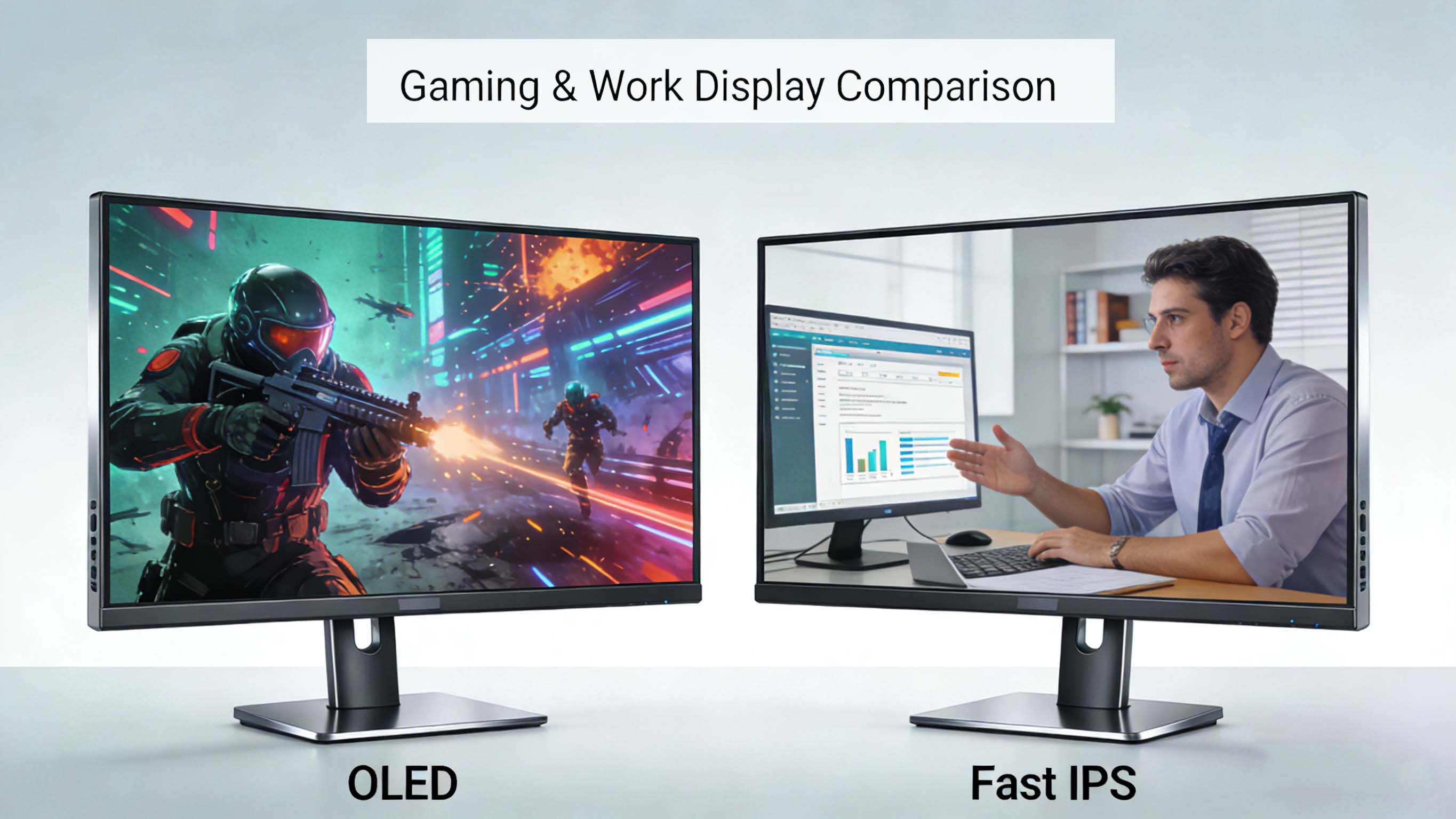
Fast IPS vs OLED is one of the most important decisions you will make when choosing a modern gaming monitor or productivity display. Understanding how these panel types differ in response time, input lag, contrast, color, brightness, burn-in risk, and price will help you match the right monitor to your specific use case and budget.
What “Fast IPS” Really Means Compared To OLED
Fast IPS gaming monitors are an evolution of traditional IPS panels tuned for speed with aggressive pixel overdrive and high refresh rates. Many current fast IPS panels advertise 1 ms gray-to-gray response times, which is a big improvement over older IPS displays that were often in the 4–5 ms range or worse. This allows fast IPS displays to handle 144 Hz, 165 Hz, 240 Hz, and even 360 Hz refresh rates with relatively low motion blur and good motion clarity for most players.
OLED monitors work very differently because each pixel is self-emissive and can turn on or off almost instantly. Typical OLED response times can be around 0.03 ms or even as low as 0.1 ms, which is dramatically faster than any fast IPS liquid crystal panel. In practical terms, OLED motion looks cleaner, with almost no visible ghosting trails around fast-moving targets and very little need for overdrive tuning.
For competitive gamers comparing fast IPS vs OLED at the same refresh rate, the key takeaway is that OLED still has a clear advantage in pure pixel response. However, fast IPS monitors are “fast enough” for most users, especially at 240 Hz and above, and they often cost significantly less while avoiding some of OLED’s long-term risks.
Contrast, Black Levels, And HDR: OLED’s Big Visual Advantage
One of the strongest arguments in the OLED vs IPS debate is contrast and black levels. OLED panels can switch individual pixels completely off, producing essentially perfect blacks and extremely high contrast ratios. This makes dark scenes in games and movies look deep, immersive, and three-dimensional, with bright highlights that really stand out in HDR content.
Fast IPS monitors rely on an LED backlight behind the liquid crystal layer, so even their “blacks” are more like dark gray. Even with local dimming, there can be blooming artifacts and raised black levels around bright objects on dark backgrounds. HDR on fast IPS displays is often limited by this backlight design, so HDR impact is usually weaker than on OLED screens with per-pixel light control.
If you care about cinematic visuals, single-player immersion, and watching movies with great HDR, OLED generally wins the fast IPS vs OLED comparison. On the other hand, if you primarily game in a bright room and do more work than media consumption, a high-quality fast IPS monitor can still deliver pleasing image quality without the same risk of uneven pixel wear.
Brightness, Glare, And Eye Comfort In Real-World Use
When comparing fast IPS vs OLED for brightness, IPS monitors usually offer higher sustained brightness and can sometimes reach stronger peak brightness than many current OLED monitors. This makes IPS a better choice for brightly lit rooms, office environments, or setups near windows where glare is common. OLED panels can achieve impressive peak brightness in small highlights, but their full-screen brightness is often lower, and many models reduce brightness aggressively to manage heat and panel longevity.
Because OLED pixels can switch off completely, OLED monitors are excellent for dark-room viewing, late-night gaming, and content creation in controlled lighting. By contrast, fast IPS displays tend to look more washed out in dark rooms due to grayish blacks, but they can be easier on the eyes in bright environments where higher overall brightness helps fight reflections.
For users who spend many hours per day on text-heavy tasks, spreadsheets, or web browsing, a bright fast IPS monitor with a good matte coating can sometimes feel more comfortable and consistent than OLED, especially if the OLED screen uses aggressive automatic brightness limiting.
Motion Clarity, Input Lag, And Competitive Gaming
If you are choosing between a fast IPS vs OLED gaming monitor specifically for fast-paced shooters, battle royale titles, or esports, motion clarity and latency are critical. OLED response times are effectively instantaneous, eliminating most pixel persistence blur and reducing overshoot artifacts that can appear when IPS overdrive is pushed too hard. This leads to clearer edges around moving enemies, cleaner tracking, and more precise aiming at high frame rates.
Fast IPS panels have improved tremendously and can deliver 1 ms or even sub-1 ms claimed response times with optimized overdrive. For many competitive players at 240 Hz or 360 Hz, motion on a top-tier fast IPS display feels very fluid and responsive, especially when combined with low input lag processing and adaptive sync. In some cases, LCD monitors can use backlight strobing or black frame insertion techniques to further sharpen motion, potentially rivaling or surpassing OLED motion clarity in specific scenarios.
From an input lag perspective, both fast IPS and OLED monitors can achieve very low end-to-end latency when properly designed, with differences measured in just a few milliseconds. For professional esports players and extremely competitive users, OLED’s tiny response time advantage can offer slightly better visual feedback, but for most gamers, either a high-end fast IPS or OLED monitor will feel extremely responsive.
Burn-In Risk, Longevity, And Static Content
One of the most important topics in a fast IPS vs OLED monitor comparison is burn-in and image retention. OLED burn-in is a form of permanent image retention caused by uneven wear of pixels that frequently display static elements such as HUDs, desktop icons, or taskbars over long periods of time. While modern OLED gaming monitors include various burn-in mitigation features, heavy use with static content can still pose some long-term risk.
LCD-based fast IPS monitors do not suffer from OLED-style burn-in because their pixels do not emit light directly. The LED backlight provides illumination while the liquid crystals simply modulate light, which means static images do not wear the panel in the same way. This makes fast IPS a safer choice for users who leave static windows open for hours, run productivity apps with fixed toolbars all day, or use their displays as desktop workhorses.
Recent endurance testing of OLED gaming monitors suggests that for primarily gaming-focused use, with a mix of content and reasonable brightness settings, burn-in may be less of a practical problem than many fear. Newer QD-OLED and WOLED panels also add improved burn-in prevention algorithms, cooler operating temperatures, and more sophisticated pixel shifting to extend lifespan. However, if your usage is mostly spreadsheets, browsers, IDEs, and static dashboards, fast IPS remains the more conservative, long-lived panel technology.
Color Accuracy, Viewing Angles, And Creator Workflows
When comparing OLED vs IPS for color-critical work, both panel types can offer wide color gamuts, accurate calibration, and excellent viewing angles. IPS technology has long been the standard for professional photo editing, graphic design, and video work because of its stable color reproduction and consistency across the screen. Fast IPS panels inherit these strengths, making them a natural fit for creators who need reliable color and predictable behavior under calibration.
OLED monitors provide incredibly rich colors and wide gamuts, often covering near 100 percent of DCI-P3 and a large portion of Rec. 2020, which is ideal for HDR grading and high-end content creation. However, OLED’s automatic brightness limiting and aggressive protection features can make color management more complex in some professional workflows. Additionally, potential burn-in from static UI elements in editing software can be a concern for full-time creators.
For hybrid users who game and create on the same display, the choice between fast IPS vs OLED often comes down to priorities. If you want the best HDR and perfect blacks for watching and grading HDR footage in a controlled environment, an OLED monitor is extremely appealing. If you want a more predictable, bright, and static-content-friendly panel for office tasks and color work, a calibrated fast IPS monitor can be the safer and more versatile option.
Market Trends: Fast IPS vs OLED Adoption
According to investigations from TrendForce, global OLED monitor shipments surged by around 65 percent year over year in the third quarter of 2025, reaching hundreds of thousands of units with projected yearly shipments in the millions. This explosive growth shows that OLED monitors are rapidly gaining traction among high-end gamers and creators who want top-tier image quality and motion performance. Major brands like ASUS and Samsung have invested heavily in OLED lineups, competing aggressively in the premium gaming monitor segment.
At the same time, fast IPS gaming monitors remain the mainstream choice in the broader market due to lower costs, mature manufacturing, and a wide variety of models covering everything from 1080p 144 Hz displays to high-refresh 1440p and 4K options. Many players still prefer the balance of price, brightness, stability, and low risk that fast IPS panels offer, especially for mixed-use computers that see many hours of desktop applications every day.
This market split indicates that fast IPS vs OLED is not a simple “winner takes all” situation. OLED is becoming the aspirational choice for enthusiasts and professionals focused on visual quality, while fast IPS remains the practical, high-value option for a large portion of gamers and office users.
CDTech is a professional LCD display manufacturer and LCD panel supplier established in Shenzhen in 2011, focusing on TFT LCD displays, touch solutions, and HDMI display modules for industrial, medical, automotive, and smart home applications. With advanced automated production and strict quality certifications, the company delivers both standard and customized display solutions to global customers.
Top Fast IPS And OLED Monitor Use Cases
When choosing between a fast IPS vs OLED gaming monitor, considering your primary use cases is crucial. For esports and competitive gaming at 240 Hz or higher, both technologies can offer excellent performance, but OLED gives slightly sharper motion and deeper blacks, while fast IPS provides brighter images and more peace of mind during long practice sessions. If you value immersive single-player experiences, cinematic visuals, and HDR storytelling, OLED’s per-pixel contrast and rapid response create a more dramatic and visually satisfying image.
For productivity and office work, fast IPS panels usually make more sense thanks to their strong brightness, low burn-in risk, and comfortable performance in bright rooms. If your daily routine combines spreadsheets, emails, web browsing, and the occasional game or movie, a well-tuned fast IPS display is often the more practical option. For users who primarily work in creative apps and only occasionally worry about static content, an OLED display can still be an excellent companion, provided that appropriate brightness settings and burn-in protections are used.
Representative Fast IPS And OLED Monitor Examples
The following table gives a general idea of how typical fast IPS and OLED gaming monitors compare in key areas. These are representative characteristics rather than specific model recommendations.
This overview helps clarify the key strengths of each technology as you evaluate fast IPS vs OLED for your own desk, studio, or battlestation.
Fast IPS vs OLED Competitor Comparison Matrix
To make the fast IPS vs OLED decision more concrete, here is an adaptive comparison matrix focusing on attributes that matter to both gamers and professionals.
This kind of side-by-side comparison makes it easier to see where fast IPS vs OLED align with your preferences and constraints.
Core Technology: How Fast IPS And OLED Work
Fast IPS technology is based on in-plane switching of liquid crystals that rotate to modulate light from a constant LED backlight. Improvements in liquid crystal materials, voltage driving schemes, and pixel overdrive allow modern fast IPS panels to switch more quickly than older IPS designs, reducing smearing and ghosting at high refresh rates. The underlying structure still relies on polarizers, color filters, and a backlight, which influence contrast, brightness, and color reproduction.
OLED, by contrast, uses organic light-emitting diodes that generate light directly when an electric current passes through them. Each subpixel is its own light source, removing the need for a backlight and allowing per-pixel control of brightness. This leads to the signature deep blacks and rapid response times but also introduces concerns about organic material wear, heat management, and long-term reliability. QD-OLED further adds a quantum dot conversion layer to improve color purity and brightness efficiency, especially in gaming monitors.
These fundamental differences explain much of what users experience in day-to-day use. The fast IPS vs OLED debate is not just about specs, but about how each technology’s strengths and weaknesses show up in your specific environment, with your favorite games, apps, and workflows.
Real User Cases And ROI For Fast IPS vs OLED
Consider a high-ranked competitive FPS player who practices four to six hours daily, often in a bright room, and frequently runs aim trainers or static menus between matches. For this user, a fast IPS monitor at 240 Hz or 360 Hz can deliver sufficient motion clarity and responsiveness while minimizing long-term burn-in risk and keeping brightness high in all lighting conditions. Over a few years, the return on investment comes from reliable performance, lower worry about static HUD elements, and usually a lower upfront cost compared to a premium OLED.
Now consider a single-player-focused gamer who primarily plays story-driven titles, immersive open-world games, and visually rich RPGs in a dark room. For this user, an OLED gaming monitor provides dramatic contrast, deep blacks, and stunning HDR that greatly enhances immersion, making the experience feel closer to a high-end TV. The ROI in this case is measured in visual enjoyment: every game looks better, cutscenes feel more cinematic, and HDR content truly stands out. When static content is limited and brightness is managed thoughtfully, burn-in risk remains relatively low for this usage pattern.
A third example might be a creator who splits time between video editing, photo work, and gaming. For them, fast IPS vs OLED becomes a balancing act between color accuracy consistency, static UI concerns, and HDR grading needs. Some opt for a dual-monitor setup: a calibrated fast IPS display for day-to-day editing and static tools, plus an OLED monitor used as a reference display for HDR previews and final checks. This mixed approach can yield strong returns by leveraging each technology’s strengths while mitigating weaknesses.
Future Trends In Fast IPS And OLED Monitors
Looking ahead, OLED monitor adoption is expected to continue growing as manufacturing scales up, yields improve, and more panel sizes and resolutions become available. Panel makers are also working on better burn-in mitigation, higher peak brightness, and more efficient subpixel layouts, making future OLED monitors more robust for desktop and mixed-use scenarios. This will make the OLED side of the fast IPS vs OLED conversation more compelling for a wider range of users over time.
Fast IPS technology is also evolving, with improvements in response time consistency, local dimming backlights, and mini-LED implementations that aim to narrow the contrast gap with OLED while maintaining high brightness and low risk of permanent image retention. As mini-LED backlights and advanced dimming algorithms trickle down into more affordable fast IPS monitors, many gamers may get closer-to-OLED contrast without switching to emissive panels.
In the long term, new technologies such as microLED could potentially offer the best aspects of both worlds—self-emissive pixels, high brightness, and long lifespan—but these solutions are still emerging and remain expensive. Until then, fast IPS vs OLED will remain the central choice for anyone shopping for a high-performance gaming or productivity monitor.
Practical Buying Guidance For Different Users
For budget-conscious gamers who still want high refresh rates and low response times, a fast IPS gaming monitor is usually the best starting point. You get strong all-around performance, great compatibility with bright rooms, and a wide selection of models and sizes. For users deeply invested in competitive esports, a top-tier fast IPS monitor at 240 Hz or higher is often enough to reach a very high level of play without needing OLED.
If your budget allows and you prioritize visual quality, deep blacks, and HDR impact, an OLED gaming monitor is increasingly worth the premium. You will enjoy near-instant response, superb contrast, and more lifelike scenes in both games and movies. Managing brightness levels, enabling built-in protection features, and varying content over time can help preserve the panel and reduce the chance of noticeable burn-in in typical home use.
For professionals and creators, the smart move is often to define your primary workloads. If you spend most of your day in static editing interfaces and office apps, a high-quality fast IPS or mini-LED IPS monitor may be the safest and most consistent option. If HDR video and high-end color grading are central to your work, adding an OLED monitor as a reference or main display can significantly elevate your output, as long as you adopt sensible usage practices to protect the panel.
Fast IPS vs OLED FAQs
What is a fast IPS monitor in simple terms?
A fast IPS monitor is an IPS-based LCD display optimized for gaming with very low response times, often around 1 ms, and high refresh rates for smoother motion.
Is OLED better than IPS for gaming?
OLED is generally better for gaming visuals due to perfect blacks, very fast response times, and excellent HDR, but IPS can still be better for bright rooms and long static use.
Does OLED have more input lag than fast IPS?
In well-designed models, both OLED and fast IPS monitors can achieve very low input lag, with differences small enough that most gamers will not notice them.
Should I worry about OLED burn-in on a gaming monitor?
For mostly gaming-focused use with varied content and moderate brightness, modern OLED monitors are less likely to suffer noticeable burn-in, though static UI elements over many thousands of hours can still create some risk.
Which is better for office work: fast IPS or OLED?
Fast IPS is generally better for office work because it offers high brightness, no burn-in risk, and comfortable performance for static windows and documents in bright environments.
How does HDR compare on fast IPS vs OLED monitors?
HDR is usually more impactful on OLED due to per-pixel lighting and higher effective contrast, while fast IPS HDR is limited by backlight zones and higher black levels.
Are OLED gaming monitors worth the higher price?
For users who value immersion, perfect blacks, and top-tier motion clarity, OLED gaming monitors can be worth the premium, especially as prices slowly decrease and options expand.