Copyright © 2020-2021 Shenzhen CDTech Electronics LTD. All rights reserved. Site Map Powered by iwonder.cn

display / touch / bonding solutions
display / touch / bonding solutions
Bar type LCD displays are transforming industrial HMIs because their ultra-wide shape fits narrow installation areas while presenting alarms, status data, controls, and branding in one clear horizontal interface. Compared with conventional screens, stretched LCD panels improve space efficiency, enable tailored layouts, support touch interaction, and can be customized for demanding automotive, industrial, medical, and embedded environments.
Last updated:
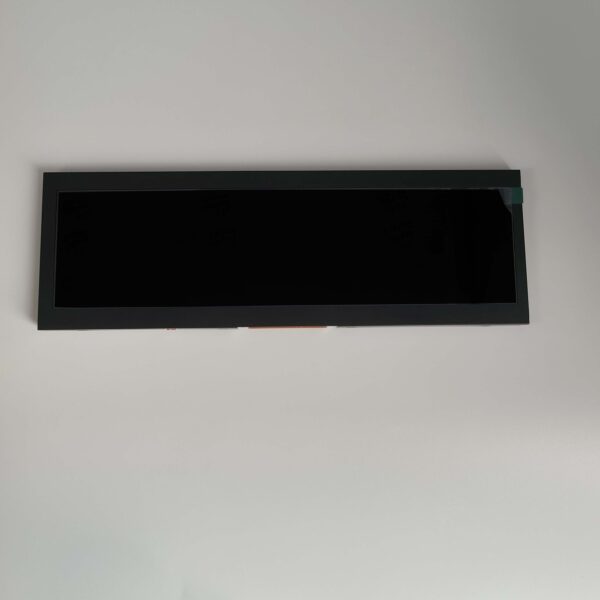
A bar type LCD display is a stretched TFT LCD panel with a non-standard, ultra-wide aspect ratio. It is designed for locations where height is limited but horizontal space is available, such as machinery panels, rear-view mirrors, dashboards, shelf edges, and compact embedded devices.
Unlike a conventional 16:9 or 4:3 display, a stretched LCD panel uses a long, narrow format. Common aspect ratios include 3:1, 4:1, 5:1, and even wider formats. This geometry gives product designers a practical way to show essential information without forcing a larger enclosure.
For industrial HMI design, the value is not simply visual novelty. A bar screen can separate critical information into logical zones: machine status on the left, operating values in the center, and alarms or action buttons on the right. Operators can scan a single horizontal line instead of navigating through multiple pages.
A 12.3 inch bar screen, for example, can work well in a compact control console that needs to display temperatures, speed, production counts, warning icons, and navigation controls. It gives equipment manufacturers more usable interface area without increasing the height of the machine panel.
Stretched LCD panels make better use of narrow spaces because they deliver a wide visual area without the vertical footprint of a conventional display. They are especially useful when enclosure dimensions, viewing direction, or existing mechanical structures limit design options.
Many equipment designs have unused horizontal space that is too shallow for a standard rectangular monitor. A bar type display turns this restriction into a functional interface opportunity. It can fit into a narrow dashboard strip, a machine bezel, a retail shelf, or the housing around an embedded controller.
Key design advantages include:
Reduced panel height for thin equipment enclosures
Wider space for data visualization and controls
Better alignment with long horizontal machine layouts
Easier integration into dashboards and instrument clusters
More distinctive product appearance than a standard display module
Improved information hierarchy for glance-based monitoring
For vehicle rear-view mirrors, a long display can show camera feeds, blind-spot alerts, navigation prompts, and warning indicators without disrupting the mirror’s familiar horizontal shape. For industrial control equipment, the same format can present a production line overview, multiple parameters, and emergency status information in a compact HMI control panel.
CDTech helps OEMs use these unusual installation spaces effectively through customized TFT LCD, touch display, and HDMI display solutions.
Bar screens improve industrial HMI usability by organizing real-time information in a clear horizontal flow. They support quick scanning, reduce unnecessary screen changes, and allow designers to prioritize alarms, process values, and controls according to operator workflow.
A poorly designed HMI can hide important machine conditions behind nested menus. In contrast, an ultra-wide display supports persistent visibility of the most important operating information. The operator can see a process diagram, key performance indicators, active warnings, and command buttons at the same time.
An effective industrial HMI layout often follows three visual layers:
Status layer: Machine mode, connection state, user role, and time
Process layer: Temperature, pressure, speed, output, or live sensor data
Action layer: Start, stop, reset, acknowledgment, navigation, and maintenance controls
The wide canvas also supports clearer color coding. Green can indicate normal production, amber can show attention-required conditions, and red can identify alarms that require immediate action. However, color should never be the only alarm indicator. Labels, icons, contrast, and placement remain essential for safe operation.
For touch-enabled industrial HMIs, projected capacitive touch provides a familiar smartphone-like user experience, while resistive touch may suit applications where gloved operation is required. CDTech can integrate touch panels, cover glass, and display modules as a coordinated solution rather than leaving OEMs to combine separate components.
A stretched format is not a niche: the sizes run from 2.9 inches to 12.3 inches across four interface families, so the constraint is usually the brightness and temperature grade rather than the aspect ratio itself. Matching a bar display to an existing enclosure is therefore a matter of walking the size ladder below and checking which row still carries the temperature and brightness your application demands.
The ladder is worth reading in both directions. Going up in size buys pixel width for the HMI, but the wide-temperature option appears at the top of the range rather than the bottom — none of the sub-5-inch bar panels in the current catalogue is rated below −20 °C, and the 3.9-inch unit narrows further to +60 °C. A design that needs a shallow, narrow display in a cold environment is a custom project rather than a catalogue pick.
| Size | Module | Resolution | Interface | Brightness | Operating temperature |
|---|---|---|---|---|---|
| 2.9" | S029GQ07NS | 320 × 120 | RGB / MCU / SPI | 300 nits | −20 to +70 °C |
| 3.9" | S039QWQ09HS | 480 × 128 | RGB 24-bit | 500 nits | −20 to +60 °C |
| 4.6" | S046HWV14EA | 800 × 320 | RGB | 850 nits | −20 to +70 °C |
| 5.8" | S058HWV08HS | 800 × 320 | RGB 24-bit | 500 nits | −20 to +70 °C |
| 6.5" | S065BWS08HD | 1024 × 400 | LVDS | 600 nits | −20 to +70 °C |
| 7.0" | S070HWX93HN | 280 × 1424 | MIPI | 550 nits | −20 to +70 °C |
| 8.8" | S088AWX21EB | 1280 × 320 | LVDS | 900 nits | −20 to +70 °C |
| 12.3" | S123BWU09NP | 1920 × 720 | LVDS | 400 nits | −20 to +70 °C |
| 12.3" | S123HWU08EP | 1920 × 720 | LVDS | 1000 nits | −30 to +85 °C |
Module data from the CDTech bar type LCD catalogue, retrieved 3 October 2026.
A layout model you can re-run with your own numbers. Take the 1280 × 320 panel, allow 8 × 16 pixels per character cell and reserve 8 % of the width for side margins. That leaves about 1,177 usable pixels, or roughly 147 characters on a line, and a 20-pixel line pitch fits about 16 lines into the 320-pixel height. The arithmetic is a planning model rather than a measured result, but it turns “wide enough” into a number you can put in front of the HMI designer before the enclosure is signed off.
The model also shows where stretched panels stop helping: a 320-pixel height cannot carry a dense dashboard at any width, so the bar format suits status values, labels, alarms and navigation rather than full process mimics. Where the interface follows the panel, the display cross-reference and replacement guide is the practical next step, and optical and structural customisation covers cover-lens, bonding and mechanical changes that let an off-the-shelf panel fit an existing aperture.
The most important specifications for a 12.3 inch bar screen are resolution, brightness, viewing angle, operating temperature, interface, touch type, mechanical dimensions, and long-term availability. The right specification depends on the installation environment and the information the HMI must display.
A display should be chosen for the final application, not only by diagonal size. A 12.3 inch display may have a useful wide resolution, but its effectiveness depends on whether the resolution supports readable text, detailed graphics, and touch targets at the required viewing distance.
Brightness is particularly important. A low-brightness panel may work in a controlled indoor cabinet but become unreadable near windows, in warehouses, in outdoor kiosks, or inside vehicles. High-brightness backlighting, optical bonding, and anti-glare surface treatment can significantly improve usability in challenging light conditions.
For applications requiring wide viewing angles and stable image quality, IPS technology is often a practical choice. It allows several operators to view the display from different positions without major color shift or contrast loss.
Stretched LCD displays can be customized through panel size, active area, resolution, brightness, touch integration, cover glass, interface, backlight, housing, and mechanical mounting features. This lets OEMs create a display that fits both the product enclosure and the intended user experience.
Customization is especially valuable when a standard display would create unnecessary compromise. A machine builder may need specific mounting holes, a medical device may require a chemically resistant cover lens, and an automotive product may need a display that operates reliably across a wide temperature range.
Common custom options include:
Custom display dimensions and stretched aspect ratios
High-brightness or sunlight-readable backlights
Capacitive or resistive touch panels
Optical bonding or air bonding
Anti-glare, anti-fingerprint, or anti-reflective surface treatment
Customized FPC length, connector type, and pin definition
HDMI, LVDS, MIPI, RGB, or UART interface solutions
Custom cover glass printing, logos, icons, and color borders
Metal frames, housings, mounting brackets, and waterproofing design
EMC, ESD, vibration, and environmental protection enhancements
CDTech is positioned to support this type of development through in-house design and manufacturing capabilities. Its display portfolio includes TFT LCD modules, touch screen displays, and HDMI display solutions for industrial control, medical devices, automotive systems, smart home products, and instrumentation.
Display reliability matters because industrial and automotive products operate for long periods in environments that can include vibration, temperature extremes, dust, electrical interference, frequent touch input, and continuous operation. A display failure can interrupt production, reduce safety, or damage customer confidence.
Consumer-grade screens are not always suitable for professional equipment. Industrial products typically require a more disciplined approach to component selection, validation, and quality control. The display must remain readable and responsive over its intended lifecycle, not only during initial testing.
Reliability planning should consider:
Temperature range during storage and operation
Backlight lifetime and brightness stability
Shock and vibration resistance
Moisture, dust, and ingress protection requirements
Touch-panel durability and scratch resistance
Electrical protection against ESD and EMI
Connector retention and cable routing
Availability of replacement panels and controlled revisions
CDTech operates with quality management certifications including ISO9001, ISO14001, ISO13485, and IATF16949. For OEM buyers, this type of structured quality framework is relevant because it supports consistency across prototypes, pilot runs, production orders, and long-term supply programs.
“The best stretched LCD display is not selected solely by size or resolution. It begins with the operator’s task, the mechanical envelope, and the environmental conditions. A successful bar-type HMI keeps critical information visible, uses touch controls that match the real operating environment, and protects the display system from heat, glare, vibration, and electrical interference. At CDTech, we recommend defining the full display stack early: LCD panel, backlight, touch panel, cover lens, interface, and mounting method. This avoids late-stage redesign and helps OEMs achieve a cleaner, more reliable product experience.”
Ultra-wide displays are creating opportunities in automotive, industrial automation, medical equipment, smart retail, transportation, smart home devices, and embedded systems. Their main advantage is the ability to provide meaningful visual communication in spaces where standard displays do not fit.
In industrial automation, bar displays can be installed on compact PLC cabinets, CNC machines, packaging lines, environmental monitoring equipment, and control stations. They can show live process data, machine availability, fault information, and maintenance prompts.
In automotive and mobility applications, stretched displays can support digital rear-view mirrors, dashboard clusters, infotainment strips, camera systems, and passenger information systems. Their shape aligns naturally with vehicle interiors, where horizontal dashboard space is often more available than vertical space.
Other promising applications include:
Smart vending machines and self-service kiosks
Digital shelf labels and retail promotion displays
Elevator information panels
Fitness equipment consoles
Medical monitoring equipment
Smart kitchen appliances
Network and server equipment interfaces
Building access control systems
Public transportation passenger information displays
The growing demand for compact, connected, and visually differentiated devices makes custom bar displays a practical niche product rather than a specialty feature.
Buyers should plan a bar type LCD display project by defining the use case, physical space, interface requirements, operating conditions, target volume, and expected product lifecycle before selecting a module. Early planning reduces integration risks and makes customization more cost-effective.
Start with the user task. Determine what the operator, driver, technician, or customer must see and do within a few seconds. Then map that workflow to screen zones, text sizes, touch targets, warning behavior, and brightness requirements.
A practical project checklist includes:
Define the available bezel opening and maximum module dimensions
Identify required resolution, orientation, and aspect ratio
Set brightness targets for the actual lighting environment
Confirm viewing distance and minimum readable font size
Choose touch technology and cover-glass requirements
Verify the host board interface and cable routing
Specify temperature, vibration, ingress, and ESD requirements
Confirm expected annual volume and product lifecycle
Request prototypes for mechanical, optical, and software validation
Establish a production, inspection, and revision-control process
Working with a display manufacturer early gives product teams more flexibility. CDTech can help align display hardware with the enclosure, electronics, user interface, and reliability targets before the design becomes difficult to change.
A stretched LCD panel is a strategic HMI component for products that need clear information in a narrow physical space. The best result comes from matching the panel’s shape, brightness, touch technology, interface, and reliability features to the real operating environment.
Choose an ultra-wide display when horizontal space is available but vertical height is restricted. Prioritize usability over novelty: keep critical data visible, use readable typography, create clear alarm states, and test the interface under real lighting and operating conditions.
For OEMs, the actionable next step is to create a display requirement sheet before requesting samples. Include the mechanical drawing, preferred active area, brightness target, interface, touch requirements, operating temperature, and expected production life. This gives suppliers such as CDTech the information needed to recommend a suitable standard module or engineer a tailored display solution.
Yes. Bar type LCD displays can use projected capacitive touch for responsive multi-touch interaction or resistive touch for applications that may require gloves, stylus input, or lower-cost operation. The touch layer can also be combined with custom cover glass.
Yes, if it is specified for outdoor or high-ambient-light conditions. Buyers should consider high brightness, anti-glare treatment, optical bonding, thermal management, UV resistance, and enclosure protection to maintain readability and reliability.
Yes. A 12.3 inch bar screen can be an effective industrial HMI option when the panel requires a wide, shallow format. It can display status values, alarms, process graphics, and touch controls while fitting compact control-panel openings.
The lifecycle depends on the panel, components, production volume, and supplier planning. For industrial equipment, buyers should discuss long-term availability, revision control, replacement strategy, and notification procedures before finalizing a display module.
By continuing to use the site you agree to our privacy policy Terms and Conditions.